Task template
MiniMax H3 domino prompt: make each contact explain the next fall
Plan a four-tile contact cascade from an original first-frame PNG. Check contact order, tile identity and the settled ending with a blank checklist; no model run is included.
MiniMax-H3 · image-to-video · Original task method; generation has not been independently verified.
Start generating video →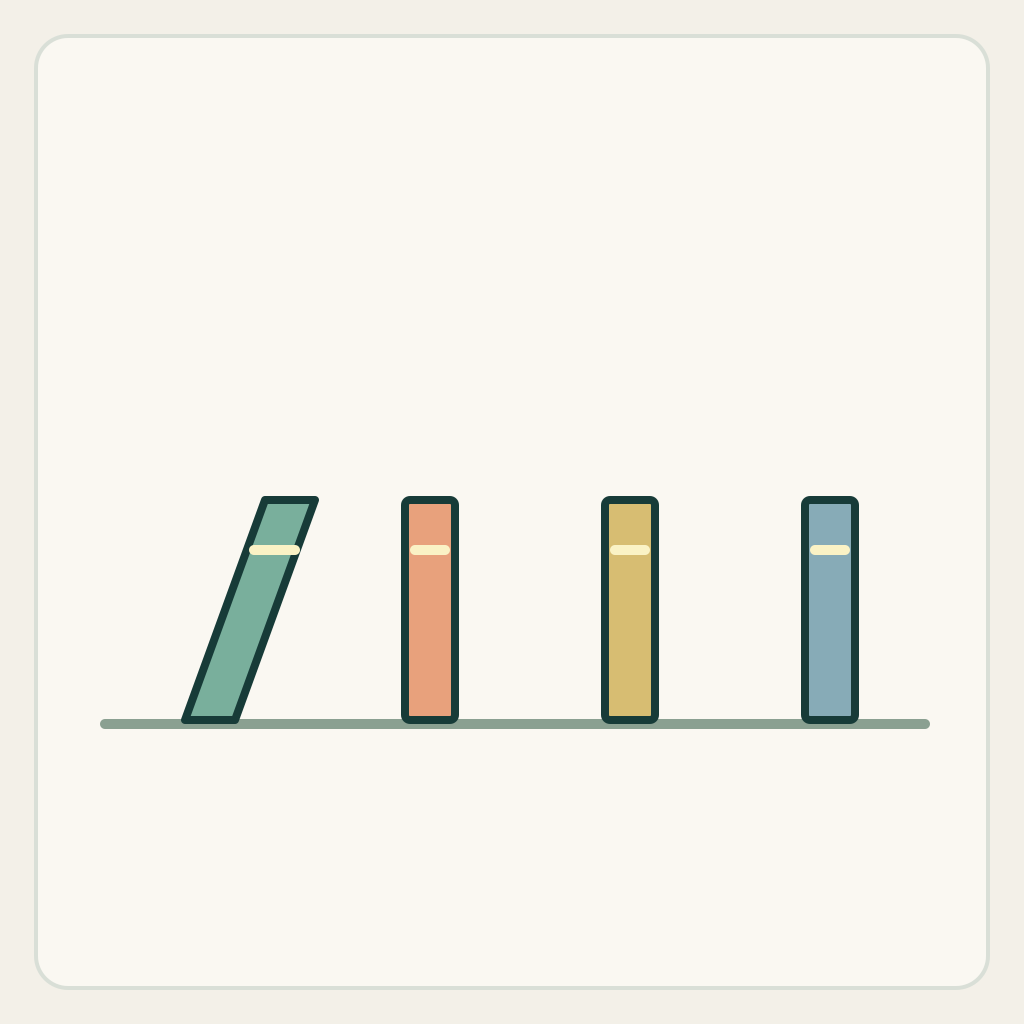
MiniMax H3 domino prompt: make each contact explain the next fall
Describe one short cascade in which four separate tiles fall in a readable cause-and-effect order. The useful result is a visible contact chain, not merely four objects moving at once.
Original illustrated practice input; method not independently tested. No H3 generation or model output is supplied. A result, if you later generate one, still needs the checks below.
!Original illustrated practice input, not a model result
Read the starting input
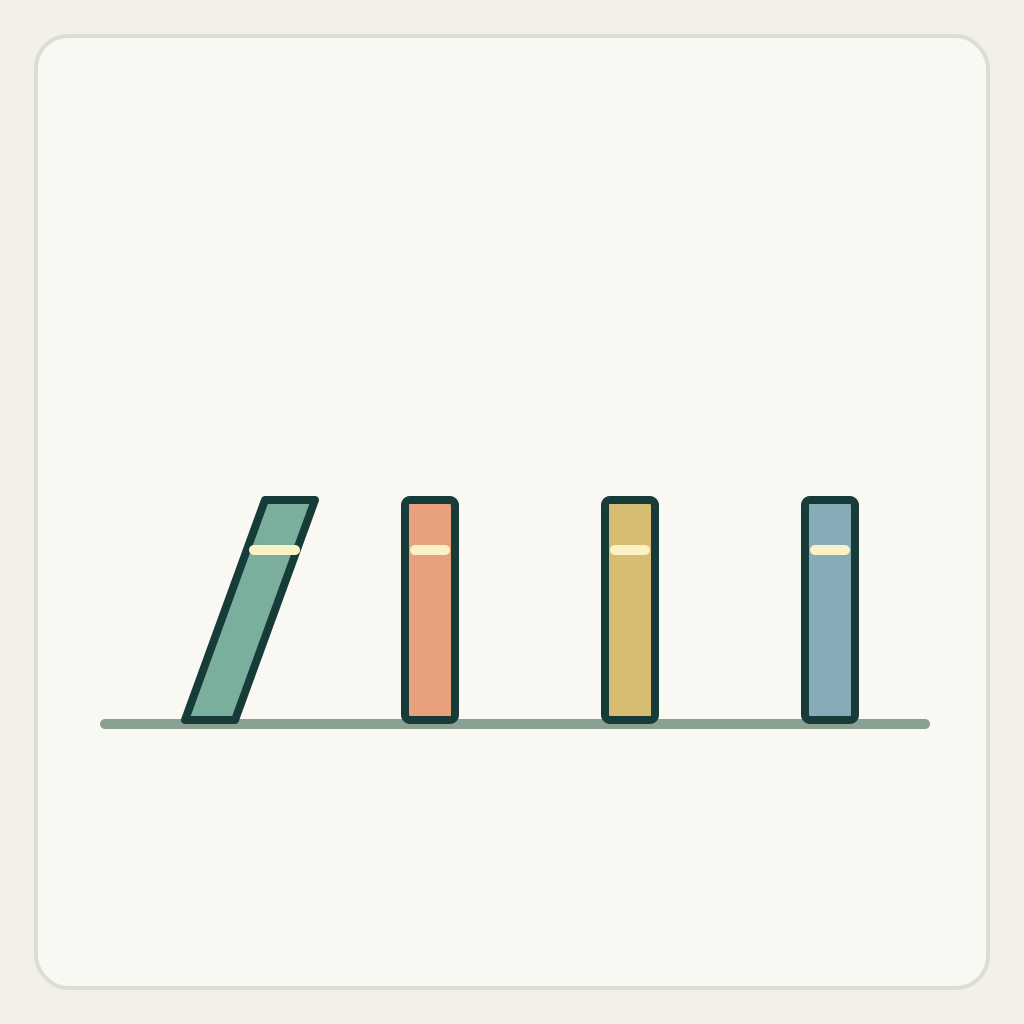
The original side-view drawing contains four blank tiles on one horizontal surface. The left tile is already leaning toward the next tile; the other three stand upright. Gaps are smaller than the visible tile height, so a falling tile can reach its neighbor. Four colors help track identity without lettering.
Use the horizontal surface and the four original base positions as reference anchors. Before submitting, trace which upper edge could reach the next tile. A gap that exceeds the tile length cannot be repaired by asking for more realistic physics.
Set up the current generator
Select MiniMax H3 base in image-to-video. Enable Add end frame so the current interface exposes the First Frame slot. Upload only first-frame.png to First Frame and leave Last Frame empty. This is not the Fast workflow: Fast requires both frames. Select a duration and ratio actually offered by the interface; these notes promise no exact motion timing. Opening a generator does not submit a task. Provider availability and generated outcomes are not promised. The SVG is a design/inspection source, not an upload instruction.
Download practice kit · PNG first frame · Blank acceptance sheet
Copy the original prompt
Start from the supplied illustrated first frame. Locked side camera. The already leaning left tile continues to fall toward the second tile. It visibly touches the second tile before that tile begins its main fall. Repeat this contact-led order from the second to the third, then the fourth. Keep the same four rigid tiles and the fixed horizontal surface. Do not start distant tiles at the same time, stretch a tile across a gap, add a fifth tile or cut away from a contact. End after the fourth tile falls, with all four original tiles resting in a readable arrangement, then hold. This is one small visual cascade, not a calibrated impact simulation.Work through one attempt
- Check the PNG for four distinguishable tiles and reachable neighboring gaps. If replacing the illustration, preserve a visible start of motion and keep every contact region inside the frame.
- Request the cascade once. Keep camera travel, a hand pushing several tiles and a reset out of this attempt, so the contact sequence remains the only main event.
- If you later obtain a result, pause just before and after each contact. Record whether the next tile had already started moving, then inspect all four identities in the final pile.
Inspect the result
Record an observation for each item in the blank sheet. The sheet starts with empty results: none is a pre-existing pass.
- The fixed surface and original tile scale remain stable.
- Tile2, then tile3, then tile4 begin their main fall only after a visible neighboring contact.
- The same four tiles remain separate objects; no extra tile, fused pair or stretched connector appears.
- The ending shows a settled four-tile arrangement with no restart or unexplained jump.
Change one failure at a time
- If several tiles fall together, shorten the chain requested in the prompt for diagnosis and emphasize the first contact; do not accept synchronization as a cascade.
- If one tile jumps a gap, inspect the input spacing before adding more force words. Use a reachable arrangement rather than hiding the jump with a cut.
- If the final pile merges, reduce overlap in a replacement input or stop the requested motion earlier; do not treat a visually dense pile as proof that all identities survived.
Ending, limits and related tasks
One left-to-right contact cascade is complete. The four original tiles remain on the same surface and do not reset themselves.
This exercise checks visible cause and object continuity. It does not predict impact energy, friction, exact contact timing or physical safety; the method has not been independently tested on H3.
Use the single-drop task when one landing is the whole shot. Use this exercise when the viewer must understand why the next separate object moves.