Task template
MiniMax H3 label-peeling prompt: move the contact boundary, keep the panel fixed
Plan one short peel of a blank label with an original first frame, a moving adhesion boundary and a checklist for the exposed panel. An untested image-to-video exercise.
MiniMax-H3 · image-to-video · Original task method; generation has not been independently verified.
Start generating video →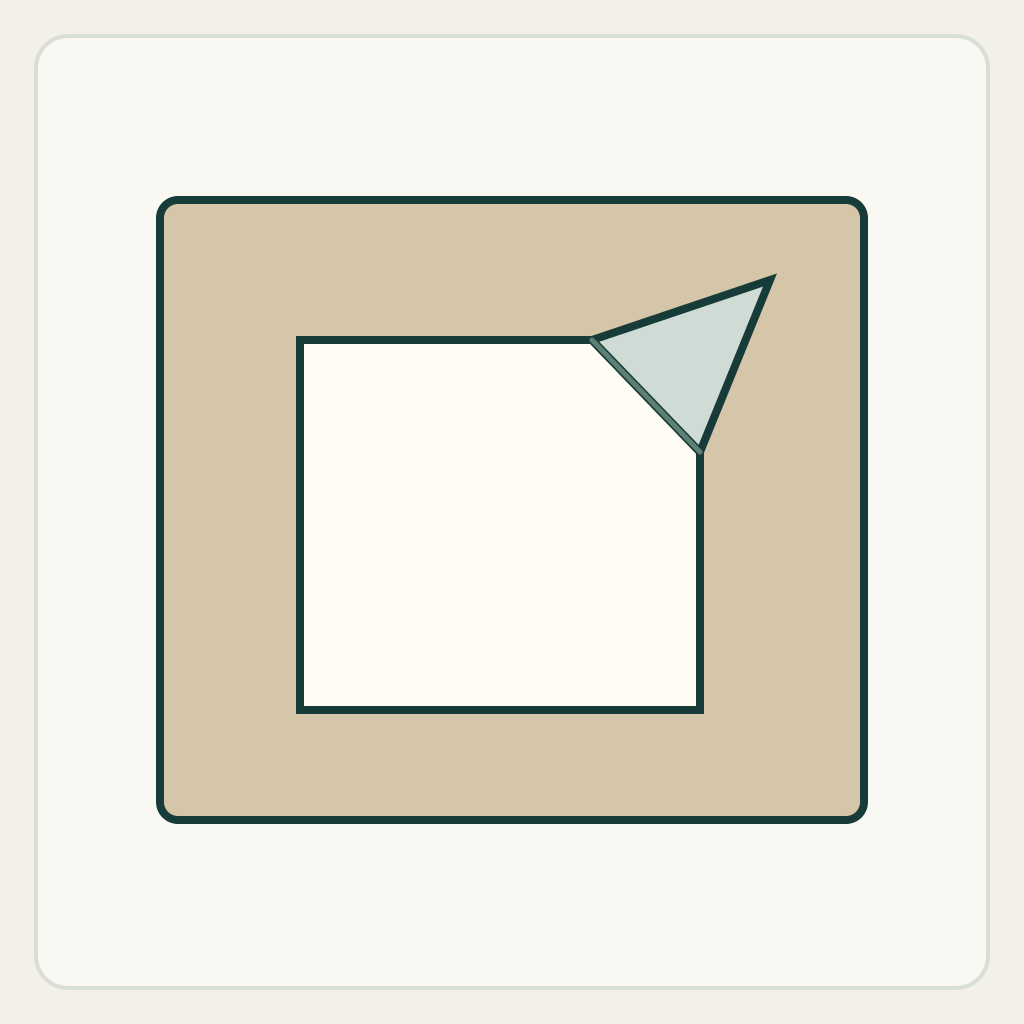
MiniMax H3 label-peeling prompt: move the contact boundary, keep the panel fixed
Animate a partly lifted blank adhesive label peeling a little farther from a rigid panel. Judge the changing attached region rather than a general hand movement or a whole-object reveal.
Original illustrated practice input; method not independently tested. No H3 generation or model output is supplied. A result, if you later generate one, still needs the checks below.
!Original illustrated practice input, not a model result
Read the starting input
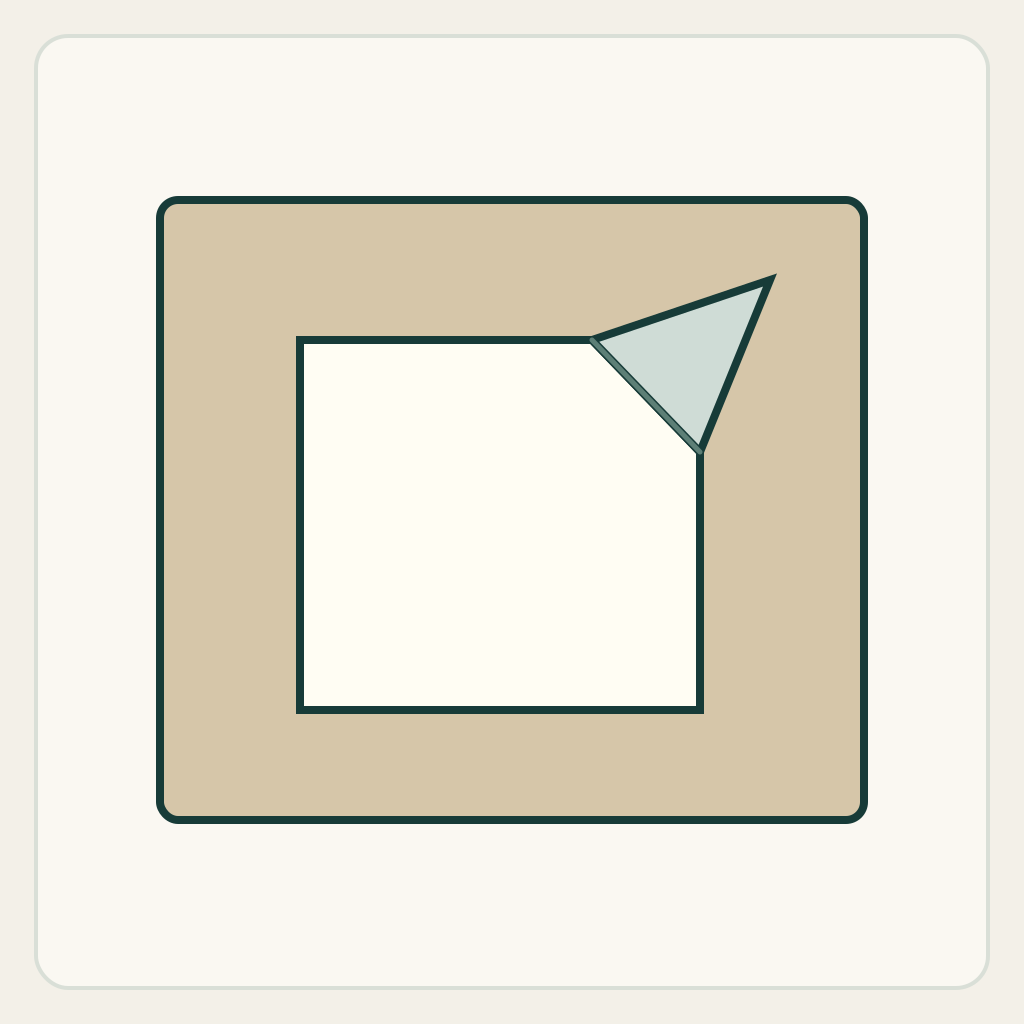
The square illustration shows a beige panel, a white rectangular label and a small folded free corner at the upper right. The remaining flat label is still attached. There is no logo, lettering or hidden product artwork to invent.
Use the panel's four outer corners as fixed anchors. Follow the diagonal fold where the lifted corner meets the attached sheet; this line is the adhesion boundary, not a printed decoration.
Set up the current generator
Select MiniMax H3 base in image-to-video. Enable Add end frame so the current interface exposes the First Frame slot. Upload only first-frame.png to First Frame and leave Last Frame empty. This is not the Fast workflow: Fast requires both frames. Select a duration and ratio actually offered by the interface; these notes promise no exact motion timing. Opening a generator does not submit a task. The SVG is a design/inspection source, not an upload instruction.
Download practice kit · PNG first frame · Blank acceptance sheet
Copy the original prompt
Start from the supplied illustrated first frame. Locked frontal camera. Keep the beige rigid panel stationary. The already lifted upper-right corner of the single blank white label moves slowly upward and right, peeling only a short additional strip. The attached-to-detached boundary travels gradually toward the label's center. Reveal the same beige panel behind that boundary; no new image, writing or second label appears. Keep the loose flap connected to the remaining attached sheet. Finish with a larger lifted flap and a clearly visible attached region, then hold. One continuous close-up, no camera move or cut.Work through one attempt
- Before submitting, trace the panel corners, attached sheet and free flap in the PNG. If you replace the drawing, start with an actually lifted corner; a completely flat sticker hides the motion's starting condition.
- Ask for only a short peel. Keep removal, reapplication and a hand entering the frame out of this first attempt, so a change of contact is the main event.
- When you have a result, pause at the start, the largest visible change of the fold and the ending. Compare the revealed region with the fold's travel, rather than assuming a plausible-looking flap proves correct contact.
Inspect the result
Record an observation for each item in the blank sheet. The sheet starts with empty results: none is a pre-existing pass.
- All four panel corners stay in place without a camera-induced scale change.
- New beige surface appears only behind the advancing peel boundary.
- The free flap remains joined to the attached sheet; it does not become a second label.
- The ending still contains an attached region and one lifted flap.
Change one failure at a time
- If the entire label lifts as a rigid card, shorten the requested peel and restate that most of the sheet remains attached.
- If artwork appears underneath, explicitly request an unchanged blank beige surface; do not add a reveal narrative.
- If the flap disappears at the fold, reduce motion before adding hands or a camera move.
Ending, limits and related tasks
One continuous white label remains partly attached; its lifted corner is larger, and the rigid blank panel is unchanged.
This brief checks visible attachment continuity. It does not simulate adhesive strength, material stiffness or a measured peel angle.
The zipper template changes a joined seam; the page-turn template rotates a sheet around a spine. This task instead moves the boundary between a sheet and a supporting surface, with a growing exposed patch.