MiniMax H3 icon-morph prompt: one contour changes instead of two images fading
Request a continuous change in the outline of one fictional icon.
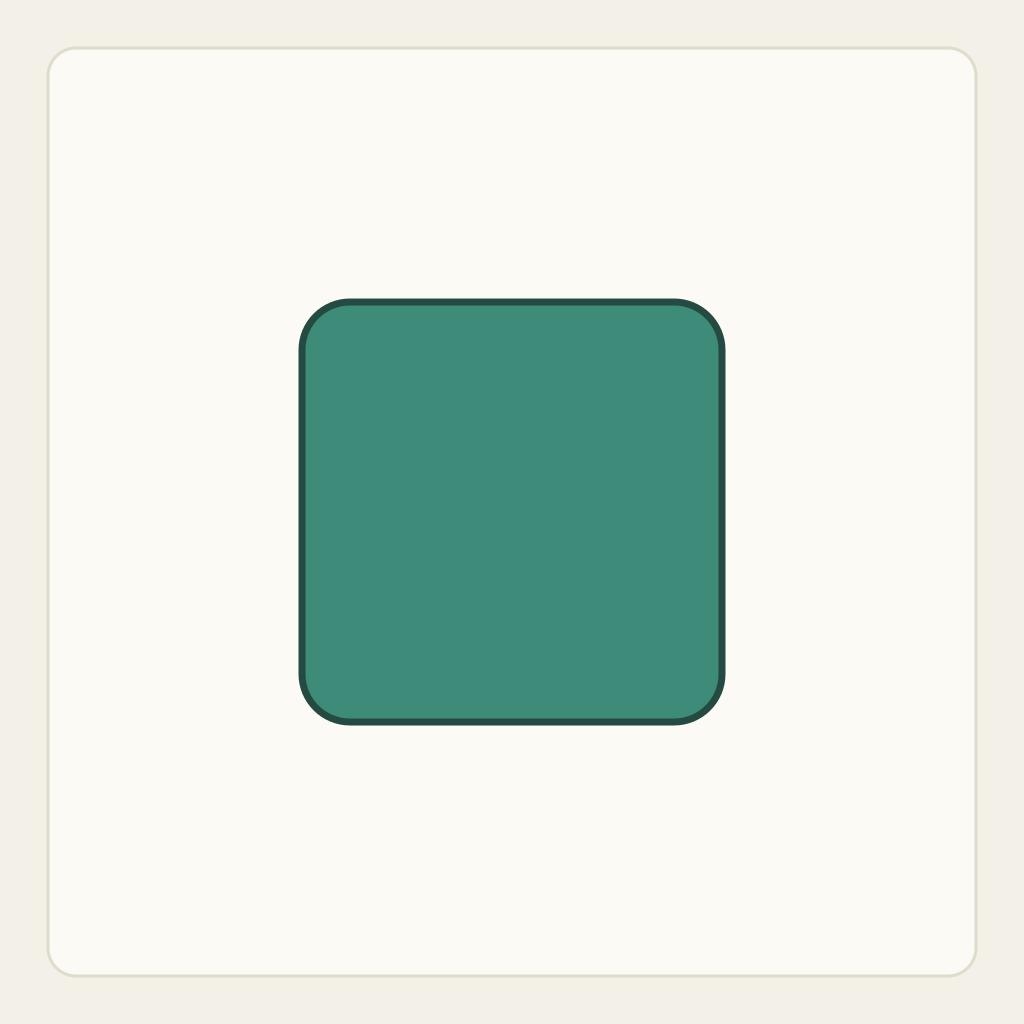
Request a continuous change in the outline of one fictional icon. A crossfade between two separately visible shapes is not the same task, even if its first and last pictures look correct.
Original practice illustrations and an untested method. No H3 task has been submitted and no generated result is included.
For an actual attempt, prepare a photo or drawing you own or have permission to use. Match the visible starting arrangement, contact gaps, fixed supports and identifying marks described below. Adapt the prompt’s object, color and style names to your image. If a necessary contact or movement space is missing, fix the input before submitting. The on-page illustration is a reading example; you can plan the action without running a generation.
1. Establish the authored starting state
Prepare an image of one centred teal rounded square on an empty warm canvas, as illustrated on this page. The intended endpoint is one solid circle with the same fill and approximate center. This endpoint is a written target, not a second uploaded input or an observed model result.
2. Assign the moving and fixed roles
Track one filled region, its outer contour and its centre. The desired ending is a simple circle in the same part of the canvas. This exercise deliberately changes shape; it is inappropriate when an actual product silhouette must remain truthful.
- Upload only your prepared rounded-square image. Use a circle with the same fill and center as the written comparison target; no separate endpoint image is needed.
- Ask for one contour change with a fixed camera. Leave rotation, translation, lighting sweeps and background transitions out so they cannot conceal a swap.
- If you later generate a result, examine several intermediate frames for double contours or opacity fades before comparing the ending with the authored circle.
3. Prepare one manual generation attempt
Use MiniMax H3 base image-to-video with your prepared image. If needed, enable Add end frame to expose First Frame, put only that image in First Frame and leave Last Frame empty. Check the actual available settings and current credit estimate before manual submission. The prompt is text you can copy; it does not upload your image or start a task. No exact duration, resolution, endpoint or successful result is guaranteed by these instructions.
4. Use the complete original draft
Use your prepared, authorized image containing one centred teal rounded square as the first frame. Keep the camera, empty warm background and teal fill unchanged. Gradually round the same single outer contour until the shape becomes a simple circle near the original centre. The contour changes continuously: do not place a second circle on top, crossfade between two visible icons, split the shape or cut to another picture. Do not add a logo, text, animated shadows, particles or an extra object. End with one solid round icon and hold. This is a requested visual transformation of an original geometric design, not a guarantee of exact endpoint control or preservation of a real product.
Use the complete prompt above and adapt it to your own starting image before submitting.
5. Inspect the actual result in sequence
For each criterion below, record the time or frame, visible observation and judgment in your own notes: pass, fail or inconclusive. Fill observed values only after inspecting an actual output; the intended ending is not evidence that the transition occurred.
- One connected filled icon is visible throughout; it does not split into two.
- The contour changes rather than replacing one object with a second translucent object.
- The icon centre remains near its starting position and the background is stable.
- The ending is one simple round shape without lettering or new components.
- The intended circular ending remains a planning target, not evidence of a generated result or an uploaded last frame.
6. Repair one failure without changing the task
- A circle fades in over the square: remove transition/fade wording and explicitly inspect the intermediate double outline. If exact shape interpolation is required, construct your own rounded square and circle in a vector editor and animate their contour there.
- The shape spins or slides: retain only contour change and centre stability before trying stylistic motion.
- The ending remains uneven: record that failure; do not rename an approximate frame as exact circle control or claim the guide was followed automatically.
7. Save the ending and choose the right next task
Save beginning, intermediate and ending observations separately. A clean final circle cannot by itself prove that the middle was a continuous one-shape morph.
This is an original untested method with no model output. It proves neither H3 last-frame support nor accurate brand-mark transformation. Real product shape consistency is a different objective.
For a contrast that must preserve card identity and outline, use the single-card slide exercise. Use this morph exercise only when the design itself is fictional and an intentional contour transformation is the requested outcome.