Task template
MiniMax H3 connector prompt: insert one aligned plug into a fixed port
Plan one visible insertion into a fictional unpowered port. Check alignment, decreasing exposed connector length and cable continuity from an original first-frame PNG.
MiniMax-H3 · image-to-video · Original task method; generation has not been independently verified.
Start generating video →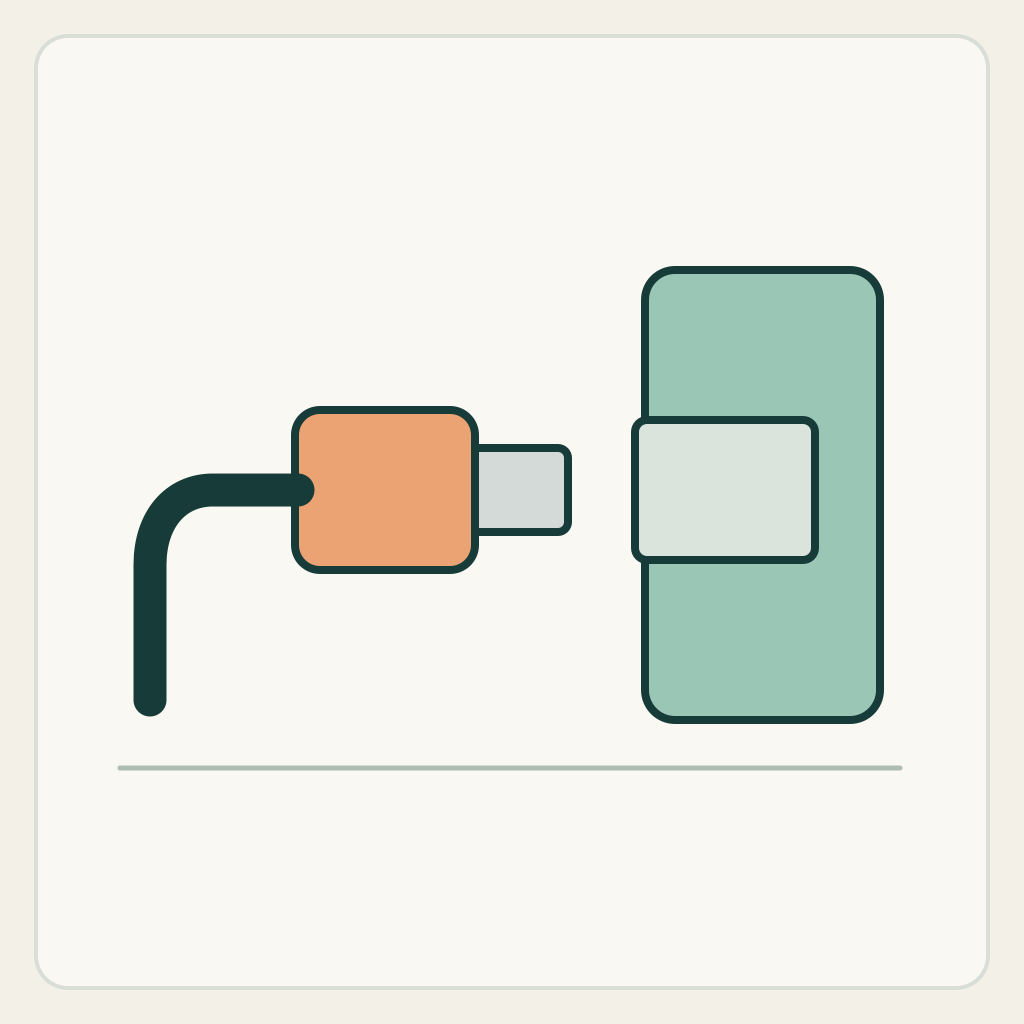
MiniMax H3 connector prompt: insert one aligned plug into a fixed port
Advance an already aligned connector into a fixed socket, then stop seated. The changing visible insertion depth is the task; no electrical behavior or device activation is requested.
Original illustrated practice input; method not independently tested. No H3 generation or model output is supplied. A result, if you later generate one, still needs the checks below.
!Original illustrated practice input, not a model result
Read the starting input
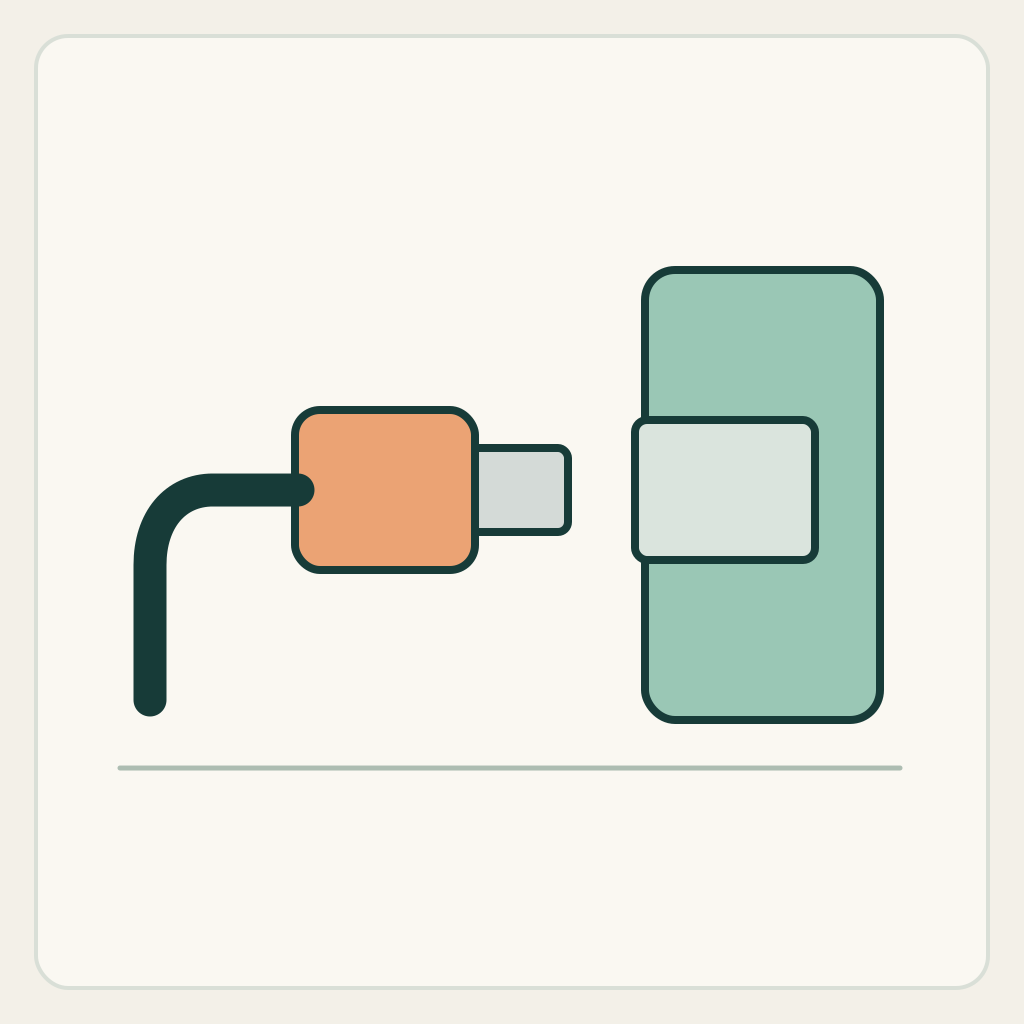
The original side-view illustration shows a rounded teal socket block, a pale recess and an orange connector facing the recess from the left. A cable continues out of the connector body. This is a fictional low-detail prop, not a named connector standard.
Track the port centerline, the exposed connector tip and the junction between cable and body. The socket block must not travel toward the plug to fake insertion.
Set up the current generator
Select MiniMax H3 base in image-to-video. Enable Add end frame so the current interface exposes the First Frame slot. Upload only first-frame.png to First Frame and leave Last Frame empty. This is not the Fast workflow: Fast requires both frames. Select a duration and ratio actually offered by the interface; these notes promise no exact motion timing. Opening a generator does not submit a task. The SVG is a design/inspection source, not an upload instruction.
Download practice kit · PNG first frame · Blank acceptance sheet
Copy the original prompt
Begin with the supplied illustrated first frame and a fixed side camera. Keep the teal socket block in place. Move the single orange connector slowly straight right along its existing alignment into the visible pale port. The exposed tip becomes progressively shorter as it enters; do not shrink the connector body. Keep its cable attached and following smoothly behind. No hand, spark, screen, indicator light, new port or device transformation. Stop with the connector seated at the original socket boundary, then hold. One insertion only, no withdrawal or camera movement.Work through one attempt
- Check that the first frame already shows a clear gap and compatible visual alignment. Correct an unsuitable source image rather than asking a hidden rotation and an insertion to happen together.
- Keep the port and camera fixed. Ask for one approach and seat, without claiming a click, charging result or standards compliance.
- Inspect the last visible tip, the seated boundary and the cable attachment. A disappearing tip is only useful when it enters the actual recess and the body retains its size.
Inspect the result
Record an observation for each item in the blank sheet. The sheet starts with empty results: none is a pre-existing pass.
- The port block and its centerline remain stationary.
- The exposed tip shortens at the recess as the connector body advances without shrinking.
- The cable stays connected to the same connector body.
- The ending is a seated connector with no invented activation or second port.
Change one failure at a time
- The socket moves toward the plug: explicitly fix the block and compare its corners.
- The tip vanishes outside the port: reduce the gap and restate the entry boundary.
- The cable detaches: simplify its curve and make the body-cable junction an anchor.
Ending, limits and related tasks
One connector is seated at the fixed recess, with its original body and attached cable visible.
This visual exercise neither identifies an actual connector standard nor verifies safe electrical connection, charging or power transfer.
The hand-placement page ends with an object supported on a surface. Here part of a rigid connector becomes hidden inside an aligned aperture while the cable remains attached.