Task template
MiniMax H3 brushing prompt: reveal a clean track only behind the bristles
Plan one brush stroke on a synthetic dusty panel. Inspect where the clean track begins and persists, while the surrounding dust and fixed panel remain unchanged.
MiniMax-H3 · image-to-video · Original task method; generation has not been independently verified.
Start generating video →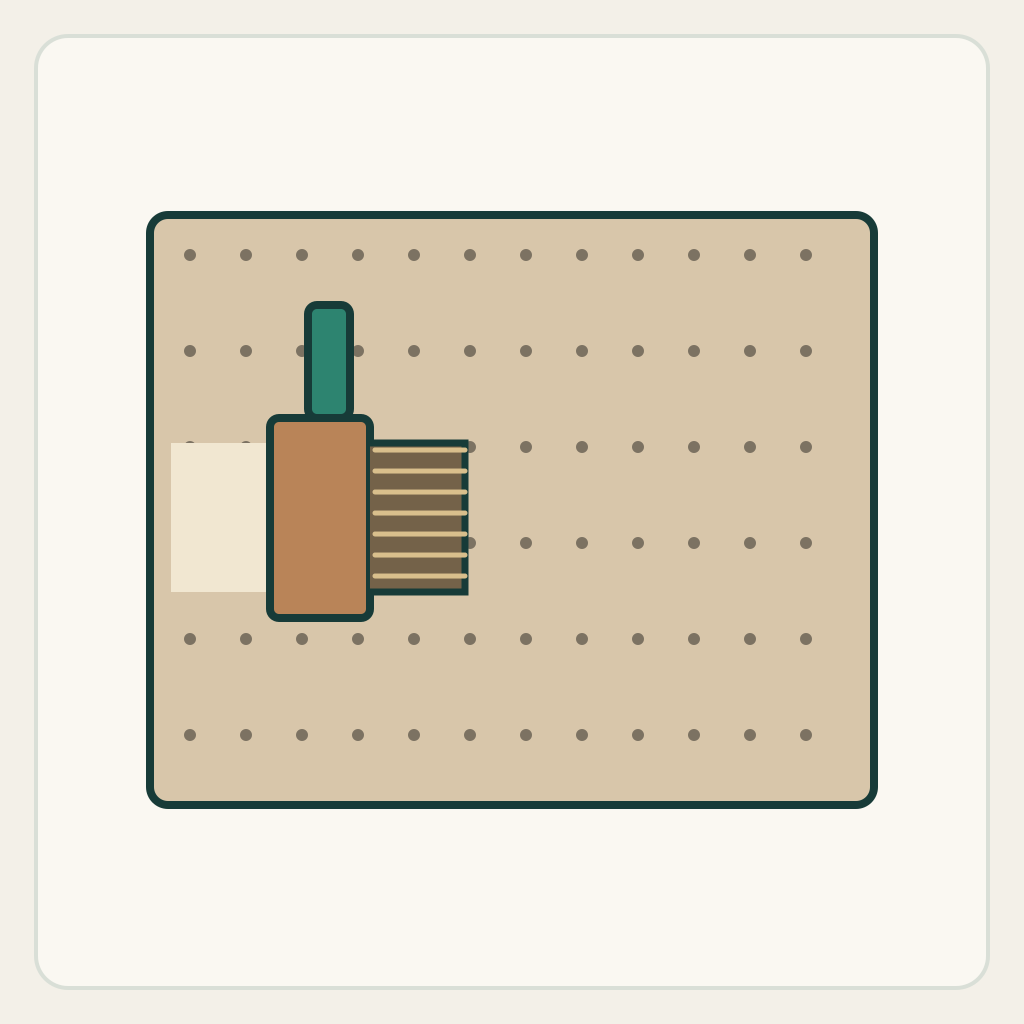
MiniMax H3 brushing prompt: reveal a clean track only behind the bristles
Move a brush once across a dusty panel and leave a narrow cleared track behind its contact area. The task links a tool's path to a persistent local surface change.
Original illustrated practice input; method not independently tested. No H3 generation or model output is supplied. A result, if you later generate one, still needs the checks below.
!Original illustrated practice input, not a model result
Read the starting input
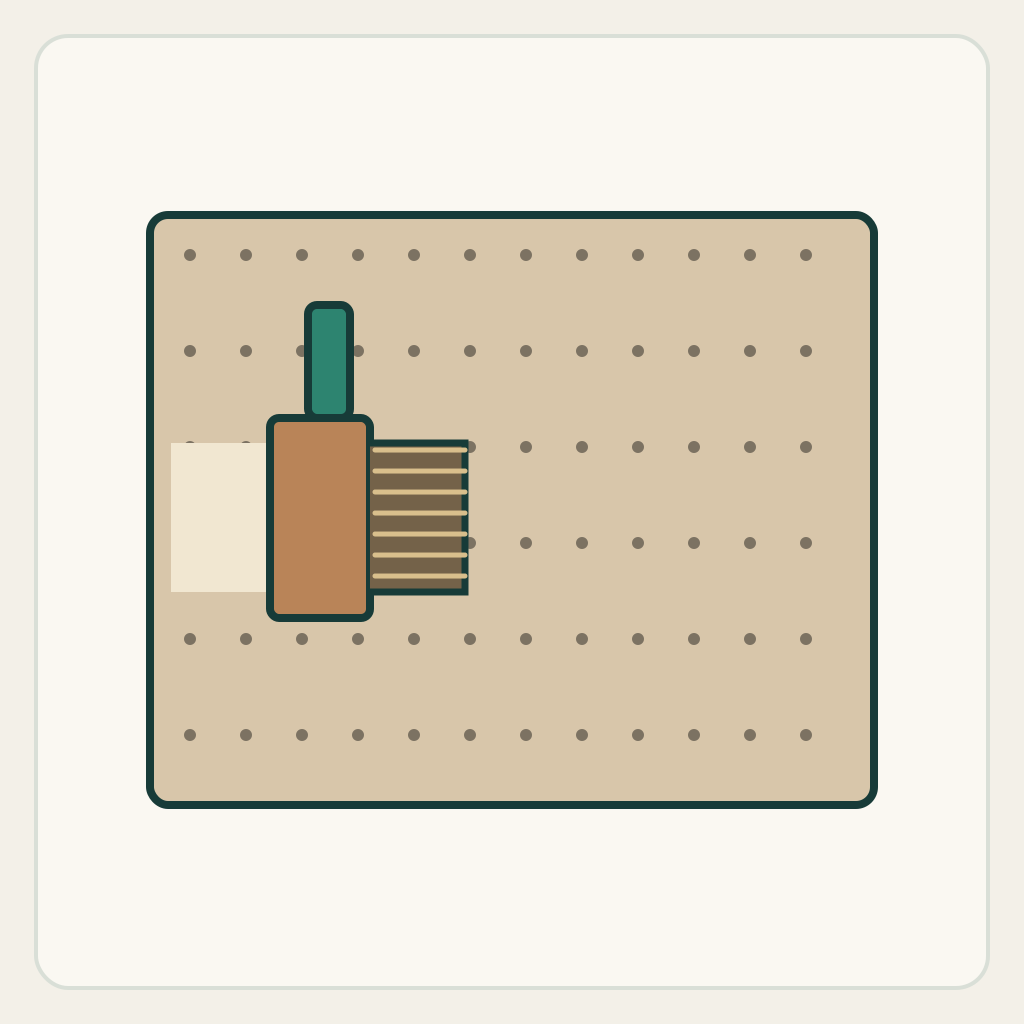
The original overhead drawing has a framed panel with sparse dark dust dots. A broad brush touches its left half; a small clean patch is already visible immediately behind the bristles. Nothing represents a real cleaning product or a before-and-after performance claim.
Fix the panel corners and follow the leading bristle edge. The cleared region must trail that edge rather than appear ahead of it or clear the entire panel at once.
Set up the current generator
Select MiniMax H3 base in image-to-video. Enable Add end frame so the current interface exposes the First Frame slot. Upload only first-frame.png to First Frame and leave Last Frame empty. This is not the Fast workflow: Fast requires both frames. Select a duration and ratio actually offered by the interface; these notes promise no exact motion timing. Opening a generator does not submit a task. The SVG is a design/inspection source, not an upload instruction.
Download practice kit · PNG first frame · Blank acceptance sheet
Copy the original prompt
Use this illustrated first frame, locked overhead camera. The single broad brush remains in contact with the panel and makes one slow straight stroke toward frame right. Dust dots disappear only in the narrow band directly passed by the bristles, extending the existing clean patch behind the brush. Keep dust outside that band and ahead of the brush unchanged. The cleared track remains visible after the brush has passed. Keep the frame fixed, with no new brush, liquid, global wipe or scene transition. Stop the brush before the panel's right edge and hold.Work through one attempt
- Locate the existing clean patch and the brush's contact edge. A clear starting relationship makes the direction of cause and effect inspectable.
- Ask for a single straight pass, not a sparkling product reveal. Keep liquid and dust clouds out of the first attempt so the trail is easy to compare.
- Pause before motion, halfway along the pass and at the end. Look at untouched dots ahead and outside the band as well as the newly cleared surface behind.
Inspect the result
Record an observation for each item in the blank sheet. The sheet starts with empty results: none is a pre-existing pass.
- The panel's border remains fixed and the brush stays singular.
- The clean band grows only where the bristles have already passed.
- Dust ahead of and outside the brush path remains visible.
- The clean track persists in the final hold rather than refilling immediately.
Change one failure at a time
- Whole panel clears at once: remove reveal or wipe-transition language and specify the narrow contact band.
- Clean area appears ahead: restate trailing cause and effect and reduce stroke length.
- Dust returns behind the brush: specify that the exposed panel stays clear through the ending.
Ending, limits and related tasks
The brush has stopped on the same panel, with a continuous clear track behind it and untouched dust outside the path.
This is a synthetic visual continuity task. It does not measure dust removal, cleaning efficacy, bristle mechanics or a real product result.
The light-sweep page changes a reflection temporarily; this task leaves a persistent local surface change tied to contact.