MiniMax H3 提示词指南 · MiniMax H3 Studio · 2026-10-06
MiniMax H3 提示词指南 从提示词基础开始,按 12 个案例学习素材分工与写法,再一次只改一个变量,检查自己的生成结果。
01 提示词基础1.1 选择工作流 没有素材用文生视频;指定开头或结尾用首尾帧;借用外观、动作或声音用参考生视频。
1.2 提示词要素 主体 + 动作 + 环境 + 风格 + 镜头 + 声音
先写清主体和动作,其余按需要补充。
1.3 提示词拆解
主体 白瓷杯静放木桌,
动作 蒸汽缓慢升起。
环境 清晨室内柔和侧光,
风格 写实风格,
镜头 固定镜头,一个连续镜头,
声音 安静室内环境声。 02 图片参考:产品与人物一致性写清每张图的职责:产品、场景、人物、分镜或姿态,再描述要发生的动作。
如何保持产品外观一致 写法 先把产品外观、人物和场景分开指定,再逐镜头检查产品细节。
1. 看结果与素材 用多角度参考图定义包袋外形
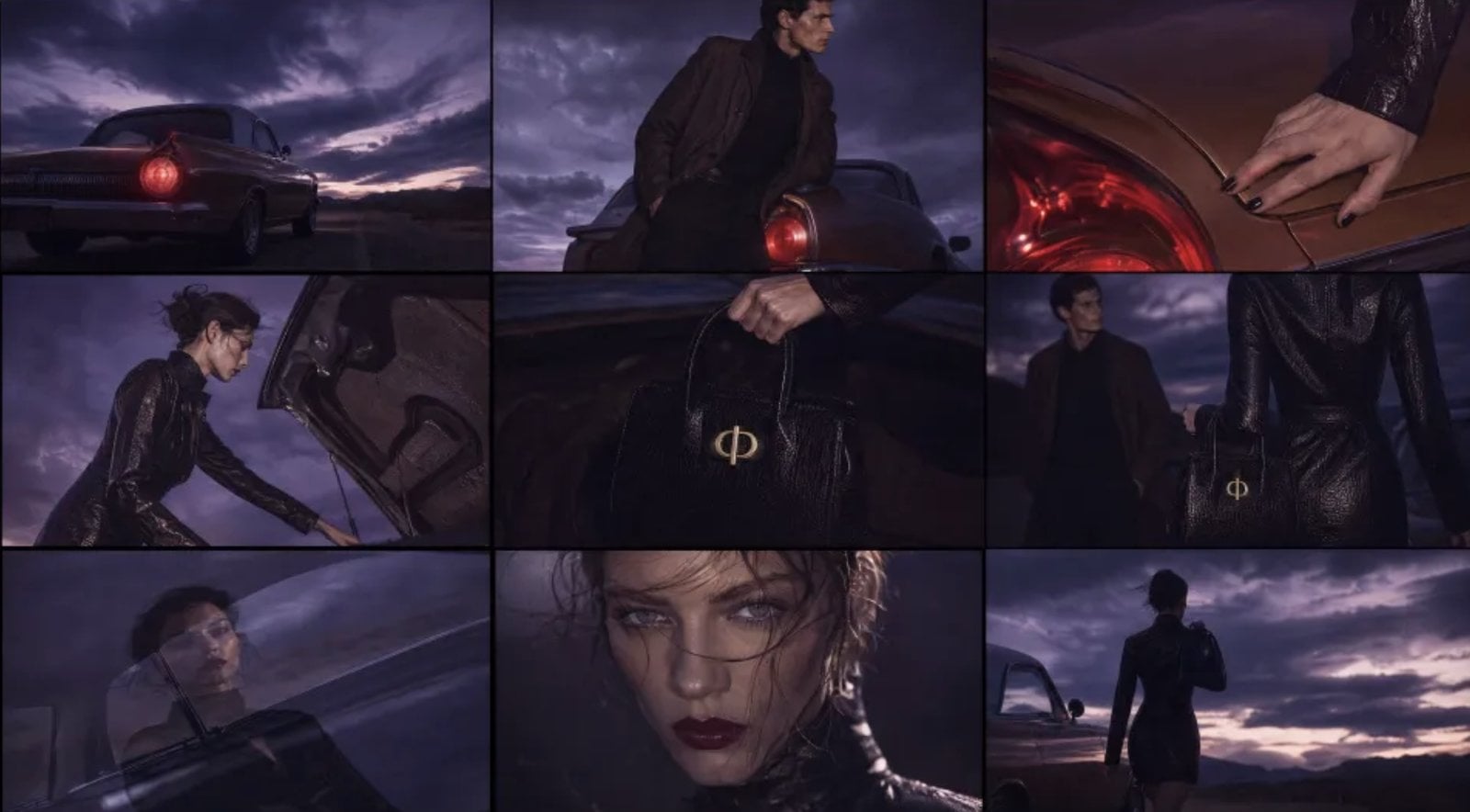
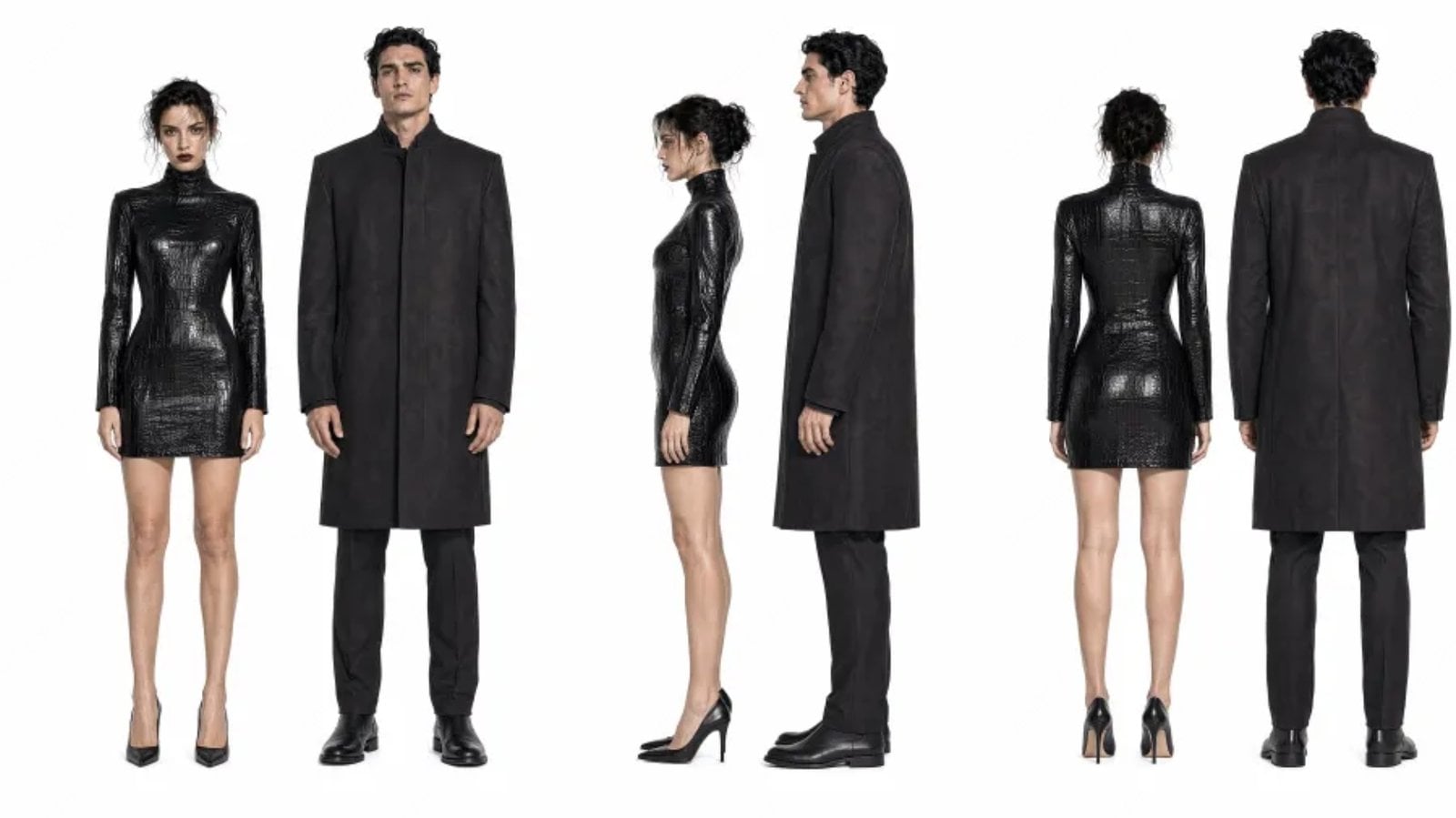
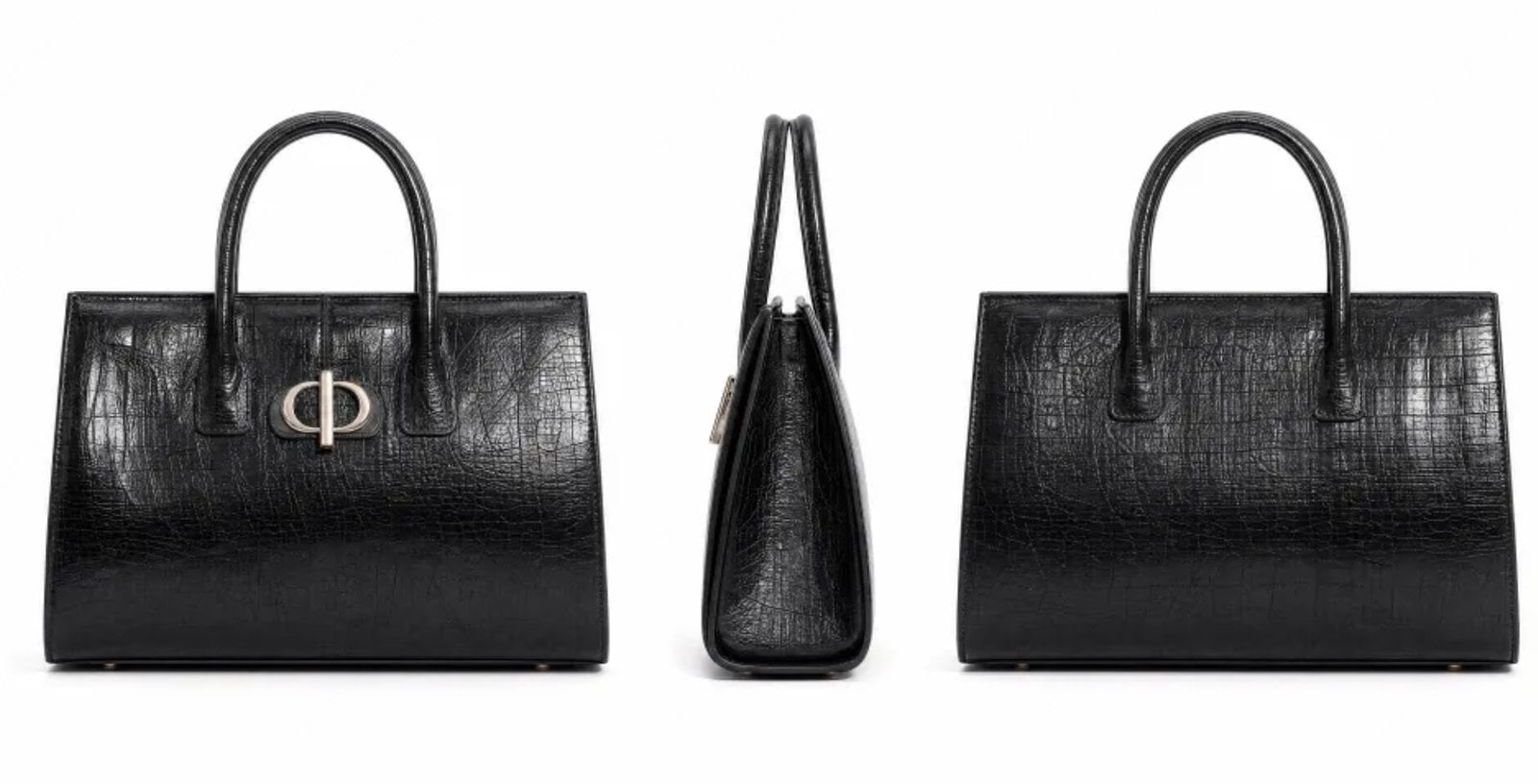
图片 3 提供黑色皮革包袋的正、侧、背视图;图片 1 设定沙漠与胶片氛围,图片 2 提供人物,图片 4 定义英文片尾卡。成片将包袋展示融入人物动作。
图片 1—沙漠场景与胶片风格 图片 图片 2—人物造型 图片 图片 3—包袋正、侧、背视图 图片 图片 4—英文片尾卡 图片 2. 提示词怎么写 公式
[产品多视图] + [人物] + [场景与风格] + [产品互动]
控制重点
包袋素材参考 Image 3:把产品身份交给多视图,避免与场景或人物图混用。 包袋与服装应自然融入人物动作:说明产品如何被展示,而不只是把产品名称列出来。 提示词
制作一段 16:9 横屏的高级时尚品牌视频。整体氛围、场景和影像质感参考 Image 1;包袋素材参考 Image 3;人物素材参考 Image 2;品牌结尾 Logo 参考 Image 4。这是一支销售服装和包袋的时尚广告。整体气质要高级、冷静、克制,但剪辑不能乏味,应更轻快,并有时尚节奏。不要拍成普通剧情片或电商广告。核心故事依然很简单:在沙漠公路和一辆复古汽车旁,一位女士回到车尾,打开后备箱,取出黑色包袋,与站在车旁的男士共享片刻安静的默契,随后带着包离开。包袋与服装应自然融入人物动作,成为人物气质的一部分。 检查 逐镜头核对轮廓、提手与表面细节。
MiniMax H3 · 10s · 768P · 16:9
练习同款 如何让人物在多个镜头中保持一致 写法 人物三视图回答“是谁”,分镜板回答“拍什么、按什么顺序拍”。
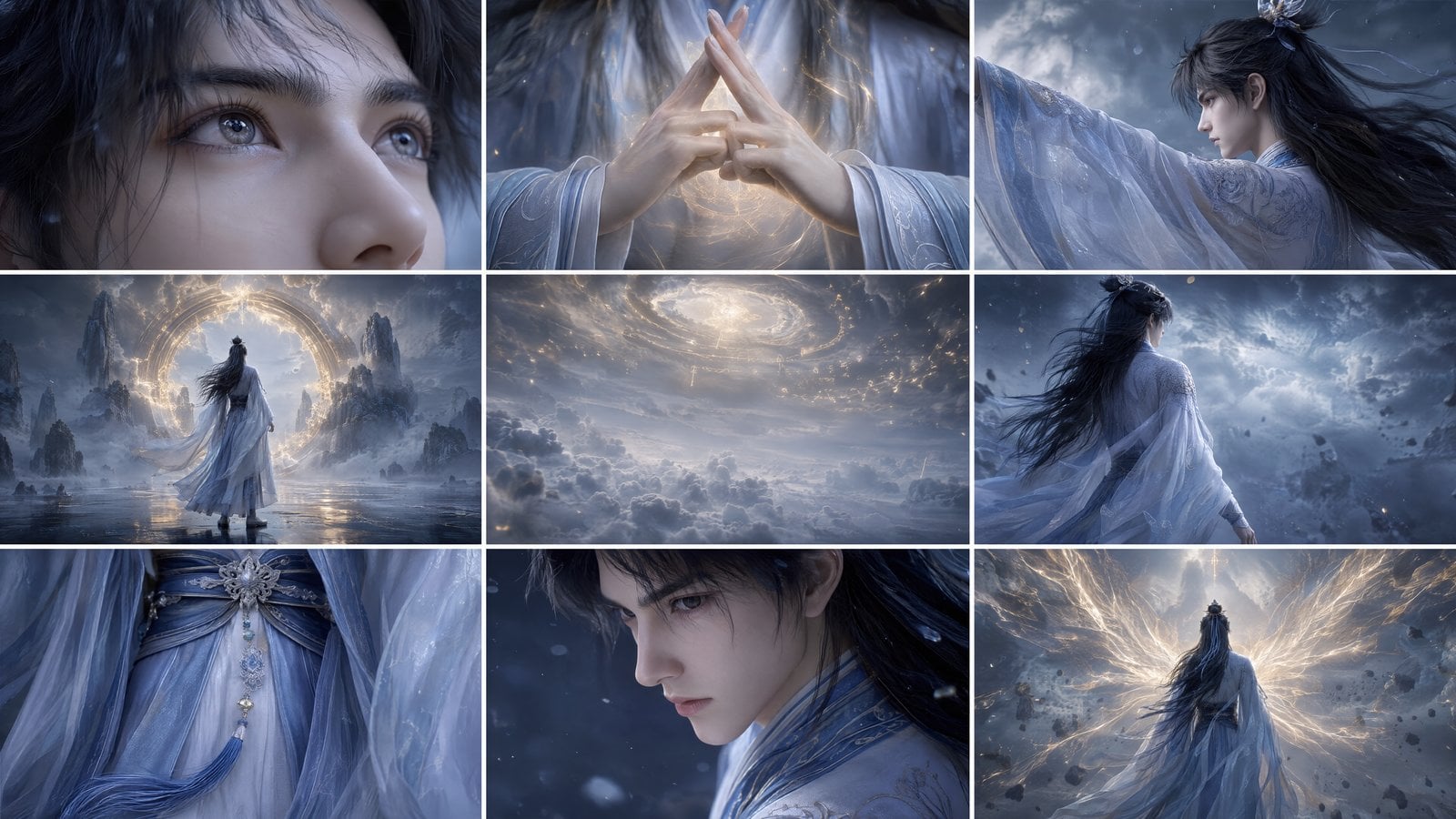
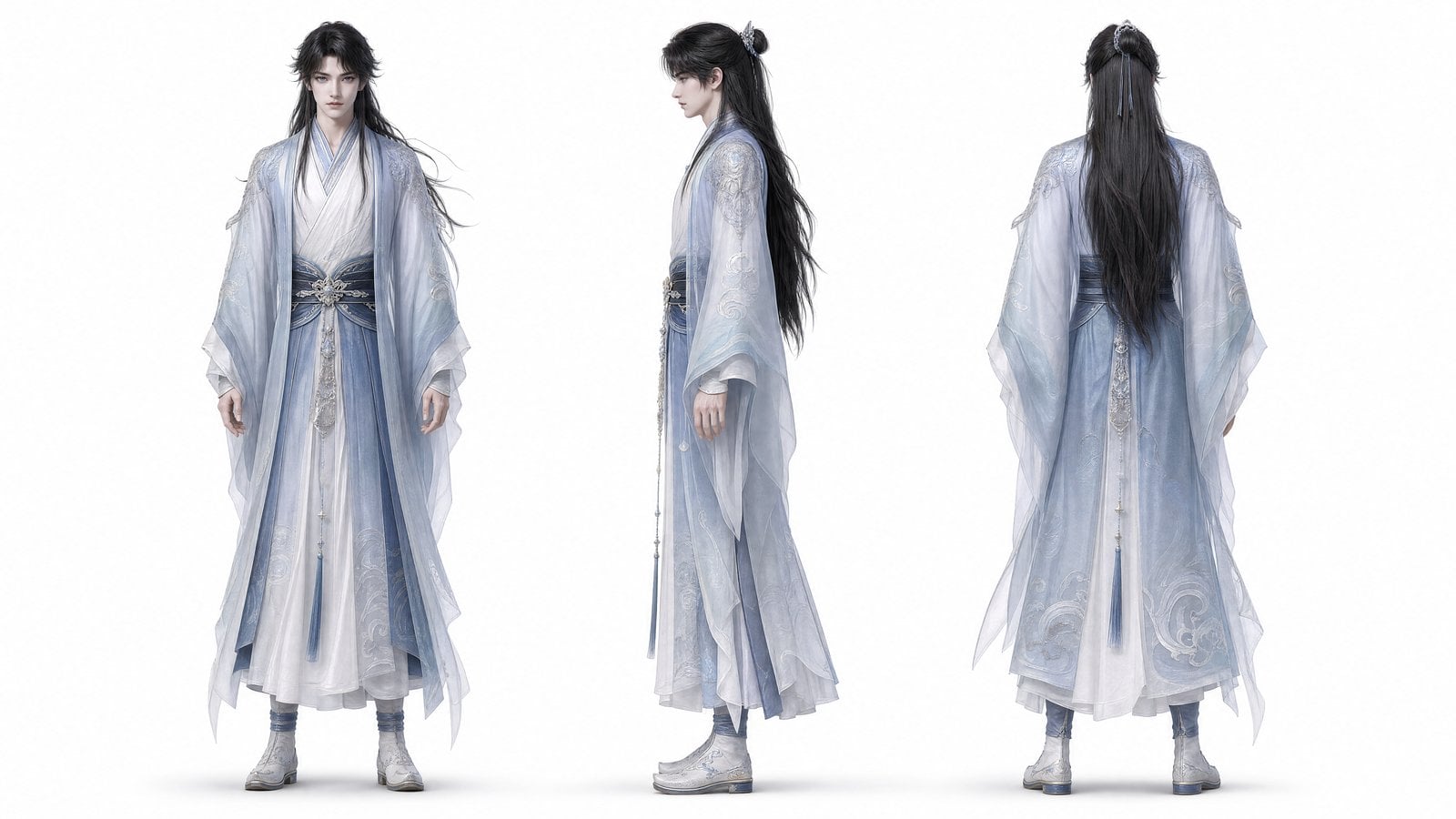
1. 看结果与素材 让仙侠人物贯穿分镜,并保持造型
图片 1 提供九宫格分镜,图片 2 提供人物正、侧、背三视图。提示词逐项指定发型、发冠、服装与配饰,让人物造型贯穿镜头。
图片 1—镜头分镜与节奏 图片 图片 2—人物三视图与服装 图片 2. 提示词怎么写 公式
[分镜板] + [人物三视图] + [身份细节] + [镜头顺序]
控制重点
将 Image 2 用作固定人物参考:指明造型来源,再列出需要跨镜头检查的身份细节。 将 Image 1 用作镜头分镜与节奏参考:把镜头内容与人物身份分开,减少参考职责冲突。 提示词
将 Image 2 用作固定人物参考,保持黑色半束长发、银色镂空发冠、深蓝色发带、轻薄的多层汉服、半透明蓝色外袍、深蓝色腰封、银色花形扣饰和长流苏一致。将 Image 1 用作镜头分镜与节奏参考。画面为高品质 4K、16:9 的国风 3D,具有电影级仙侠质感,热血、庄严、宿命感强。镜头依次呈现分镜中的内容,确保每个镜头之间的运镜和过渡自然,不能像 PPT。人物面部只能以特写或大特写呈现;远景只能拍背影、侧后方或环境空镜,不能出现正面远景。 检查 跨镜头核对面部、发型和服装,再检查分镜顺序是否变化。
MiniMax H3 · 10s · 768P · 16:9
练习同款 如何把多张姿态图编成动作顺序 写法 把每张图对应到一个节拍,写清触发、来向与反应。
1. 看结果与素材 用四张动作参考编排手绘小游戏
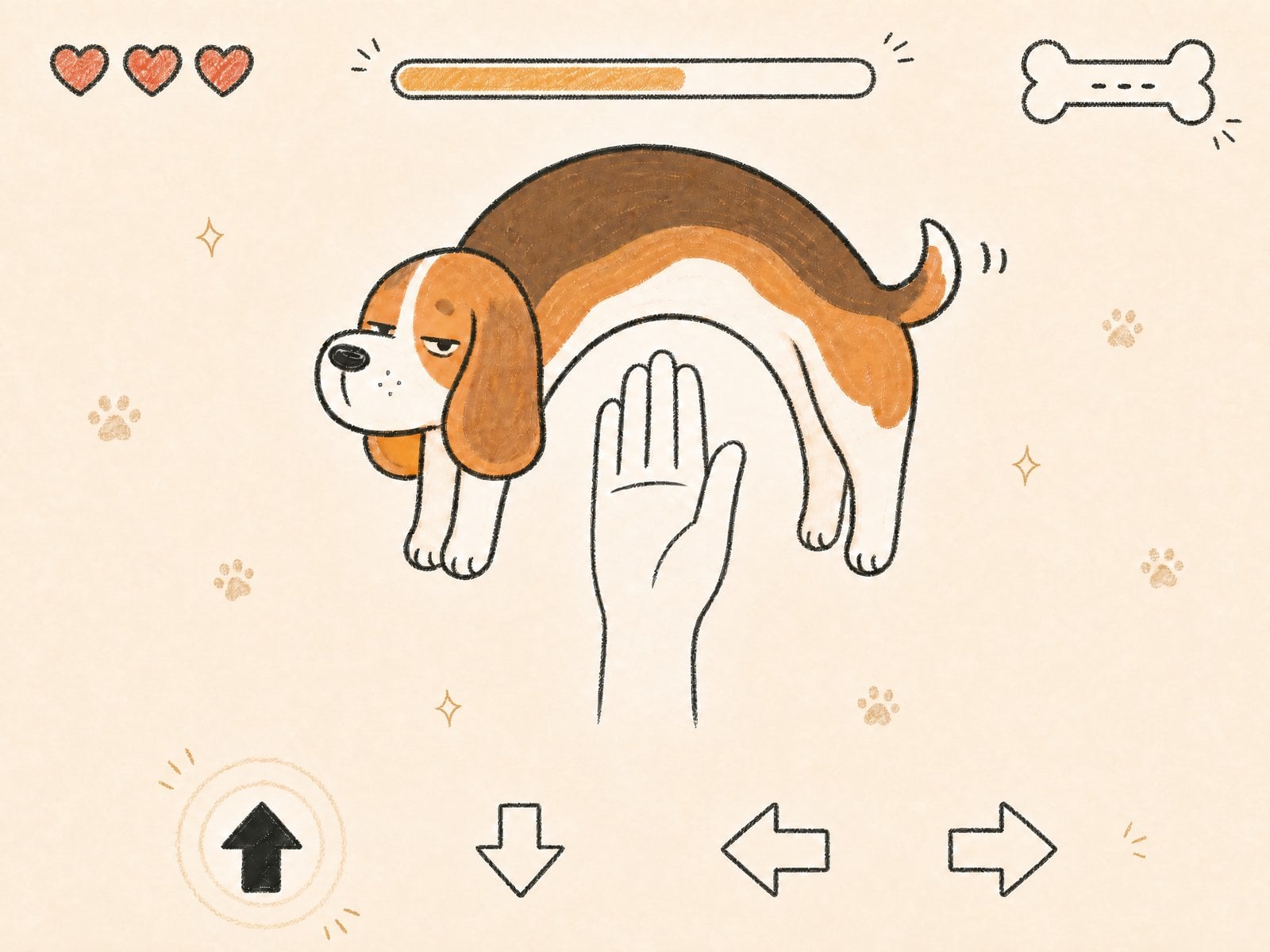
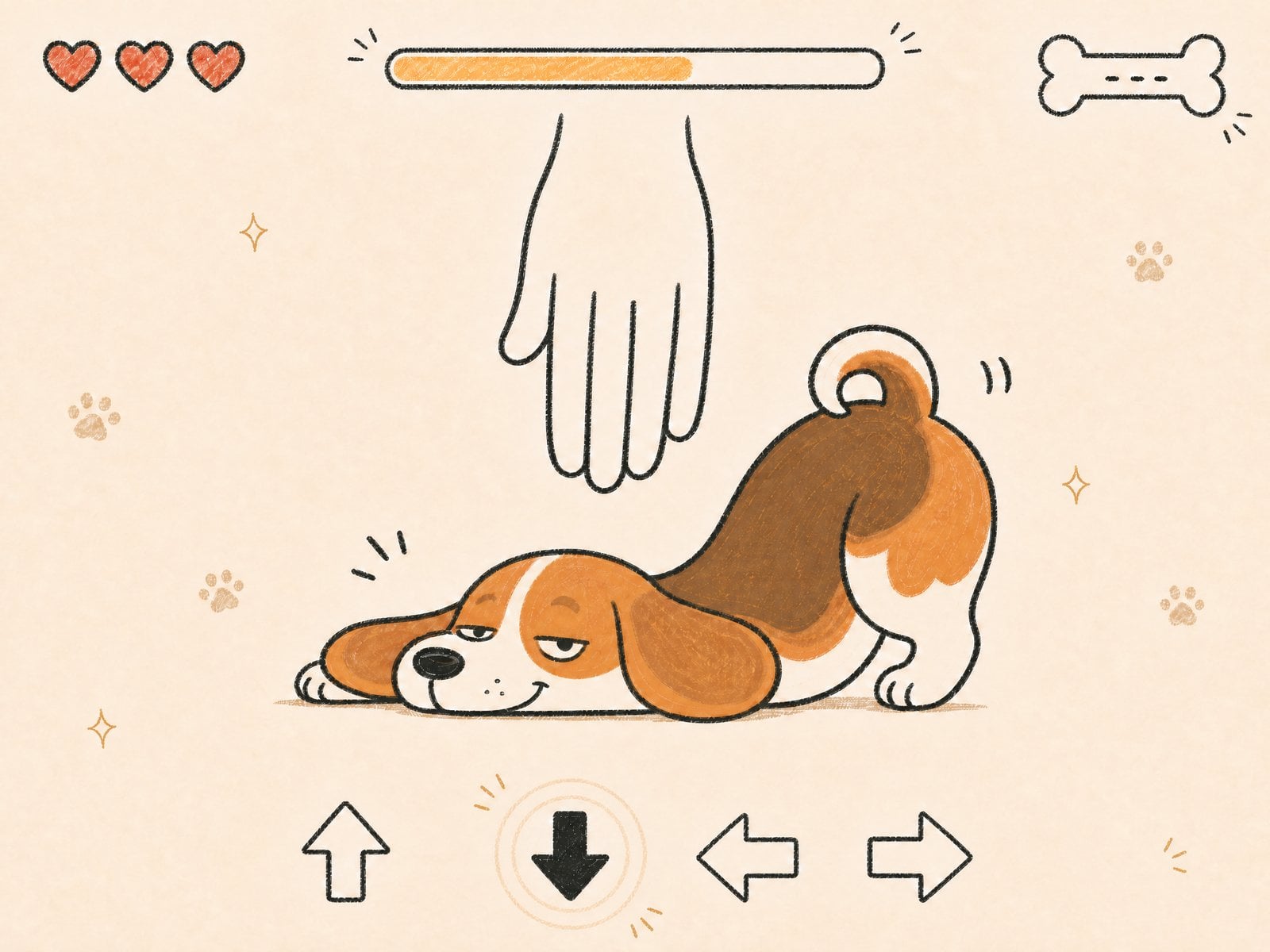
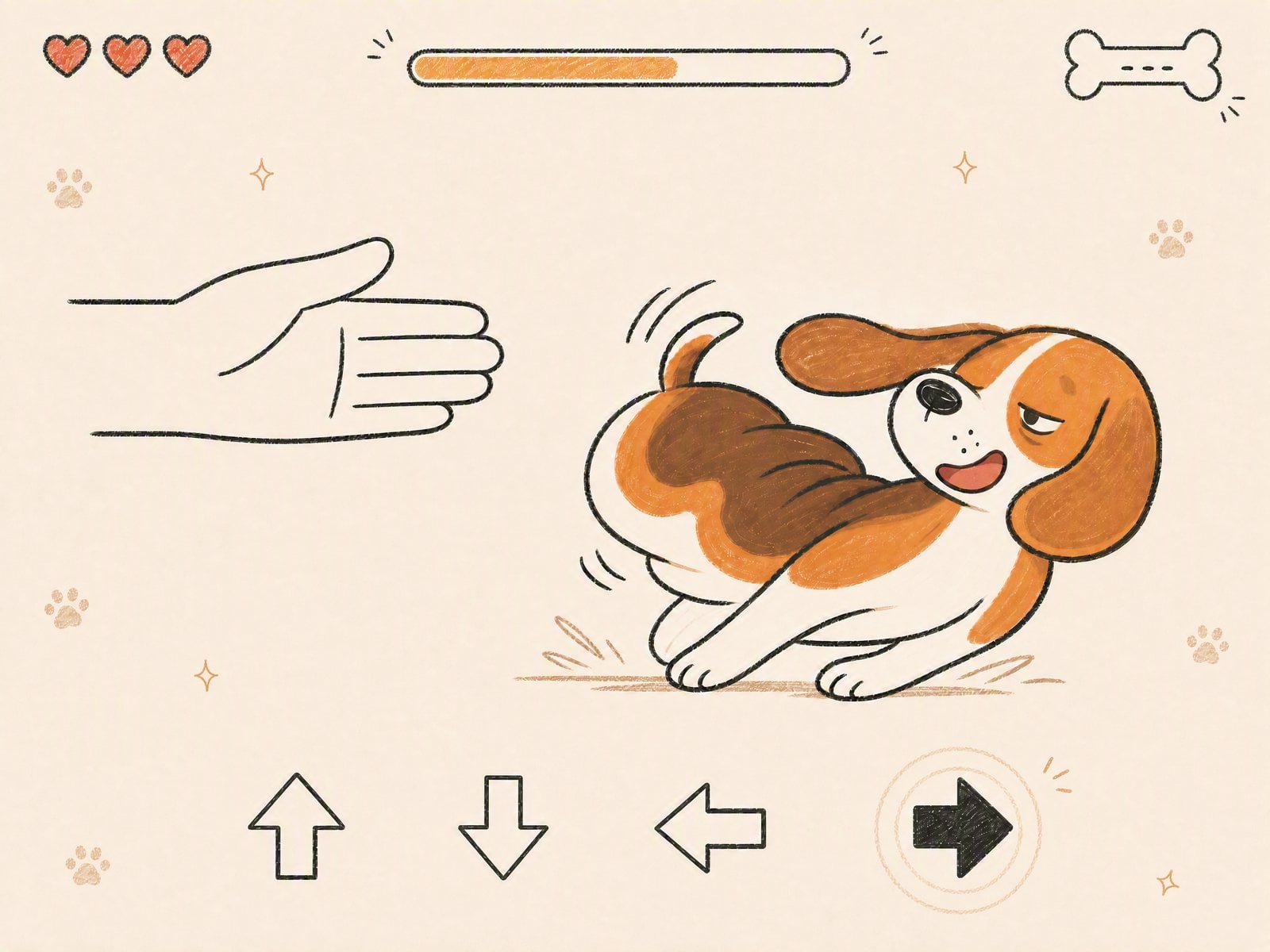
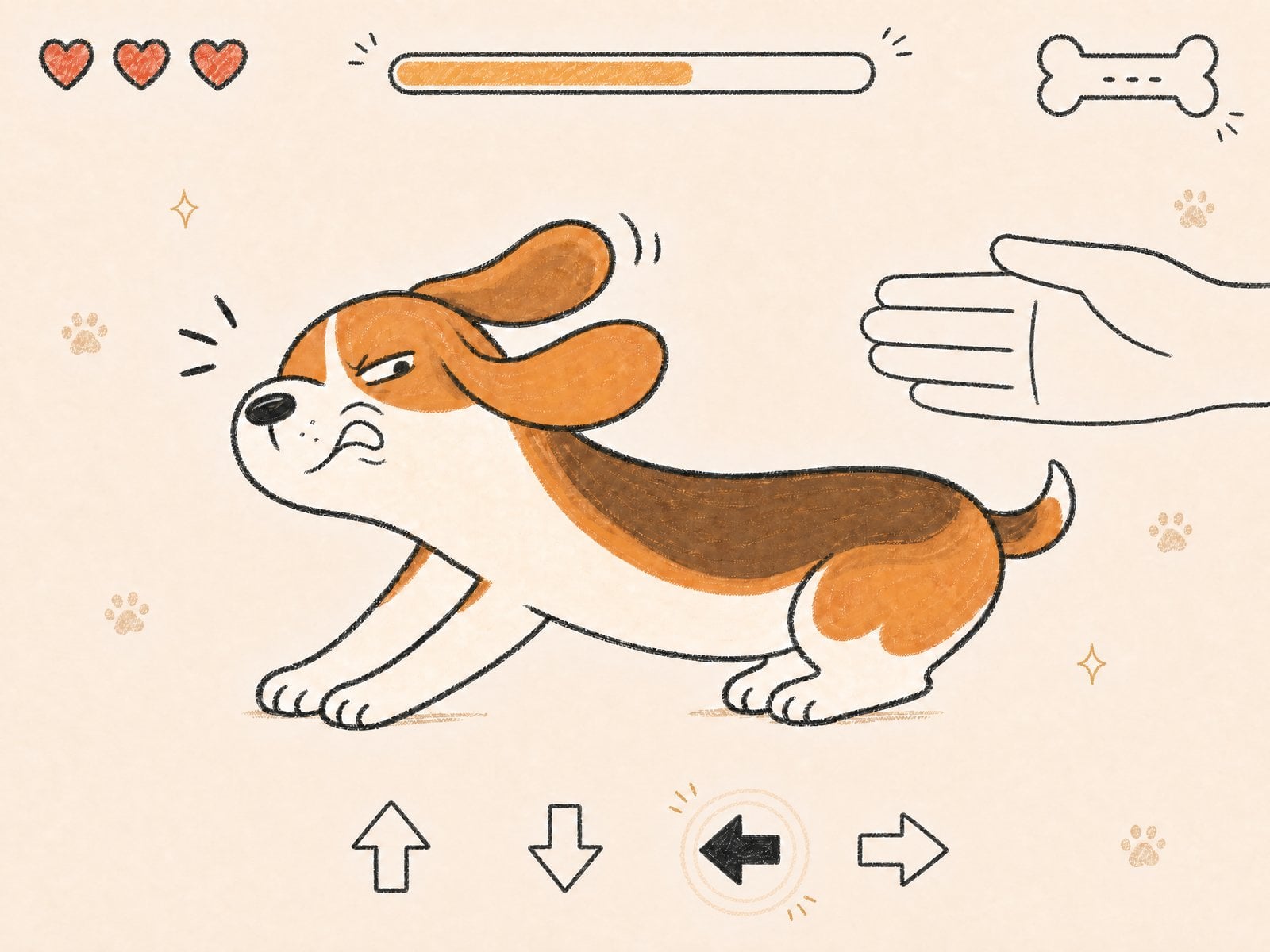
四张原始图片分别提供小狗的拱身、俯低及两种侧向闪避姿态。提示词编排动作节奏与界面反馈,并保持固定镜头、纸张纹理和统一手绘画风。
图片 1—拱身避让姿态 图片 图片 2—俯低避让姿态 图片 图片 3—侧向卷身姿态 图片 图片 4—横向伸展姿态 图片 2. 提示词怎么写 公式
[动作参考图] + [节拍顺序] + [统一画风] + [界面反馈]
控制重点
镜头固定,无机位移动、无变焦:固定观察条件,让读者重点检查角色动作。 右箭头高亮、手从左侧进入、向右闪避:把三个不同方向信息分别写清;这组方向已按来源图片校正。 提示词
生成一段 10 秒、4:3 的横屏游戏视频,整体像极简可爱的 2D 手绘反应小游戏界面。镜头固定,无机位移动、无变焦,背景干净,保留温暖纸张质感和蜡笔/彩铅手绘线条。主角始终是同一只淘气小比格犬:圆滚滚的 Q 版身体、短腿、大垂耳、圆长口鼻、小而翘的尾巴、半眯眼的慵懒欠揍表情。小比格犬的身体可以像橡皮筋一样夸张拉长、压扁、拱起和侧向闪避,但身份与画风保持一致。
视频呈现节奏很快的“按方向键躲手”小游戏操作过程。画面底部始终保留一排手绘方向箭头 UI,包含上、下、左、右四个方向。每个操作节拍开始时,对应方向箭头迅速变为实心高亮,并出现手绘圆圈波纹、短放射线、小星星或爪印反馈。顶部保留轻量手绘 HUD:左上角三颗小心形、顶部中间一条细手绘进度条、右上角一个小骨头图标和少量涂鸦装饰。装饰要稀疏可爱,不遮挡主角、手或方向箭头。不要出现任何可读文字、现代电子 UI 或真实摄影效果。
核心玩法规则:
Image 1:底部 "up" 箭头高亮时,手从画面底部向上伸来,小比格犬必须向上拱起身体躲避,身体形成夸张的半圆拱桥。
Image 2:底部 "down" 箭头高亮时,手从画面顶部向下压来,小比格犬必须把身体压扁贴近地面躲避,前半身压扁,后半身抬起。
Image 3:底部 "right" 箭头高亮时,手从画面左侧水平伸来,小比格犬必须向右滑动躲避,身体像弹簧一样压缩并侧闪。
Image 4:底部 "left" 箭头高亮时,手从画面右侧水平伸来,小比格犬必须向左拉长身体躲避,耳朵飞起,前爪抓住地面。
所有手的方向、箭头高亮方向和小比格犬闪避动作都必须一一对应,不能错位。
左右来手与闪避方向已按图片 3、4 校正;来源提示词保留在案例详情中。
检查 检查箭头、来手方向与闪避方向是否对应。
MiniMax H3 · 10s · 768P · 4:3
练习同款 03 视频与音频:动作、运镜与声音把人物外观、主体动作、摄影机运动和声音来源分别对应到参考素材。
如何把参考动作迁移给另一个人物 写法 图片说明人物外观,视频说明动作与表演节奏。
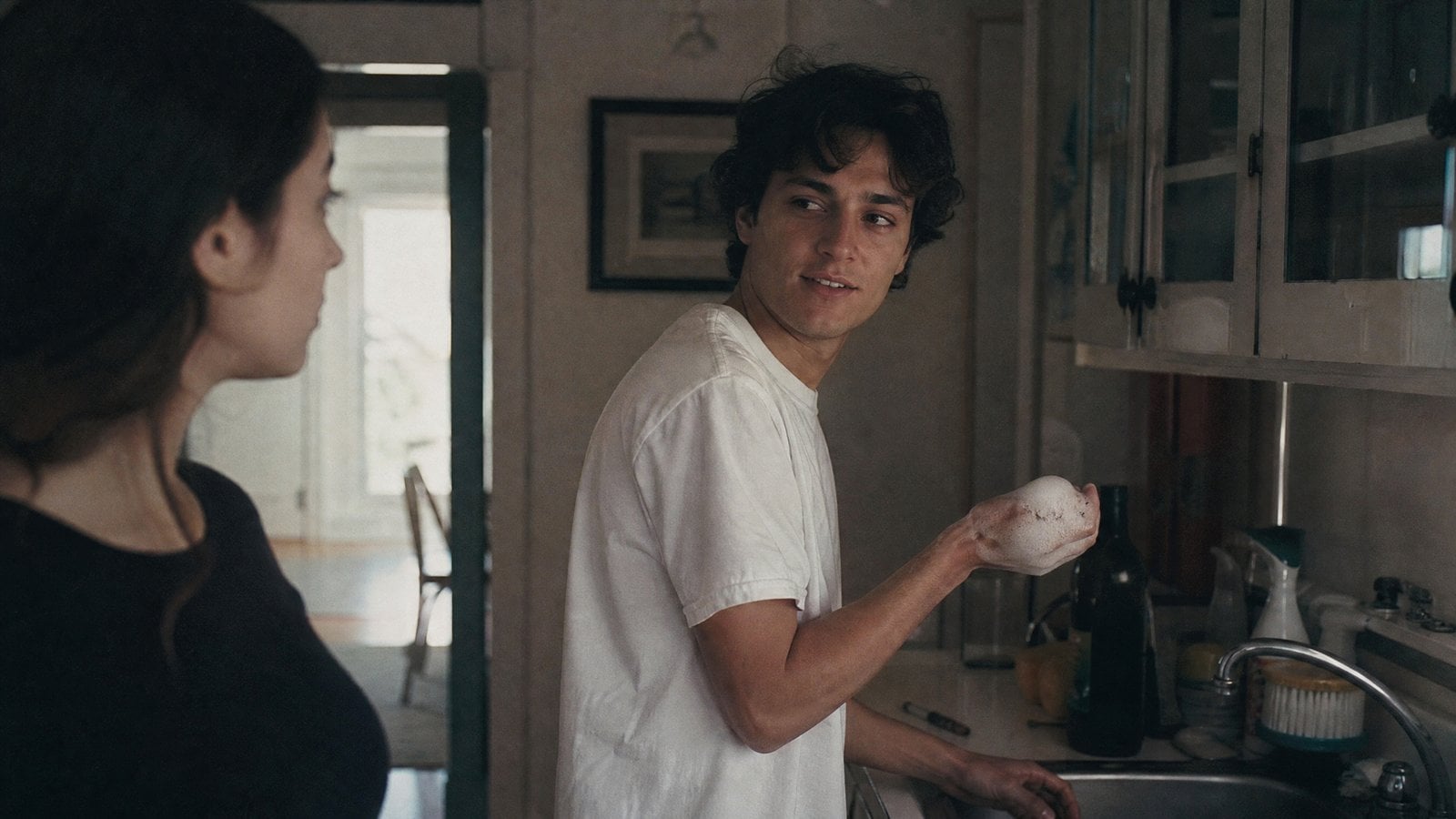
1. 看结果与素材 把厨房泡沫打闹的动作迁移给参考人物
图片 1 提供人物,视频 1 提供动作、表情与表演节奏。提示词按递盘子、甩泡沫、反击打闹的顺序组织动作。
图片 1—人物外观 图片
视频 1—动作与表演节奏 视频 2. 提示词怎么写 公式
[人物图] + [动作视频] + [动作顺序与笑声]
控制重点
Image 1 中人物:说明输出人物来自哪一份外观参考。 递盘子 → 甩泡沫 → 反击:把一连串动作拆成先后顺序,而不是同时发生。 提示词
Image 1 中人物的动作、表情和表演节奏严格参考输入 Video 1。男孩站在画面右侧的水槽旁,把洗好的盘子递给画面左侧的女孩,随后突然转身,用右手把洗洁精泡沫甩向画面左边缘的女孩。女孩被吓了一跳,立即反击,两人开始开心地互相泼洒泡沫并闪避,伴随大声笑声。 检查 分别对照动作顺序与人物外观,记录哪一项偏离要求。
MiniMax H3 · 10s · 768P · 16:9
练习同款 如何分别指定人物、运镜与声音 写法 三份参考各承担一个职责,检查输出时也分开判断。
1. 看结果与素材 用三份素材分别控制运镜、人物与歌声
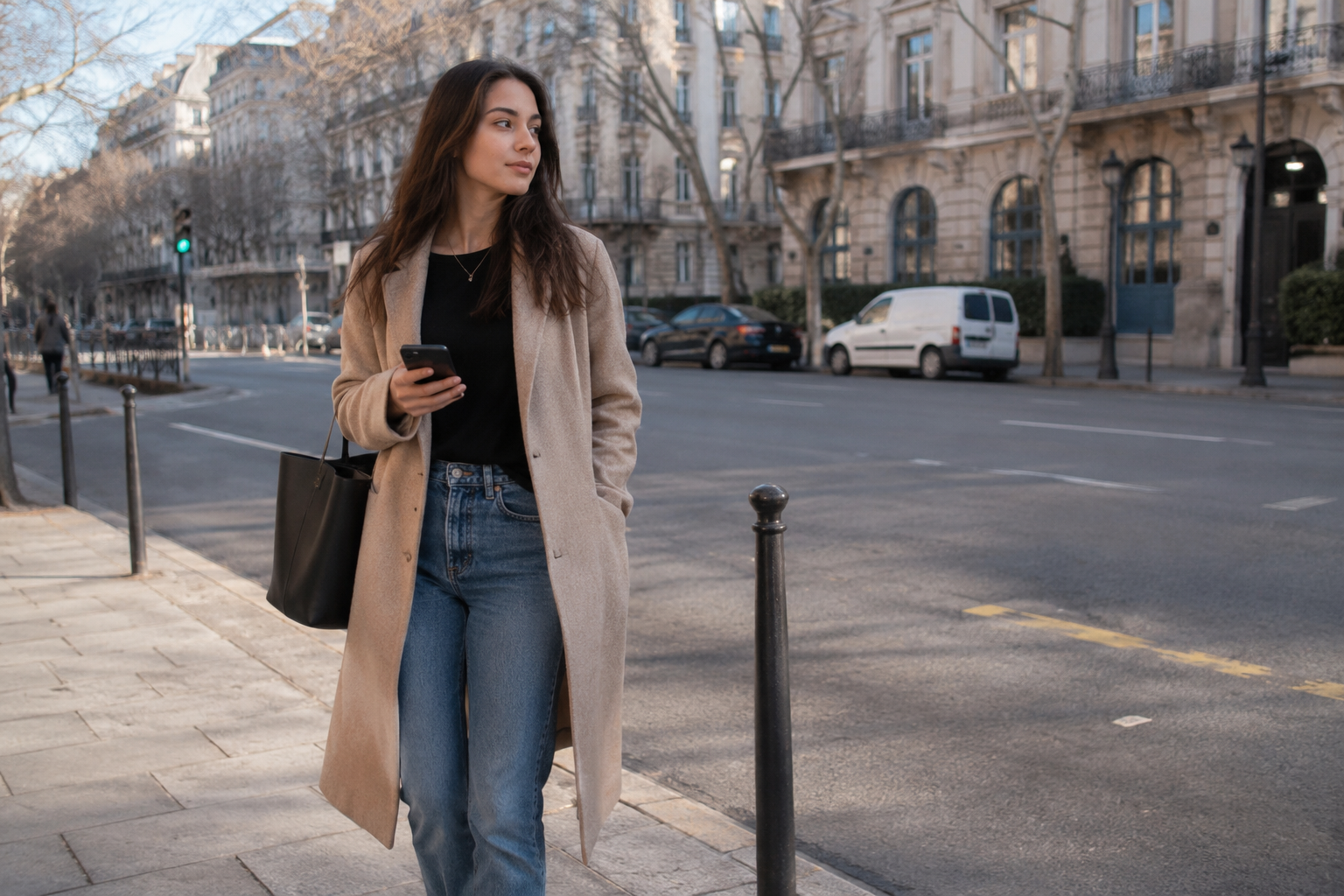
来源提供了真实运镜视频、人物图片和歌声音频;原始提示词分别指定三者职责,组合成一段演唱画面。
视频 1—运镜参考 视频 图片 1—演唱人物 图片 音频 1—歌声参考 音频 2. 提示词怎么写 公式
[运镜视频] + [人物图] + [歌声音频]
控制重点
参考 Video 1 的运镜:限定视频提供摄影机运动,避免让它同时决定人物外观。 让 Image 1 中的人物演唱,歌声与 Audio 1 匹配:分别指明人物和声音来源,不靠整体氛围含糊带过。 提示词
参考 Video 1 的运镜,让 Image 1 中的人物演唱,歌声与 Audio 1 匹配。 素材已按工作台的图片、视频、音频各自编号;来源原编号保留在案例详情中。
检查 分别检查人物外观、运镜和演唱,避免只凭整体氛围判断。
MiniMax H3 · 15s · 768P · Auto
练习同款 如何把镜头内容与剪辑节奏分开 写法 图片提供画面内容,视频提供剪辑节奏;输入数量不等于输出镜头数量。
1. 看结果与素材 用六张镜头图片和视频指定节奏与风格
六张图片提供镜头素材,原始视频负责剪辑节奏、转场风格和音乐。对照成片检查这些职责的表现,再调整镜头组织。
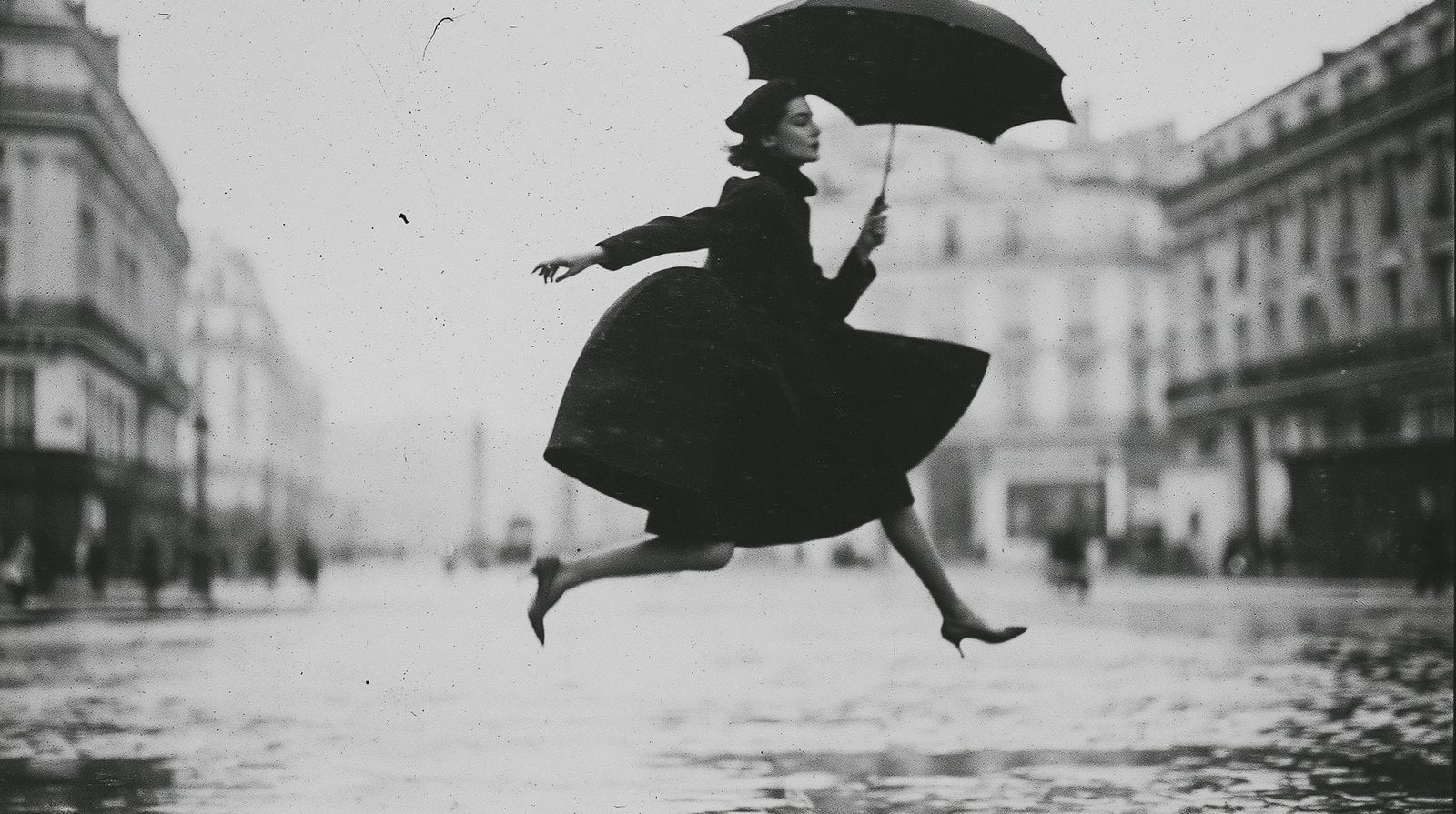
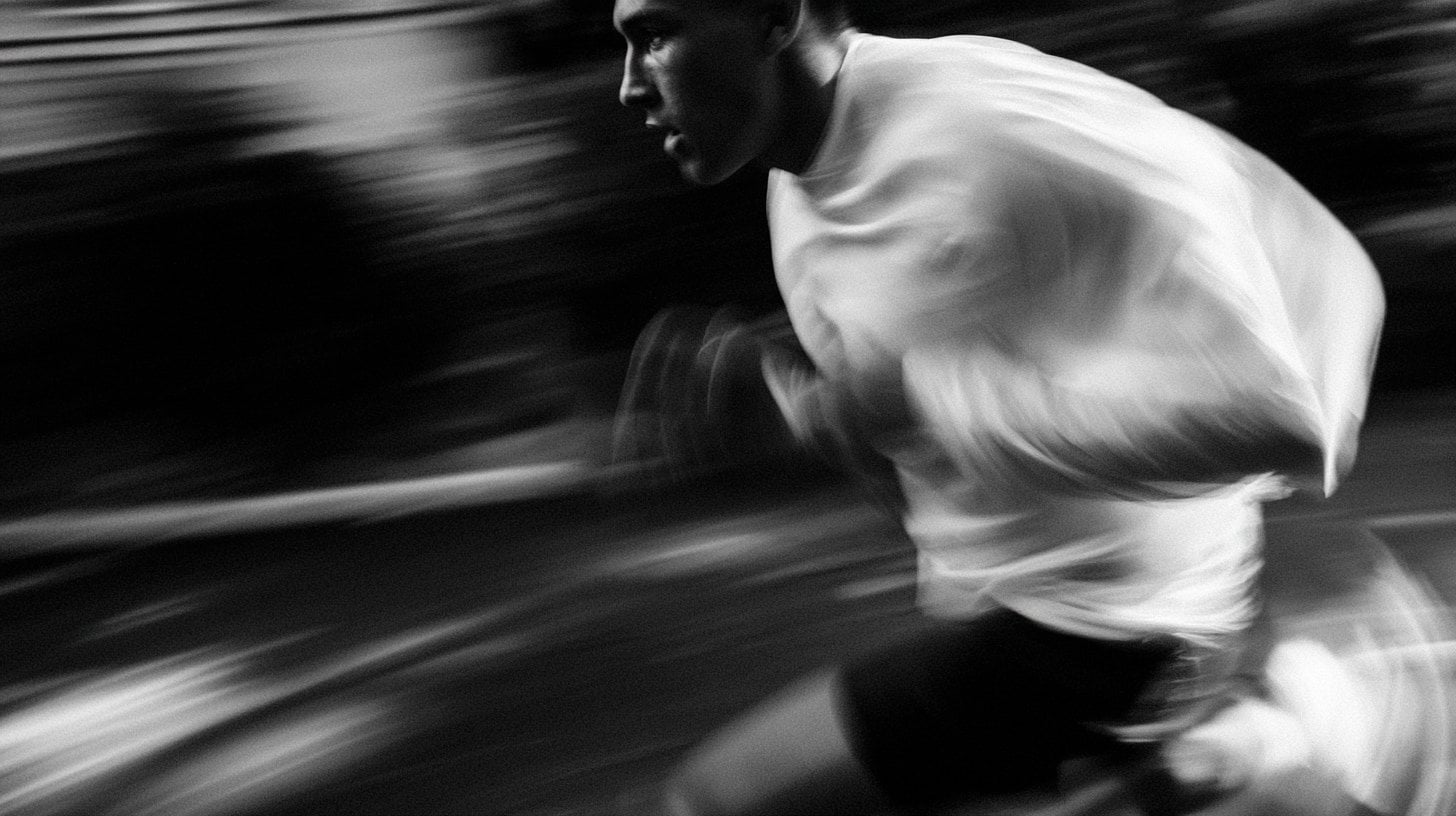
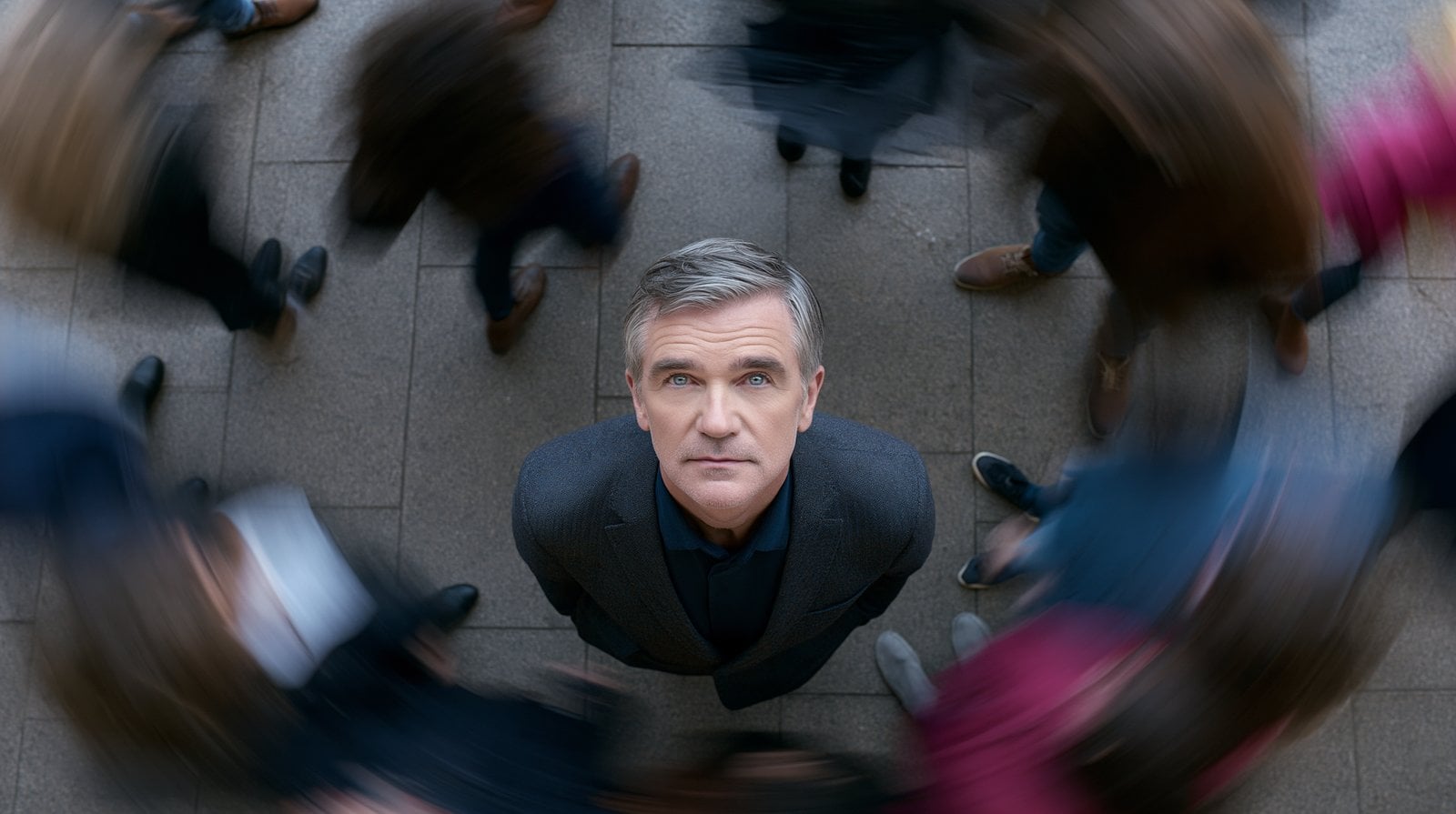
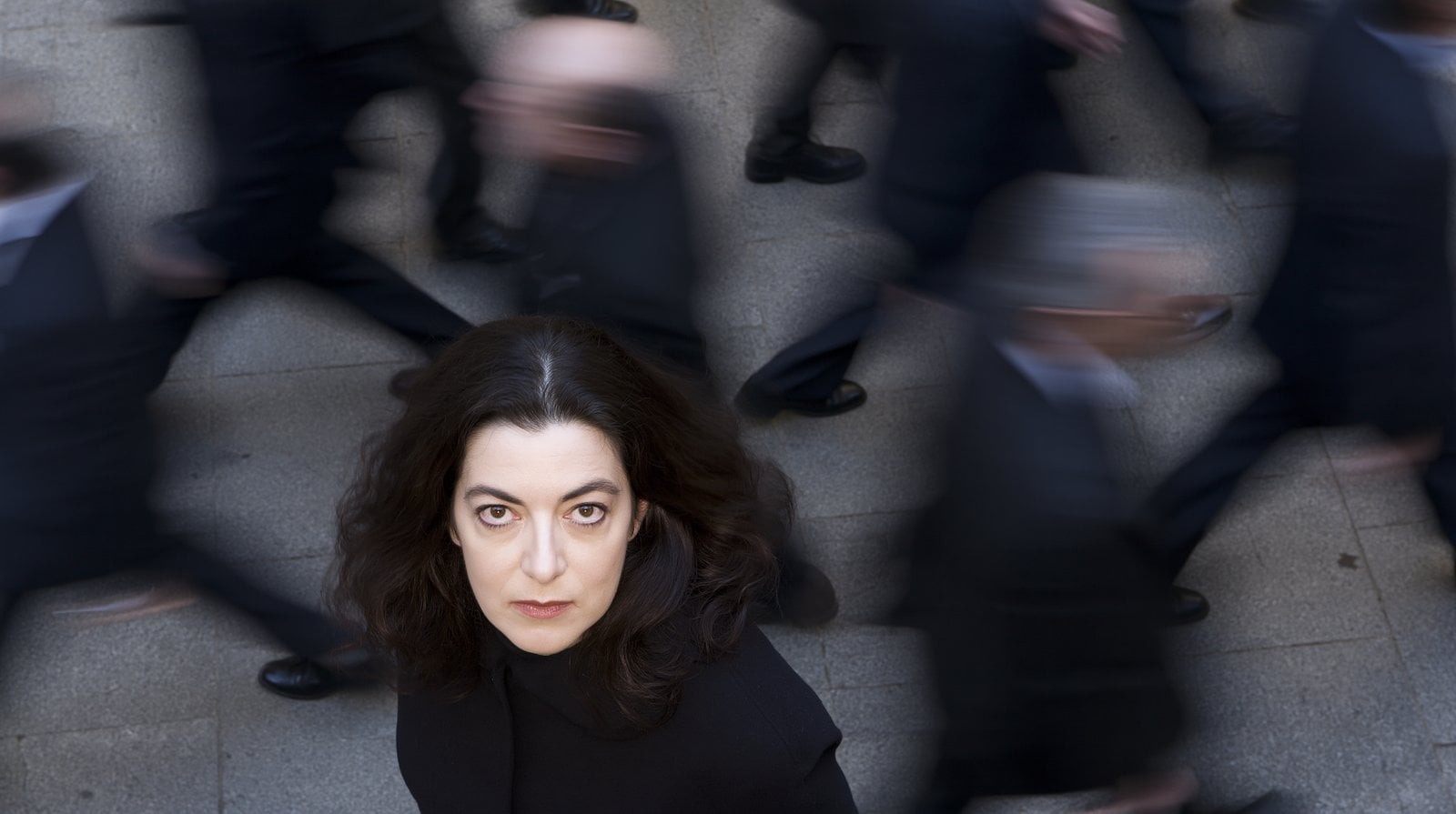
图片 1—持伞腾跃 图片 图片 2—奔跑镜头 图片 图片 3—俯视人物 图片 图片 4—俯视人群 图片 图片 5—近景人物 图片 图片 6—跑车镜头 图片
视频 1—节奏、转场与音乐 视频 2. 提示词怎么写 公式
[镜头图片] + [视频节奏] + [转场与音乐]
控制重点
Image 1 … Image 6:声明可用画面;还需要检查实际采用了哪些图片。 参考 Video 1 的镜头节奏、转场风格和音乐:把镜头内容与节奏、风格职责分开。 提示词
Image 1 Image 2 Image 3 Image 4 Image 5 Image 6,严格参考示例视频 @Video 1 的镜头节奏、转场风格和音乐。 检查 记录实际采用的图片与切换节拍;六张输入图并不保证生成六个镜头。
MiniMax H3 · 15s · 768P · 16:9
练习同款 04 进阶:文字、镜头时序与界面动画分开描述文字内容、镜头顺序和界面动作,写清每一步的起止。
如何写清文字内容与形变顺序 写法 先指定准确文字,再分别写形成、保持和散开的顺序。
1. 看结果与素材 让液态金属凝聚成英文标题
纯文生案例:反光液态金属汇聚成英文 EVOLVE,再形变并散成液滴。提示词同时定义标题、材质、运动顺序和深色环境。
纯文生案例,无参考输入素材。
2. 提示词怎么写 公式
[标题内容] + [材质] + [凝聚与散开] + [光照]
控制重点
组装成单词 EVOLVE:指定需要核对的文字内容。 标题持续变形,随后崩解成液滴:把字形变化与散开过程写成先后发生的动作。 提示词
极具电影质感的标题序列:液态水银如河流般穿过未来感的黑色环境,映出超现实光线。金属液滴逆着重力升起,以令人着迷的精确运动聚合、分离。液态铬开始逐个分子地组装成单词 "EVOLVE",每个表面都像活着的镜子。标题持续变形、流动并重塑,随后突然崩解成数百万颗反光液滴,如液态星辰般散落满屏。Territory Studio 美学、高级科幻字体设计、超现实流体运动。 检查 检查拼写、字形可读性,以及凝聚和散开的顺序。
MiniMax H3 · 6s · 768P · 16:9
练习同款 如何安排产品视频的镜头节拍 写法 为材质细节、整机、结构示意和收尾各安排一个明确阶段。
1. 看结果与素材 用材质特写与结构拆解呈现产品质感
纯文生香氛扩香器广告,以哑光陶瓷、拉丝金属、深黑背景与暖色轮廓光建立质感。镜头从材质特写推进到整机旋转、结构拆解示意和重组,并在内部部件旁加入英文功能标注。
纯文生案例,无参考输入素材。
2. 提示词怎么写 公式
[产品与材质] + [特写 → 整机 → 拆解 → 重组] + [光照] + [英文功能标注]
控制重点
0–4s、4–8s、8–12s、12–15s:将复杂要求分成四段;实际时长仍要在表单中选择。 在 9.2s 时显示说明标注框:把文字的出现时间、位置和对应部件放在一起描述。 提示词
制作一段 15 秒的奢华电影质感产品展示视频,展示一款高级小型香氛扩散器,具有雕塑感陶瓷机身和拉丝金属顶盖。产品上没有可见品牌、标签、Logo 或印刷文字。

0–4s:从极近距离的微距跟拍开始,镜头沿细腻的哑光陶瓷纹理、无缝曲面机身、精密加工的金属边缘和凹入式控制面板滑行。在深黑摄影棚背景前,一道窄窄的暖光掠过材质,显露精细表面细节和受控高光。

4–8s:镜头后退到四分之三角度的主展示视角。扩散器在光亮的深色石材底座上方缓慢旋转。金属顶盖下方的柔和氛围灯环逐渐亮起。细细的雾流自然升起,在空气中柔和散开。保持几何结构稳定、比例一致和优雅对称。

8–12s:过渡到爆炸分解视图。陶瓷外壳、香氛储液槽、超声波片、气流腔和拉丝金属顶盖平滑分离,始终沿垂直轴精确对齐。细微发光雾粒沿内部气流通道向上流动,镜头进行克制的侧向环绕。

在 9.2s 时,在超声波片旁显示一个干净、半透明的说明标注框,用细指示线连接对应部件。采用细香槟金边框和简洁的玻璃般透明质感。标注标题为:“Silent Ultrasonic Diffusion”。下方以较小文字显示:“A refined mist without heat”。保持叠加文字清晰、可读、现代且高级,不遮挡内部结构。

12–15s:所有部件无缝重新连接。扩散器停稳在居中的正面主展示构图中,暖色轮廓光勾勒其外形。说明标注在最终定格前淡出。镜头完成一次轻柔的机位推进,顶端升起受控的雾流,氛围灯环柔和闪动一次。

高级健康生活广告质感,照片级真实陶瓷与金属,真实雾气模拟、受控反射、柔和阴影、浅景深、清晰表面细节、稳定产品外形;无液体溢出、无人物、无手、无 Logo、产品上无文字、无变形、无重复部件、无不可辨认的叠加文字。
2/2
检查 检查各阶段是否按顺序呈现材质、整机和结构示意;内部结构仅作视觉示意。
MiniMax H3 · 15s · 768P · 21:9
练习同款 如何固定界面,只让指定元素动起来 写法 先列出不变的布局,再限定允许运动的角色和元素。
1. 看结果与素材 让数字宠物图鉴中的角色与界面动起来
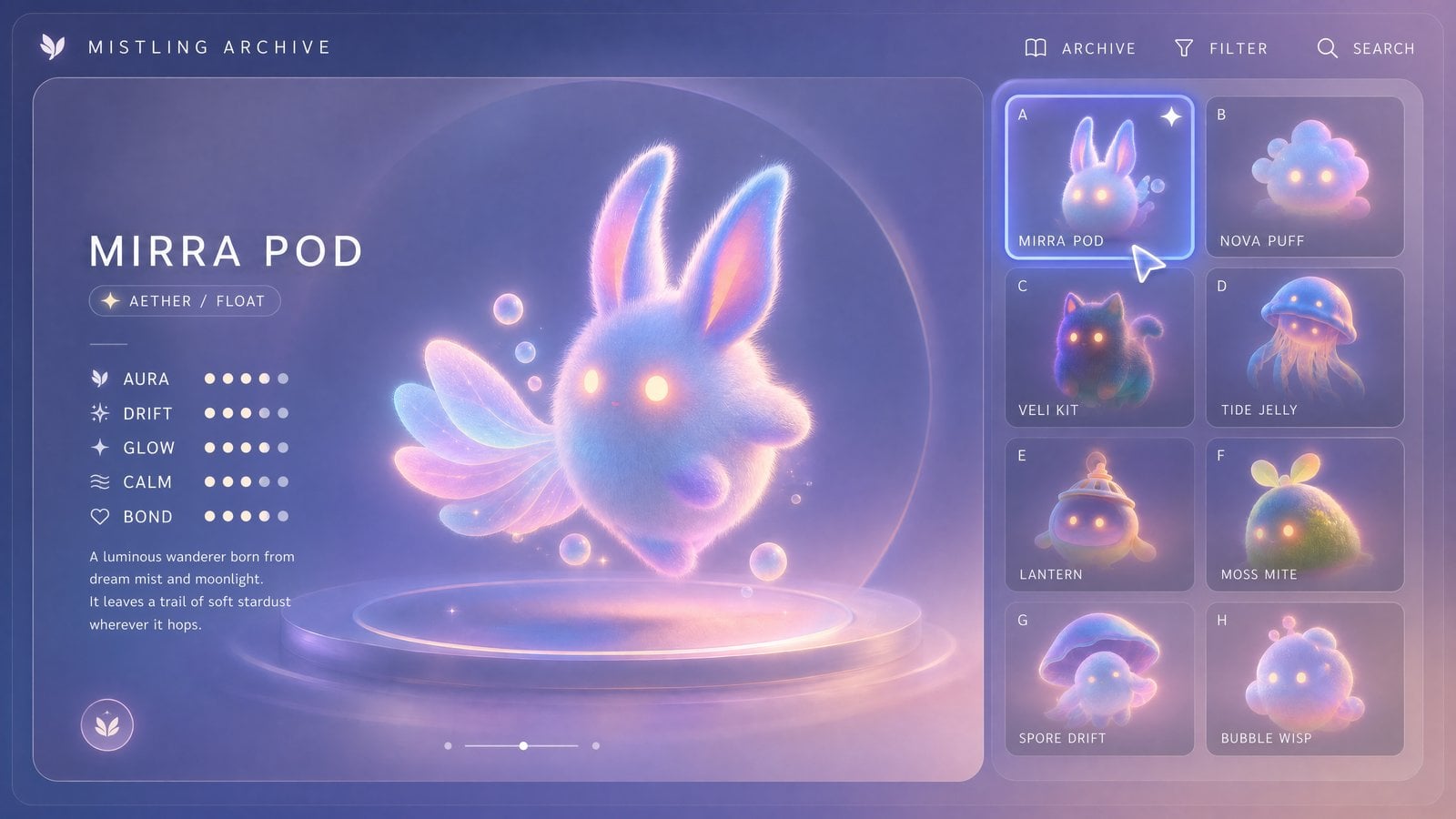
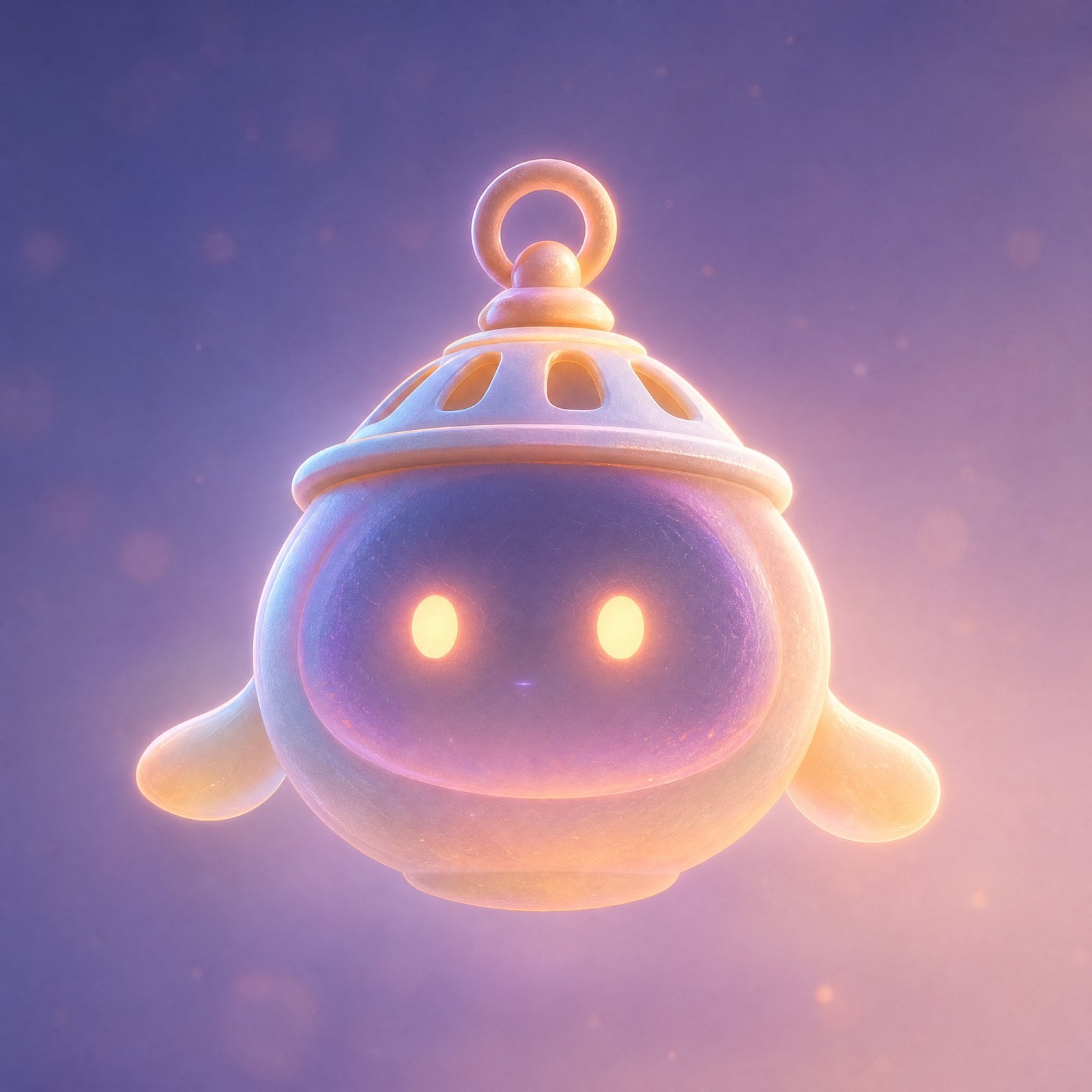
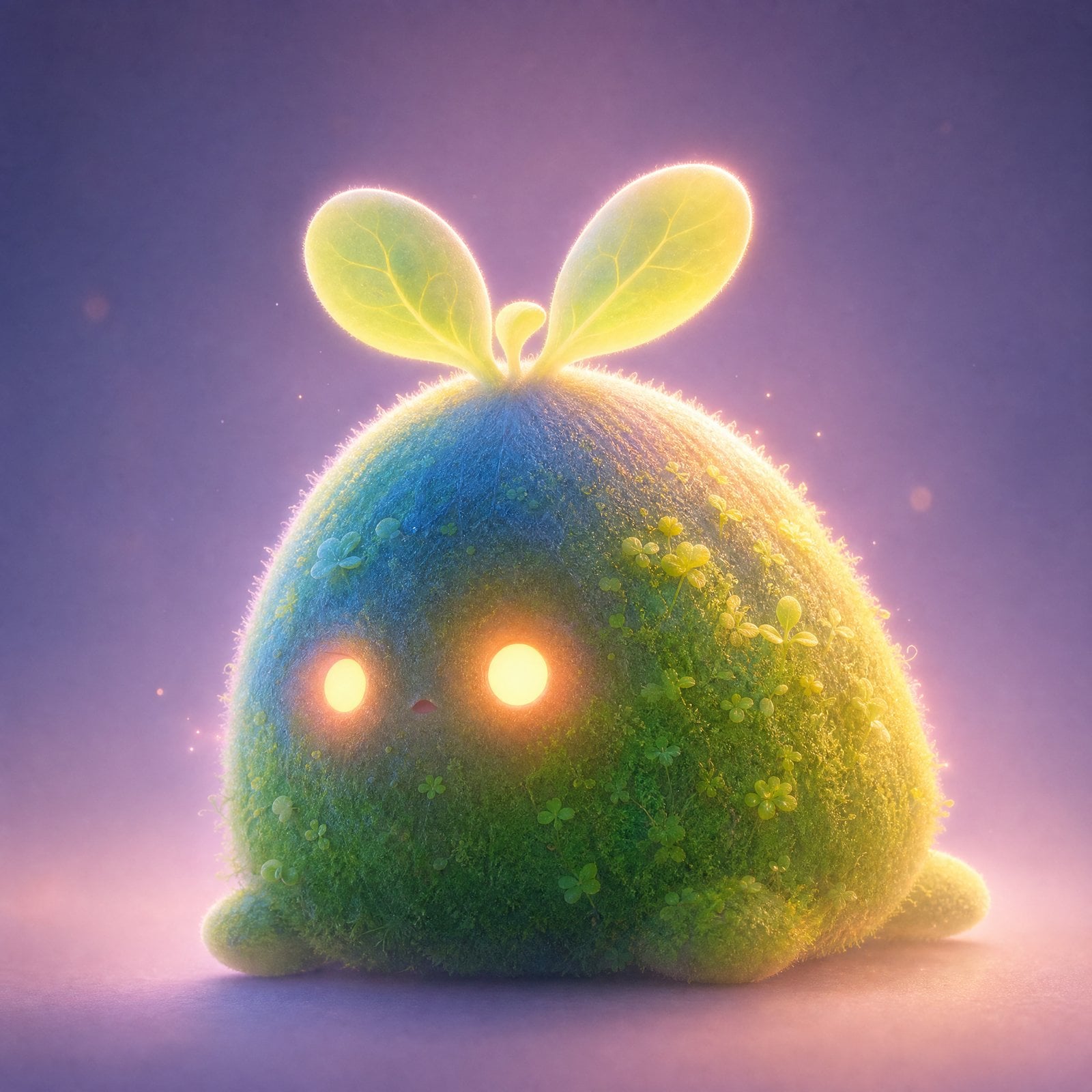
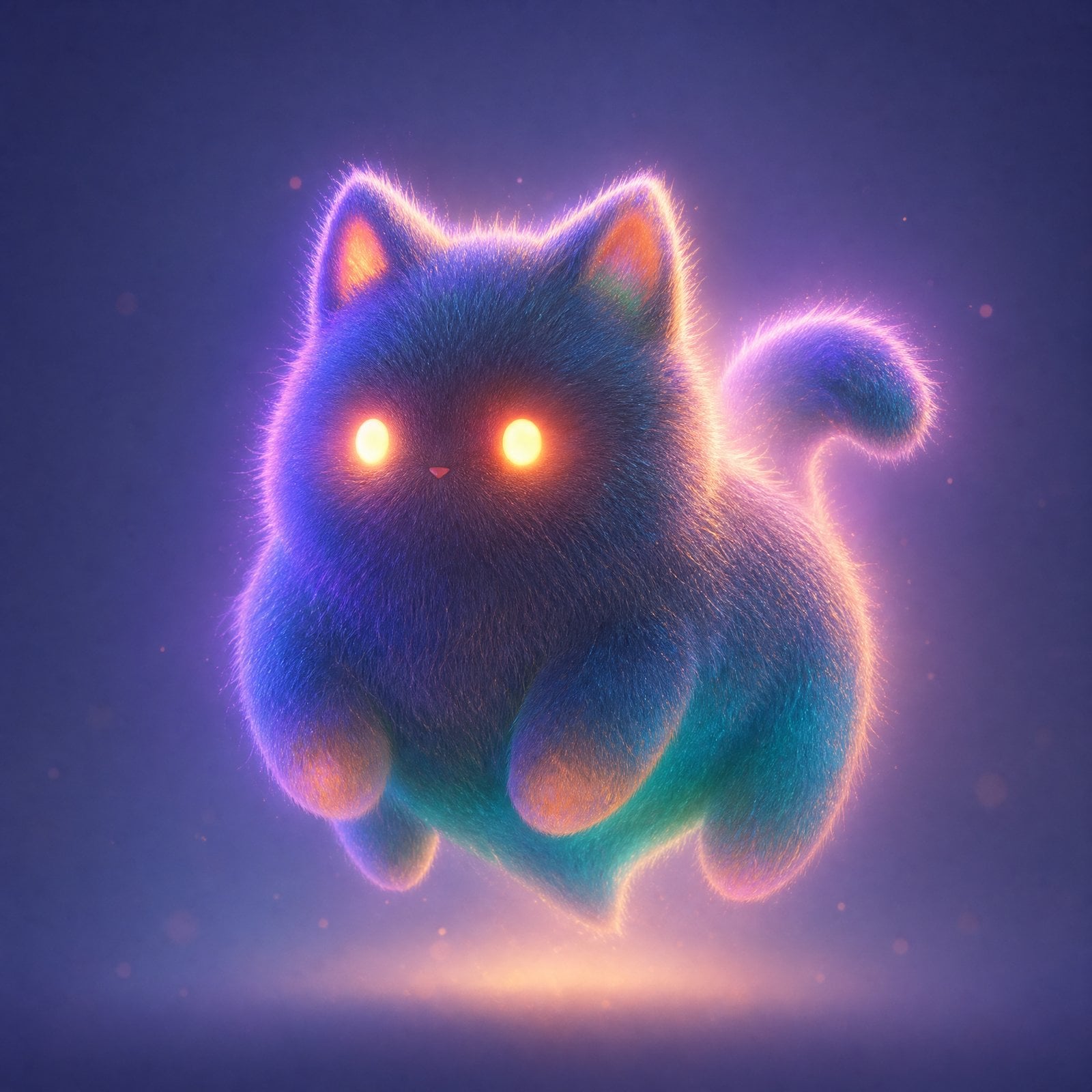
图片 1 定义图鉴布局与鼠标样式,图片 2–5 提供四种宠物造型。提示词要求固定镜头与界面结构,让选中状态、标题和宠物互动产生动画。
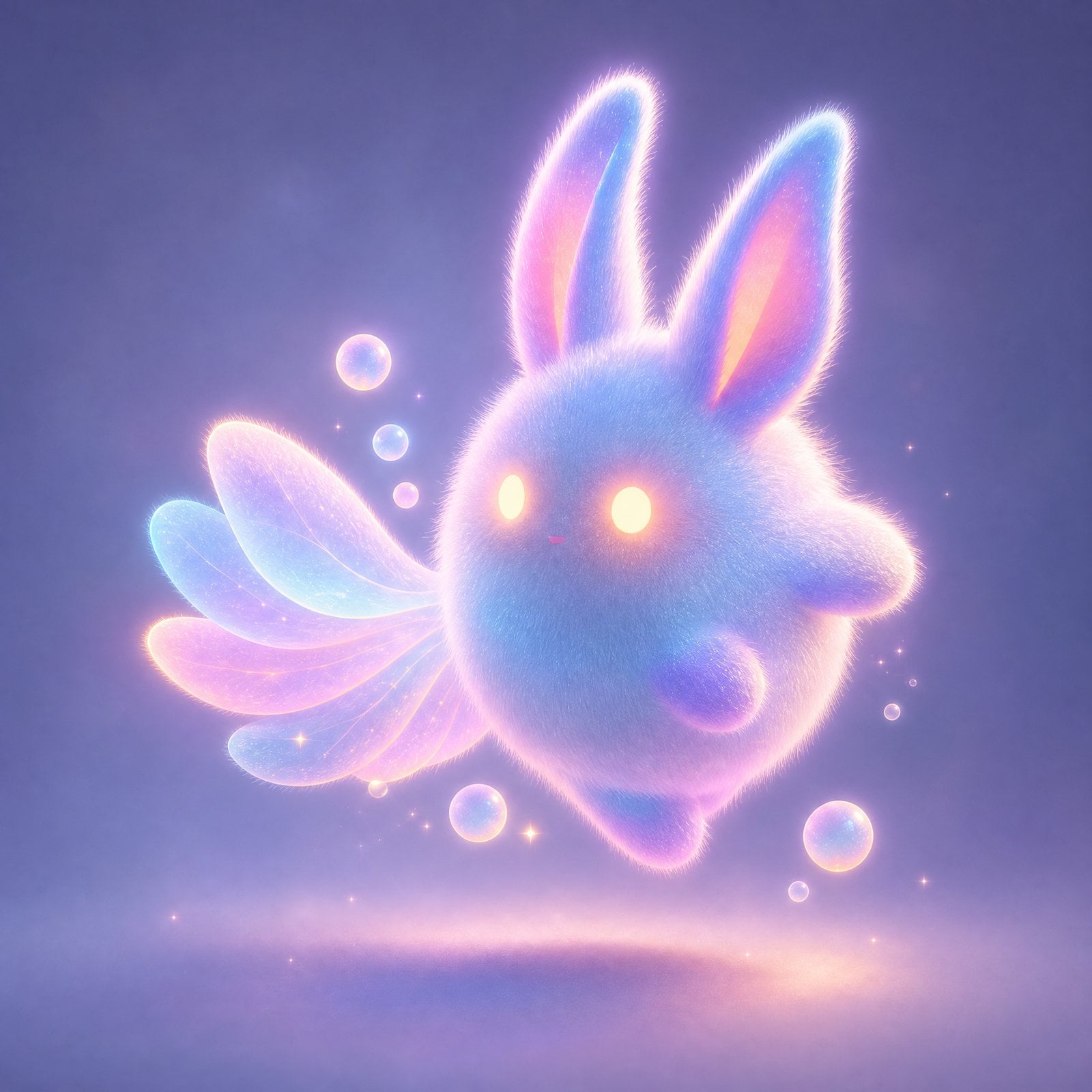
图片 1—图鉴布局与鼠标样式 图片 图片 2—MIRRA POD 宠物 图片 图片 3—LANTERN 宠物 图片 图片 4—MOSS MITE 宠物 图片 图片 5—VELI KIT 宠物 图片 2. 提示词怎么写 公式
[界面布局] + [宠物造型] + [选择与角色动作]
控制重点
Image 1 用作 UI/布局/界面风格参考:先确定哪份素材控制固定结构。 Images 2–5 与各卡片对应:明确角色与位置的映射,检查实际上传次序。 提示词
将 Image 1 用作 UI/布局/界面风格的精确参考。
Image 1 中的鼠标指针也用作鼠标样式的精确参考:指针必须保持 Image 1 中的大小、形状、比例、半透明质感、柔和发光边缘和细腻高级感。不要生成过大的系统默认指针、粗糙的黑白箭头或多个指针。
将 Images 2–5 用作灵宠的精确参考,按以下关系对应:
Image 2 = card A = MIRRA POD
Image 3 = card E = LANTERN
Image 4 = card F = MOSS MITE
Image 5 = card C = VELI KIT
生成一段 15 秒、16:9 的横屏视频。
镜头完全固定,不推进或拉远、不横摇或俯仰、不切镜。
保持 Image 1 的界面结构、字体设计、面板、字体层级、图标、圆角、卡片网格和整体构图,稳定、优雅、清楚且可读。
界面氛围为高级、极简、梦幻的数字灵宠图鉴。
不要加入无关文字、乱码,不要使 UI 变形或界面漂移。
整体风格:
梦幻薄雾、柔焦、细微绒毛、半透明、柔和微光、高级极简。
四只灵宠都必须非常可爱、活泼、柔软且有灵气。
动作要干净、细腻,并有互动感。
界面本身保持稳定,只让鼠标、选中状态、主标题、当前主要展示的灵宠和少量技能特效产生动画。
检查 对照界面布局、选中状态和宠物造型是否符合要求。
MiniMax H3 · 15s · 768P · 16:9
练习同款 05 编辑与转场:准确定位修改目标定位修改目标,写清保留内容;分别检查背景融合、对象替换或场景连接。
如何替换背景并检查人物融合 写法 原片提供主体运动,环境参考提供背景;边缘与光线分别检查。
1. 看结果与素材 用童话场景替换绿幕背景
视频 1 是绿幕原片,视频 2 是童话环境参考。提示词要求新背景配合原人物运动,并同步调整人物光线。
2. 提示词怎么写 公式
[绿幕原片] + [环境参考] + [运动与光线匹配]
控制重点
移除 Video 1 的绿幕背景:定位要修改的原片,不把它与环境参考混为一谈。 调整人物光线,使其与背景匹配:背景替换后继续检查人物与环境的受光关系。 提示词
移除 @Video 1 的绿幕背景,将其改为与 @Video 2 类似的童话背景。背景元素必须与 Video 1 中人物的动作准确匹配。调整 Video 1 中人物的光线,使其与背景完全匹配。 检查 检查人物边缘、光线衔接,以及主体有无意外变化。
MiniMax H3 · 6s · 768P · 16:9
练习同款 如何定位修改对象,并保留其他内容 写法 用位置与可辨特征分别定位目标,再写清保留内容。
1. 看结果与素材 把后方孩子换成小狗,并替换左侧外套
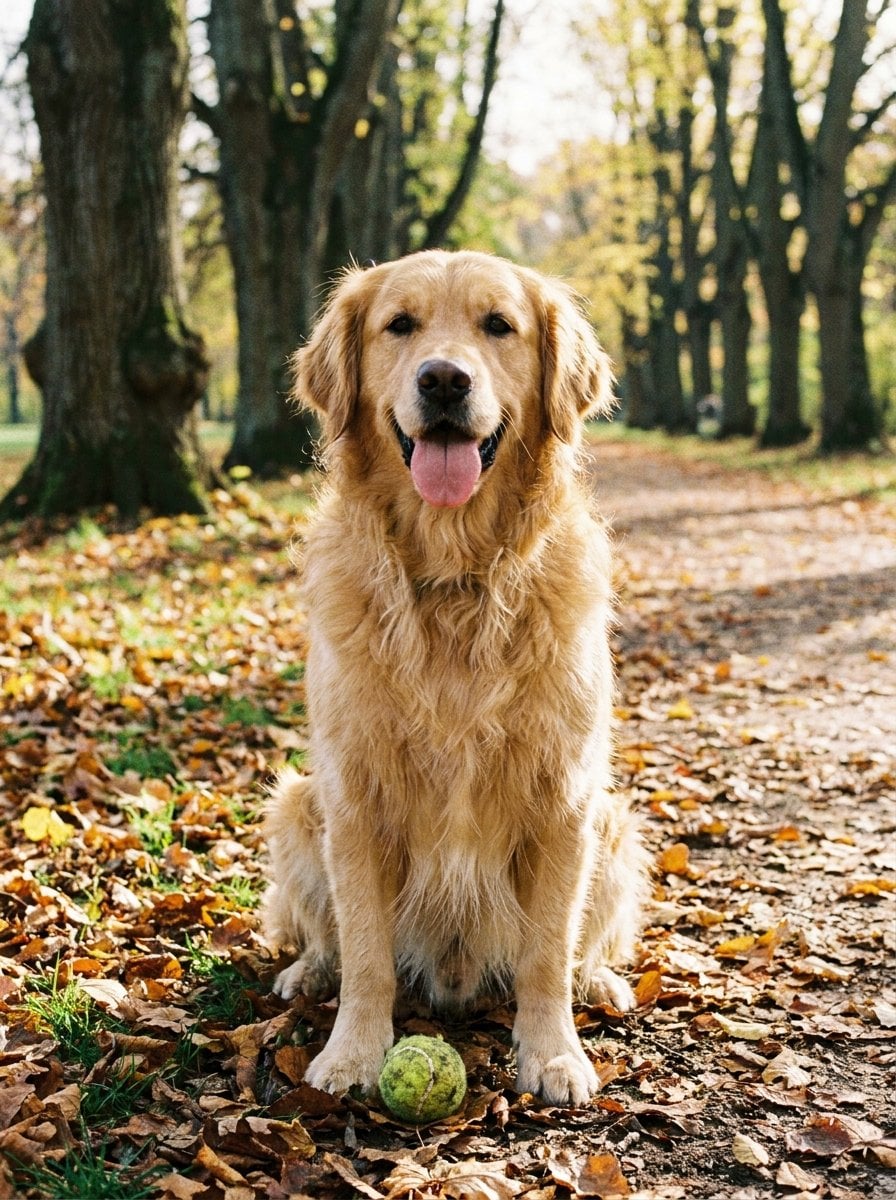
图片 1 提供金毛犬,图片 2 提供牛仔外套,视频 1 是原片。提示词用“最后方”和“最左侧”明确定位两处替换目标。
图片 1—金毛犬 图片 图片 2—牛仔外套 图片
视频 1—原始人物视频 视频 2. 提示词怎么写 公式
[原始视频] + [目标位置] + [替换参考图]
控制重点
最后方的孩子:用相对位置定位主体;位置含糊时补充首帧中真实可见的特征。 最左侧孩子穿的外套:分别写人物定位与服装目标,减少改错对象的机会。 提示词
将 Video 1 中最后方的孩子替换为 Image 1 中的金毛犬。将 Video 1 中最左侧孩子穿的卡其色外套改为 Image 2 中的牛仔外套。 检查 检查目标是否被修改,并核对其他人物是否发生变化。
MiniMax H3 · 6s · 768P · 16:9
练习同款 如何用相似纹理连接两个场景 写法 先找到共同纹理,再写摄影机怎样到达连接点并继续运动。
1. 看结果与素材 用相似纹理把咖啡画面衔接到沙漠
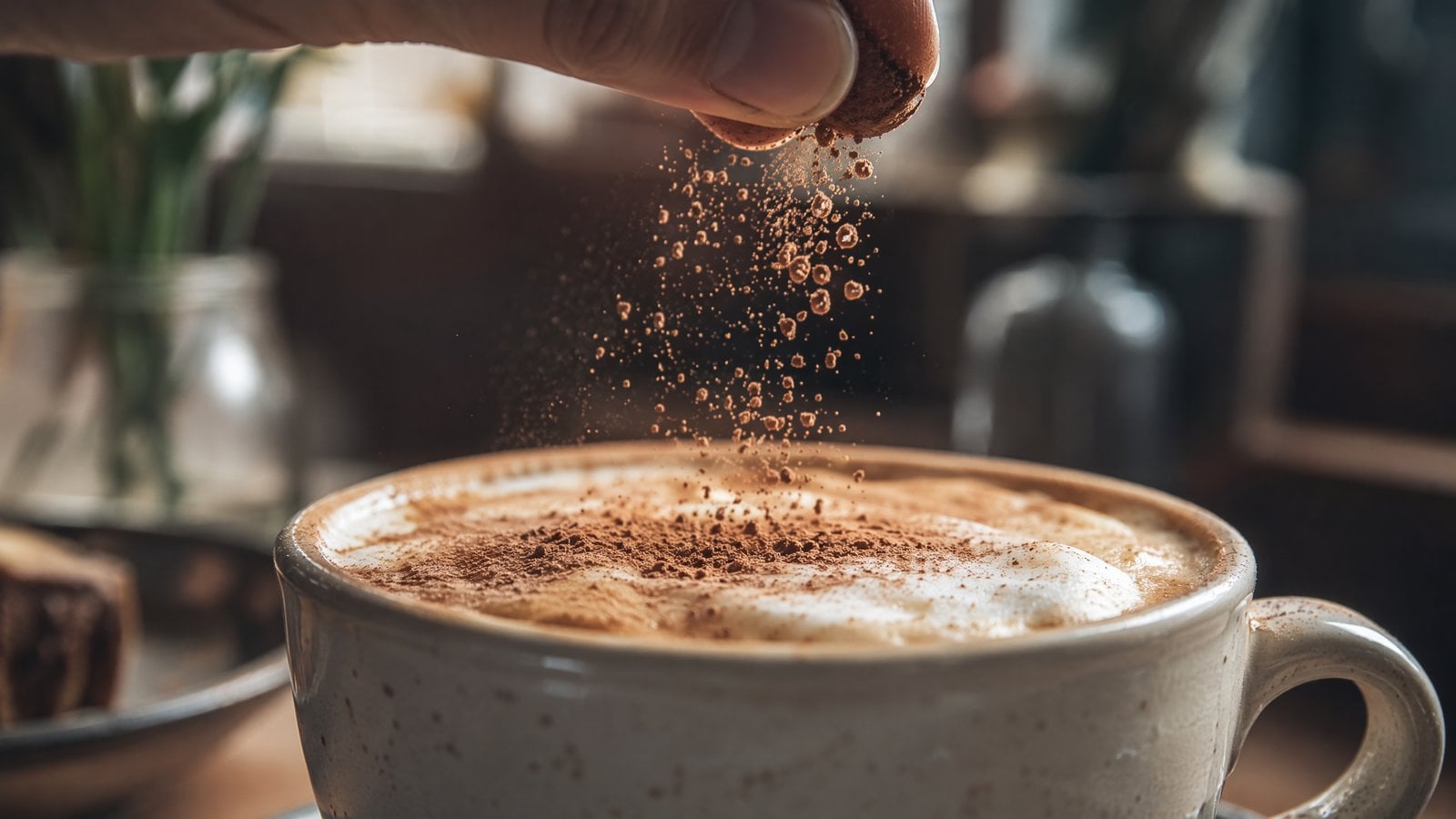
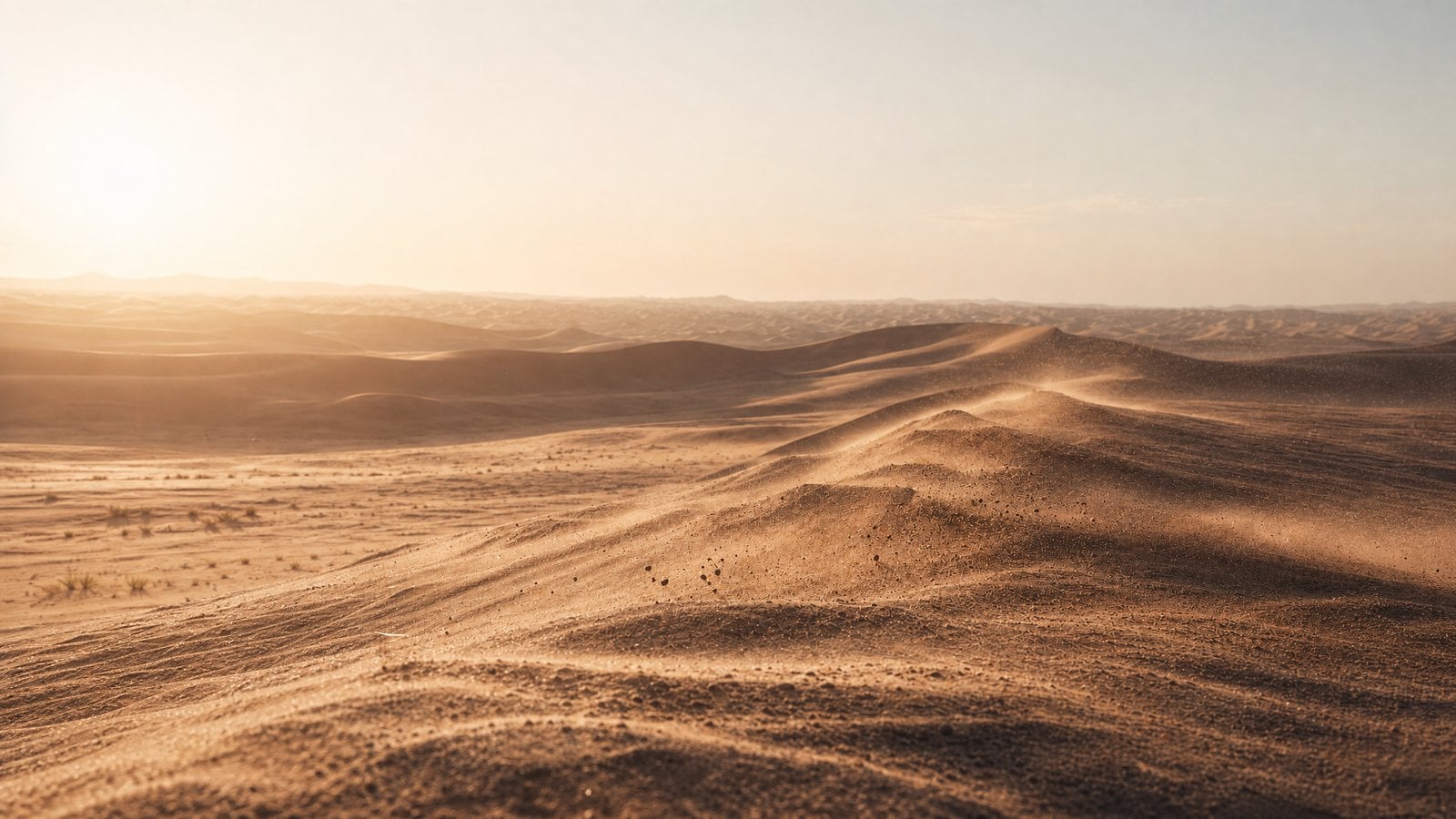
图片 1 提供咖啡场景,图片 2 提供目标沙丘。镜头推进到奶泡与可可粉颗粒,再借相似纹理连续过渡为沙粒与沙丘。两图是场景参考,不是精确首尾帧硬约束。
图片 1—起始咖啡场景 图片 图片 2—目标沙丘场景 图片 2. 提示词怎么写 公式
[起始场景] + [目标场景] + [相似纹理] + [连续运镜]
控制重点
咖啡粉颗粒与沙丘纹理高度相似时:说明两个场景之间的视觉连接依据。 一个连续镜头,中途不拼接:要求连续过渡;这两图仍是场景参考,不是精确首尾帧。 提示词
@Image 1 镜头快速推进到咖啡表面的奶泡、可可粉颗粒和深色咖啡液体纹理细节,让表面颗粒、泡沫和液体波纹逐渐覆盖整个画面,遮住其他一切。镜头保持真实微距质感和极浅景深,细粉在逆光中缓慢落下,表面纹理像细沙与流体之间的过渡。避免画面开裂。当咖啡粉颗粒、奶泡起伏和液体旋涡与 @Image 2 中的沙丘脊线、风蚀纹理和扬沙颗粒高度相似时,自然、无缝地转变为沙漠景观。随后镜头继续向前推进,展现 @Image 2 中沙丘的完整景象。严格避免画面开裂,不要黑屏、硬切、明显特效或拼接感。整体要真实、安静、克制,如同同一种颗粒材质从咖啡的微观表面自然变化成宏观沙漠世界。一个连续镜头,中途不拼接。 检查 检查过渡是否连续;这里的两图是场景参考,不是精确首尾帧控制。
MiniMax H3 · 8s · 768P · 16:9
练习同款