Task template
MiniMax H3 reverse-shot prompts: keep two adult roles and their eyelines distinct
Prepare two original adult-character inputs for separate reverse shots. Check identity, screen direction and receiver roles before editing; no dialogue, lip sync or generated result is included.
MiniMax-H3 · image-to-video · Original task method; generation has not been independently verified.
Start generating video →
MiniMax H3 reverse-shot prompts: keep two adult roles and their eyelines distinct
Plan a pair of quiet reverse shots in which two fictional adults look toward one another. Each source image establishes a different visible person and a different looking direction. The editing task is to preserve that designed relationship through the cut.
Original practice inputs and an untested method. No H3 generation or finished edit has been executed. All PNGs below are separate input illustrations, not generated outputs.
Define the shot roles and download separate inputs
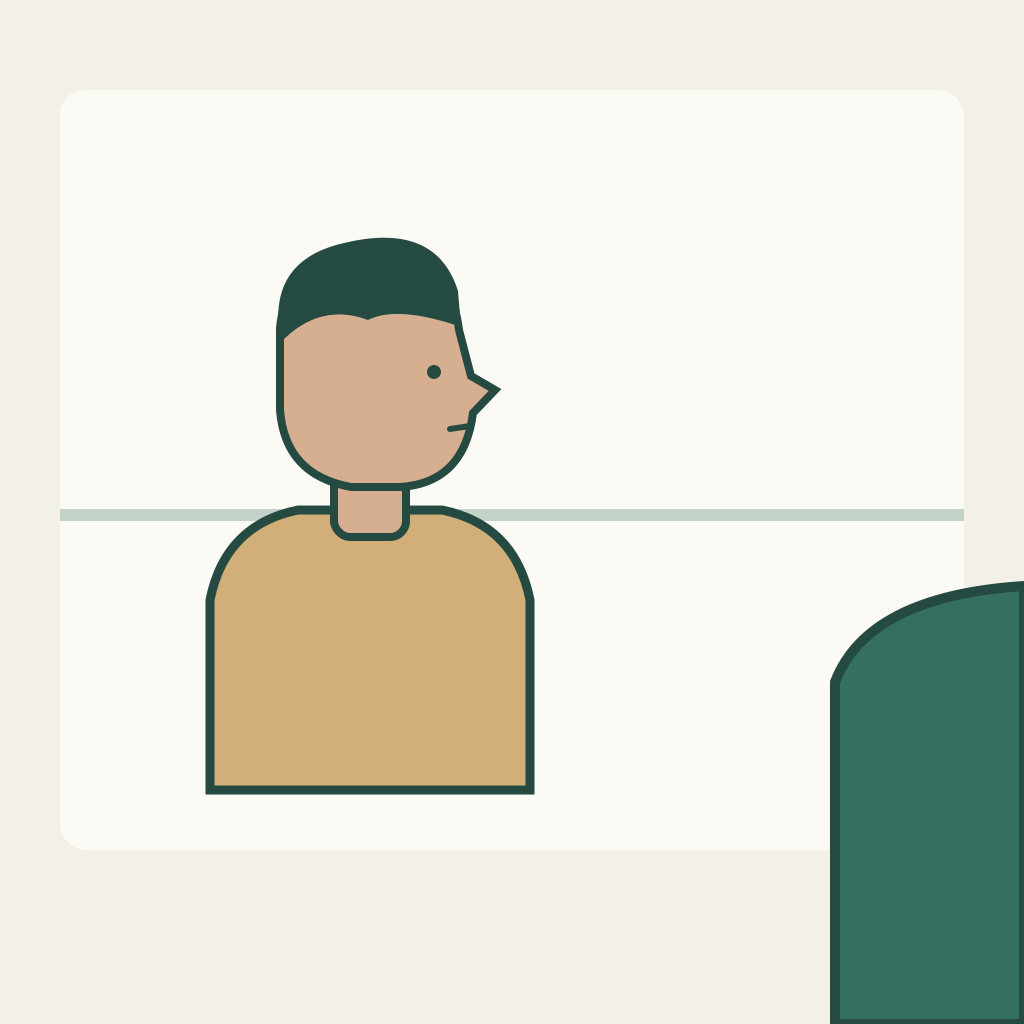
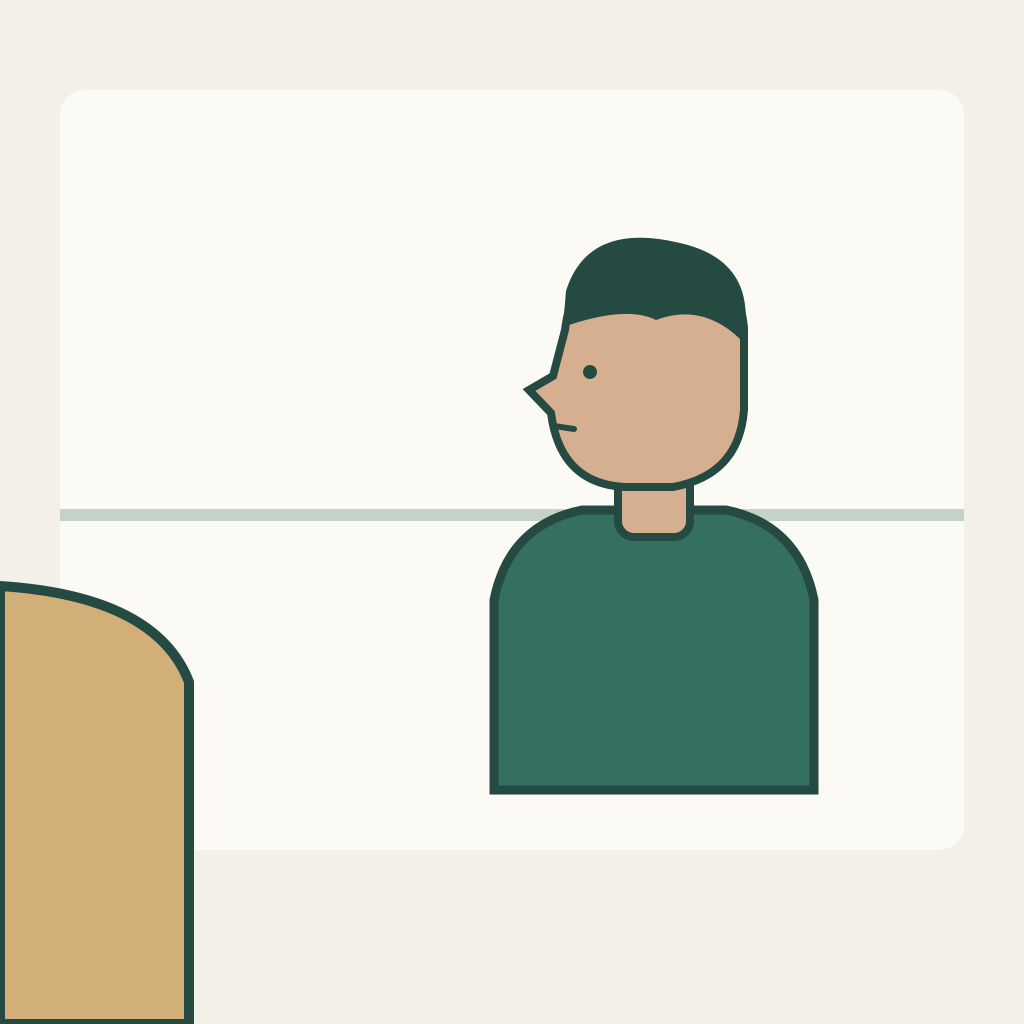
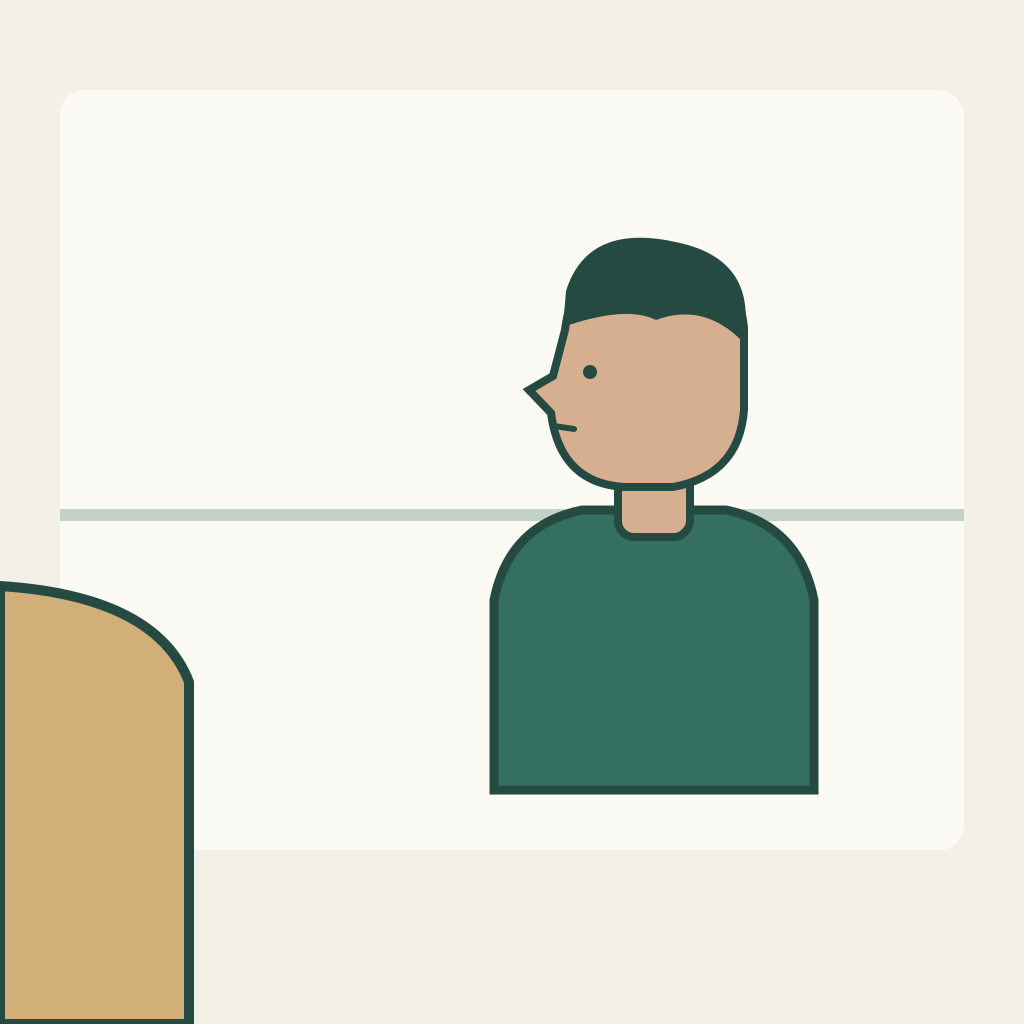
S01 shows the ochre-clothed adult as the main person on the left, facing screen right; a teal shoulder at the near right edge indicates the other adult. S02 reverses the emphasis: the teal-clothed adult is on the right, facing screen left, with the ochre shoulder at the near left edge. Both are unbranded geometric illustrations of adults. Each PNG is a complete independent first frame. The screen-role-map.json names the two people and shot roles without adding labels to the upload images.
Preserve the selected visual relationship
Use clothing color and the existing simple head silhouette as identity clues, not as a guarantee that a model will retain a person. A is ochre and looks right in S01. B is teal and looks left in S02. The visible shoulder belongs to the opposite person, rather than to a duplicate of the main person. Keep the background ledge fixed within each view. These are the choices of this exercise, not a claim that every film must use opposite eyelines.
Prepare each single-shot task manually
Prepare S01 as its own manual single-image task, inspect it, then create S02 as a separate task with its own image and prompt. The default generator action covers S01 only. Keep both original takes available; a human editor can choose a quiet look from each and alternate them. Do not ask the two images to perform a conversation inside one generation. Speech, recorded dialogue, subtitles and lip synchronization are outside this package.
Use the current MiniMax H3 base image-to-video workflow. In the presently documented controls, enable Add end frame to expose First Frame, upload only the current shot PNG there, and leave Last Frame empty. This method does not use Fast, which requires paired inputs. Recheck the actual controls and credit estimate before a manual submission. Files do not upload or submit themselves. SVGs and geometry/role sheets stay local as design notes. No duration, resolution, automatic editing or exact endpoint guarantee is implied.
Download the complete practice kit
Use the shot-specific original prompts
S01 — Adult A looks toward B (default draft only)
Start from this original adult-character illustration. Keep the ochre-clothed adult A on the left as the main person, with the same simple head silhouette. A quietly holds a look toward screen right, toward adult B beyond the teal foreground shoulder. Allow only a very small natural settling of the head and shoulders. Keep the teal shoulder partial, the background ledge fixed and the framing unchanged. Do not exchange the clothing colors, introduce another face, look into the camera, speak or cut to another angle. End on a stable quiet look. This is one independent source shot.S02 — Adult B returns the look toward A
Use this separate reverse-view illustration in a new independent task. Keep the teal-clothed adult B on the right as the main person. B quietly holds a look toward screen left, toward adult A beyond the ochre foreground shoulder. Preserve the existing head silhouette, clothing and camera crop. Let the head and shoulders settle slightly without turning to the camera. Keep the ochre shoulder partial and the ledge fixed. Do not swap A and B, add a third person, invent dialogue or cut automatically. Finish with a stable silent reaction that a human editor can choose.Each later prompt belongs to a new manual task with its own PNG. The single default button cannot generate, assemble or validate the whole sequence.
Inspect real frames and record uncertainty
Watch the head and clothing before inspecting small eye motion. Pause at the actual cut and identify who is the main person and who is merely a foreground shoulder in each clip. Then check the chosen looking direction in nearby frames. Fill the blank role sheet from observed frames, including uncertainty if the face is ambiguous. The drawings establish a proposed layout; they are not proof that generated faces will follow it.
- S01 retains adult A in ochre as the main person; S02 retains adult B in teal.
- A selected S01 look goes screen right and the selected S02 look goes screen left as designed.
- Each foreground shoulder remains the opposite person; no unexplained third character replaces the relationship.
- The manually chosen cut preserves the intended pair without relying on mirrored identity markers or invented dialogue.
Blank acceptance sheet · Blank edit and shot log
Repair one mismatch without changing the task
If the main adult changes clothing, repair that shot with a shorter identity instruction before adjusting the cut. If the look drifts toward the camera, choose a stable part of the take or simplify the head movement. If the foreground shoulder acquires a second full face, reject the take rather than treating it as a third character. Do not mirror a finished clip merely to reverse an eyeline: it can also reverse identity markers and the intended spatial relationship.
Deliver the edit with its limits
The intended result is two independent quiet reaction shots and a manually assembled A-to-B cut that still reads as a pair. This package supplies no generated actors, performed dialogue or finished conversation. Keep the role map with the editing project so a later replacement clip can be reviewed against the same layout.
The existing eye-gaze/head-turn task studies the timing of one person within one shot. Relative-height work compares two people sharing one view. This task compares main-person and receiver roles across two different camera views. It does not guarantee facial identity, cinematic continuity or a universal camera-axis rule.
Related files
- c06-S01-first-frame-png
- c06-S02-first-frame-png
- c06-README-en-md
- c06-README-zh-md
- c06-RIGHTS-REVIEW-txt
- c06-S01-first-frame-svg
- c06-S02-first-frame-svg
- c06-acceptance-blank-csv
- c06-edit-log-blank-csv
- c06-package-files-json
- c06-practice-kit-zip
- c06-prompt-S01-en-txt
- c06-prompt-S01-zh-txt
- c06-prompt-S02-en-txt
- c06-prompt-S02-zh-txt
- c06-screen-role-map-json
- c06-task-definition-json