Task template
MiniMax H3 blank-display prompt: retain four corners during a tilt
Prepare an original blank panel with four visible corner markers, then inspect a small hinged tilt. Tracking and screen replacement remain separate unexecuted steps.
MiniMax-H3 · image-to-video · Original task method; generation has not been independently verified.
Start generating video →
MiniMax H3 blank-display prompt: retain four corners during a tilt
Prepare a short moving plate in which one blank display stays a readable plane. The later use is a possible manual screen insert, but the present exercise only asks whether its four corner relationships remain inspectable through a small tilt.
Original practice input and untested method. No model generation, completed edit or output review has been performed.
Read the original input and define the outcome
The input contains a fictional unbranded panel on a visible stand. Its pale inner screen is blank, and four small geometric markers near the corners have different shapes. The outer quadrilateral, hinge and stand base are all visible. Use the clean S01 PNG; the ordered corner map is a local note. The separate guide shows an intended comparison, not a screen replacement, a generated endpoint or an extra image uploaded as Last Frame. No real-device function or rear surface is established by this drawing.

Authored review guide, not an output
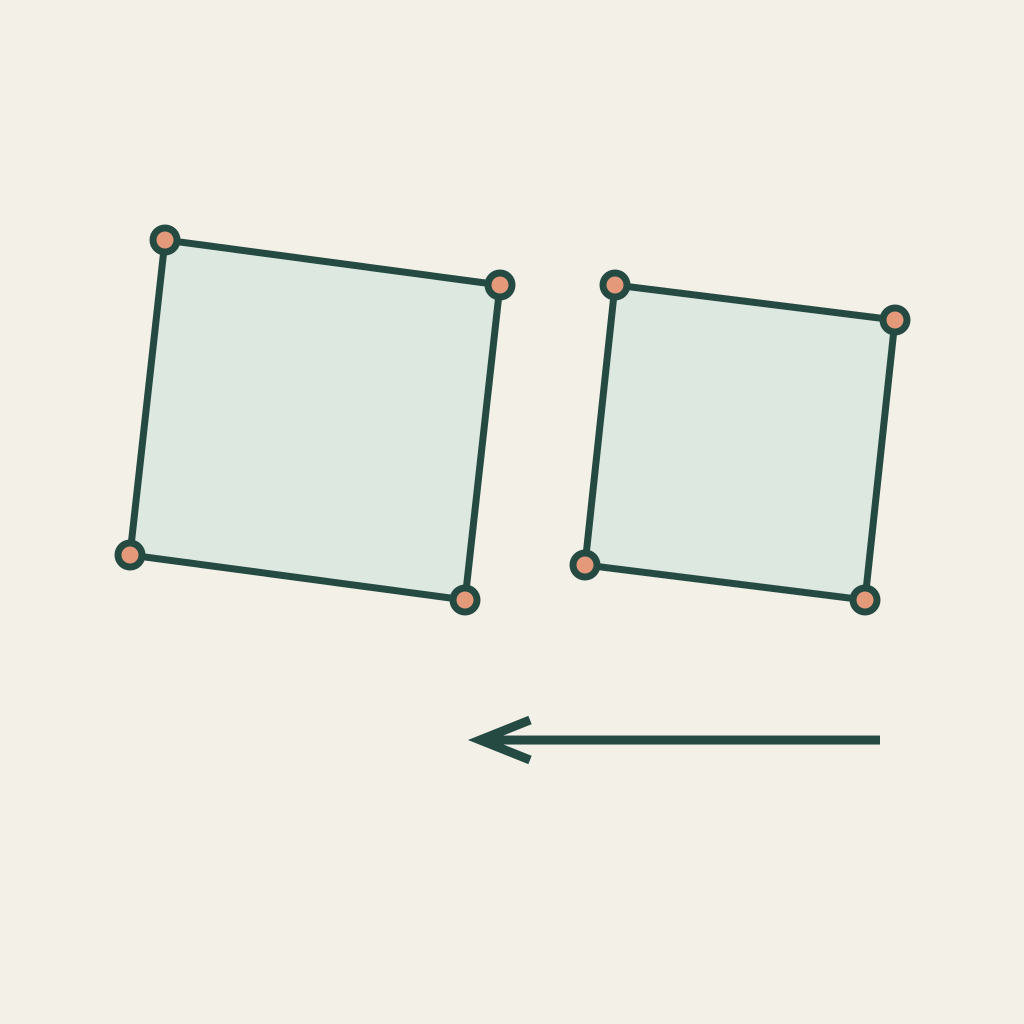
Assign motion and preserve the named relationships
The panel is the moving rigid plane. The stand base, tabletop and camera remain fixed; the visible joint identifies the limited tilt rather than a floating rotation. Follow the corners in their original clockwise order and compare each marker with its adjacent inner edges. The marker shapes are observation aids only. They are not a guarantee that a commercial tracker can detect them, and the coordinate table must not be presented as a solved homography. An edge that bends independently is different from all four corners changing perspective together.
Drawing landmarks and role definitions
Prepare the manual single-shot task
Create one manual base image task from S01, with an empty ending slot. Request a small backward tilt of the upper edge around the existing hinge. Keep the four inner corners in frame and avoid a large turn that exposes an unprovided backside. Do not include actual UI, lettering, a commercial logo or a second moving object. Save the untrimmed result if you later generate it. Only after its geometry passes your checks should a separate editing task attempt corner tracking and an authorized screen insert.
Use MiniMax H3 Base image-to-video. In the documented controls, enable Add end frame to expose First Frame, upload only the current shot PNG there, and leave Last Frame empty. This does not use Fast, which requires paired frames. Recheck the actual controls and current credit estimate before manual submission. The download and draft button do not upload or pay for a generation. SVGs, the separate review guide and drawing-coordinate JSON stay local; they are not extra uploaded frames or special camera commands. No fixed duration, numeric lens control or exact ending is implied.
Download the complete practice kit
Use the complete original prompt
S01 — Blank hinged panel (the only default draft)
Use this original blank display illustration as the first frame. Keep the camera, tabletop and teal stand base fixed. Tilt only the same rigid panel a small distance backward at its visible hinge, moving the upper edge slightly away from the camera. Preserve the blank pale inner screen and the four different small corner markers in their original clockwise order. All four inner corners remain visible and move as one plane with straight edges, not a flexible sheet. Keep the hinge connected and do not lift the stand, reveal a new backside, write text, insert UI, add a logo, crop a corner or cut. Stop at a modest new angle and hold one unchanged blank panel. This shot is for later geometry review, not a claim that screen tracking or compositing has been performed.This is one source shot. The default button carries only this prompt; the clean PNG must still be uploaded manually.
Inspect actual phases with the blank sheets
Watch the entire motion, then inspect several frames around the greatest tilt. Name the same top-left, top-right, bottom-right and bottom-left screen corners every time. Record obscured or ambiguous markers as unknown rather than guessing. Check the straight boundaries and the hinge relationship before evaluating the visual appeal. Four attractive dots in the ending do not establish planar continuity through the middle. A genuine tracker trial, composite and final text check would need their own materials and evidence; those result fields remain blank here.
- All four original inner-screen corners stay visible and keep their clockwise order.
- The screen and outer frame share one coherent perspective change without local bending.
- The visible hinge connection remains readable while the stand base stays fixed.
- The ending is still one blank panel; actual tracking and compositing checks remain unfilled until separately performed.
Blank acceptance sheet · Blank source-shot log
Change one failed relationship at a time
If the screen ripples, reduce only the tilt range and restate one rigid plane rather than adding more marker demands. If a corner disappears, keep a wider crop or smaller turn. If the stand follows the panel, strengthen only the fixed base and visible hinge roles. If markers become letters, do not use them as tracking evidence: the body must remain blank and any final graphic belongs in editing. A clean freeze frame can be kept as a still, but it does not turn a failed moving plate into a verified tracking asset.
Keep the materials and state the limits
A future retained plate ends with the same blank panel at a modest new angle, all four corners visible and the stand base unchanged. Preserve source, prompt and untrimmed footage. The deliverable at this stage is a candidate plate plus a filled geometry review, not a completed insert or proof that a tracking application accepted it.
The hinged-box and lamp exercises inspect rotation around a visible joint. This task adds a specific editable-plate requirement: an ordered blank four-corner region must continue as one plane. It does not promise exact perspective solving, marker fidelity, product truth, successful compositing or model-tested results.
Related files
- nc03-S01-first-frame-png
- nc03-README-en-md
- nc03-README-zh-md
- nc03-RIGHTS-REVIEW-txt
- nc03-S01-first-frame-svg
- nc03-acceptance-blank-csv
- nc03-package-files-json
- nc03-practice-kit-zip
- nc03-prompt-S01-en-txt
- nc03-prompt-S01-zh-txt
- nc03-review-guide-svg
- nc03-scene-roles-json
- nc03-shot-log-blank-csv
- nc03-task-definition-json