Watch second hand: request one tick and hold the dial still
Describe a single clockwise second-hand tick and a settled ending.
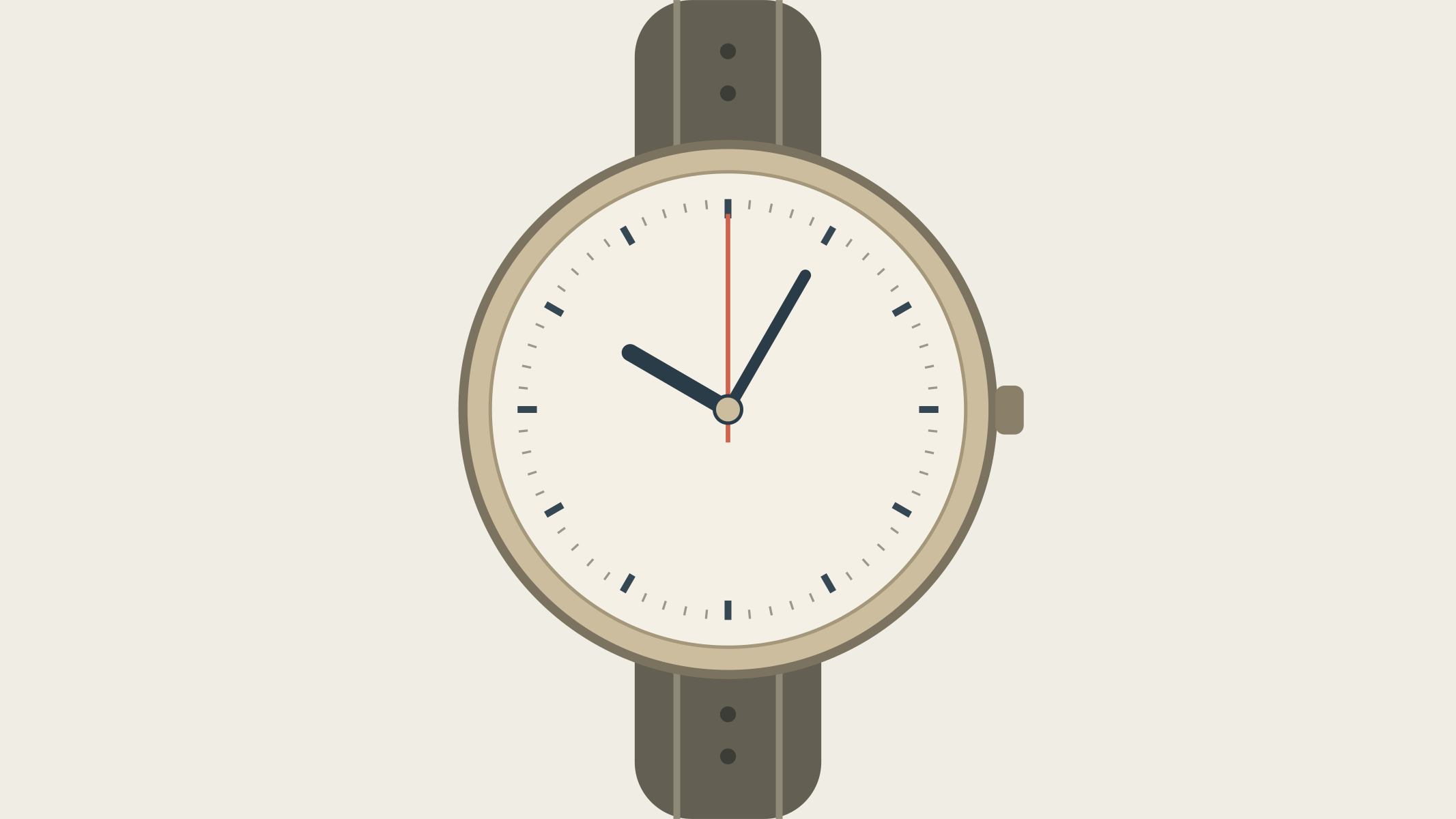
Task and boundary
Describe a single clockwise second-hand tick and a settled ending. This is a visual continuity exercise with original art, not a tested H3 result or a demonstration of timekeeping accuracy.
Prepare your own input
For an actual attempt, prepare a photo or drawing you own or have permission to use. Match the visible starting arrangement, contact gaps, fixed supports and identifying marks described below. Adapt the prompt’s object, color and style names to your image. If a necessary contact or movement space is missing, fix the input before submitting. The on-page illustration is a reading example; you can plan the action without running a generation.
- Start from a face-on watch image with separate hour, minute and second hands. The on-page example dial uses graphic indices rather than tiny wording.
- Identify the second hand by its coral color and the other hands by their dark color; do not ask all hands to tell a new time.
- Use adjacent minute-track marks as the intended start and stop references. A one-tick request is a visual target, not an exact angular-control setting.
- For a real branded dial whose printing must be exact, retain a clean still overlay or use real motion footage; generated text stability is not a reliable preservation workflow.
Set up one image task
Use MiniMax H3 base image-to-video with your prepared image. If needed, enable Add end frame to expose First Frame, put only that image in First Frame and leave Last Frame empty. Check the actual available settings and current credit estimate before manual submission. The prompt is text you can copy; it does not upload your image or start a task. No exact duration, resolution, endpoint or successful result is guaranteed by these instructions.
Complete prompt
Start with your prepared, authorized image of the face-on watch. The watch case, strap, dial printing and all dial indices remain still. The dark hour and minute hands remain in their starting positions. Only the thin coral second hand makes one small clockwise tick from its starting index to the next adjacent small index, rotating as one straight piece about the center pin. It then holds at that next index for the rest of the shot. Keep its length, color and center connection consistent. Fixed camera, fixed light, no zoom, no sweeping rotation, no repeated ticks, no added numbers.
Operating sequence
1. Identify the three hands
Confirm that the coral hand can be distinguished from the dark hands at the start. If the hands overlap heavily, choose a clearer start rather than asking the prompt to infer which one should move.
2. Define one adjacent stop
Name the next clockwise small index as the ending. Do not combine one tick with continuous time-lapse or a looping clock, which describes a different behavior.
3. Check the center before the tip
Inspect whether the second hand remains attached at the same center pin. Then follow its tip to the neighboring mark; a bending or translating hand is not a rotational tick.
4. Compare the dial after the hold
Compare indices at the top, right and bottom, plus the two dark hands. If print or static hands change, keep the action but simplify the dial source or composite the fixed face in finishing.
Inspect an actual result
For each criterion below, record the time or frame, visible observation and judgment in your own notes: pass, fail or inconclusive. Fill observed values only after inspecting an actual output; the intended ending is not evidence that the transition occurred.
- The watch case and strap keep their shape and position.
- The coral second hand remains connected to the center pin.
- The second hand moves clockwise toward only the adjacent small index.
- The hand remains a single straight element with stable length.
- The dark hour and minute hands stay at their starting orientations.
- Dial indices do not duplicate, vanish or drift around the face.
- The final pose holds without a second tick or backward snap.
Change one failure at a time
- The second hand sweeps continuously Change only the ending sentence to one tick followed by a hold; remove sweep, time-lapse and loop wording.
- All hands advance Change the role assignment to identify the coral second hand and name both dark hands as fixed; keep the requested tick amount.
- The hand disconnects from the center Reduce only the motion amplitude and inspect the central pin again; reject a translated or curved hand.
- The dial print mutates Replace only the source with a simpler graphic dial for the exercise. For exact real printing, preserve the face in post or choose captured footage.
Ending and next step
End on the next small index and keep a settled view long enough to compare the static dial. Record the observed step count; do not label the clip an accurate clock simulation.