Doorway push-in: stay within the visible space
Practice a short forward camera move from a doorway while retaining both jambs and avoiding invented adjoining rooms.
Move slightly closer in the existing viewing direction, stopping outside the threshold while the doorway and visible room anchors remain available for comparison. This is a bounded atmosphere shot, not a property walkthrough.
This page presents an original method and illustrations. The prompt has not been independently tested with the generation model.
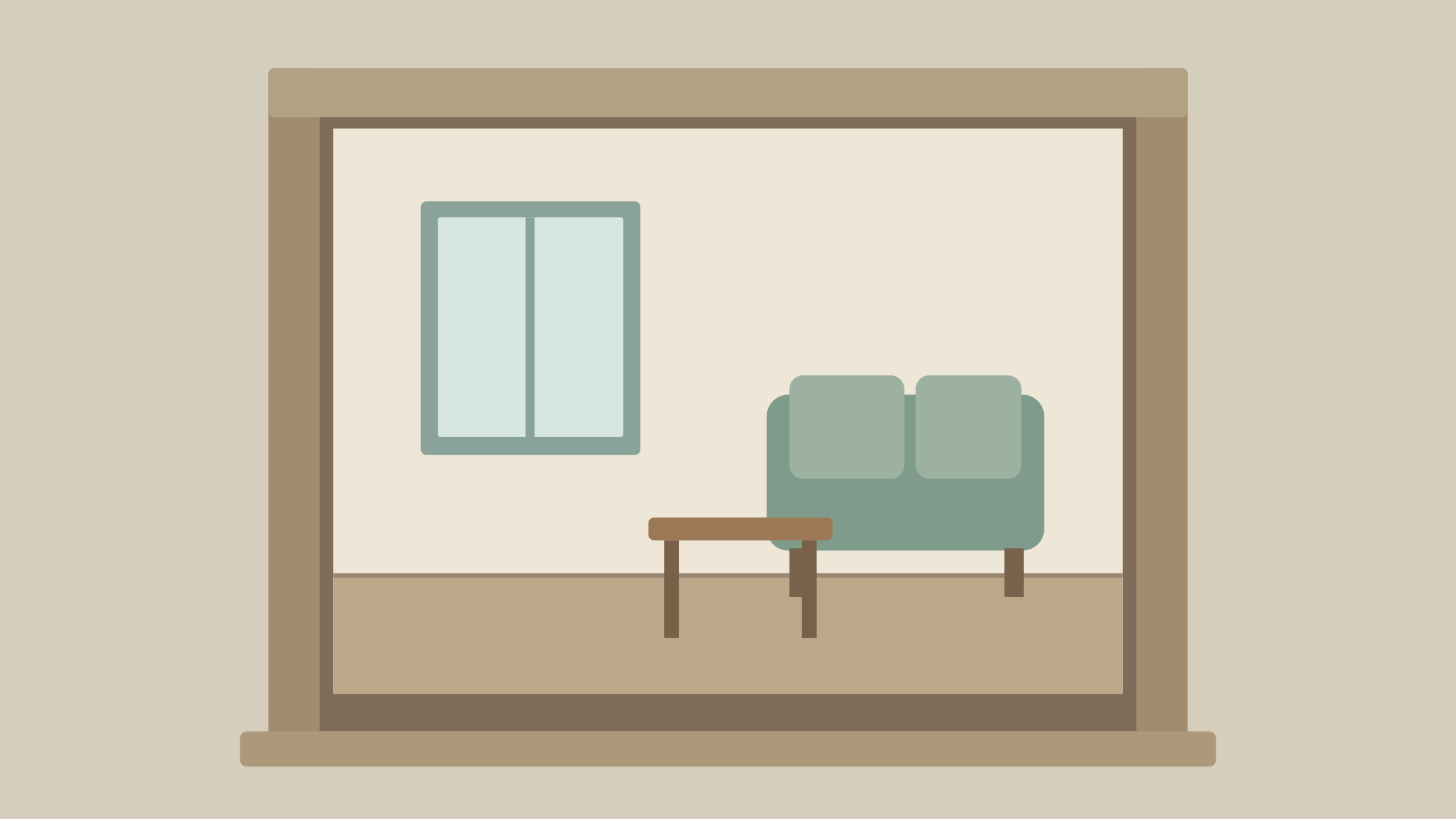
This page illustration explains the required composition; prepare your own authorized image with the relationships described below.
Prepare the input
- Prepare your own authorized entrance image showing both jambs, the lintel and the visible room beyond, including a window and sofa or equally clear fixed anchors. The whole inner doorway boundary must remain available for comparison.
- Choose visible room anchors such as the window and sofa. A dark doorway with no interior information is not a source for a detailed new room.
- Keep the requested move small enough to preserve the complete inner doorway boundary. Do not combine it with a turn, pan toward a hidden wall or a walk into another space.
- Check the closer-composition diagram before drafting. It expresses a limit for review, not an additional image input or an exact camera path.
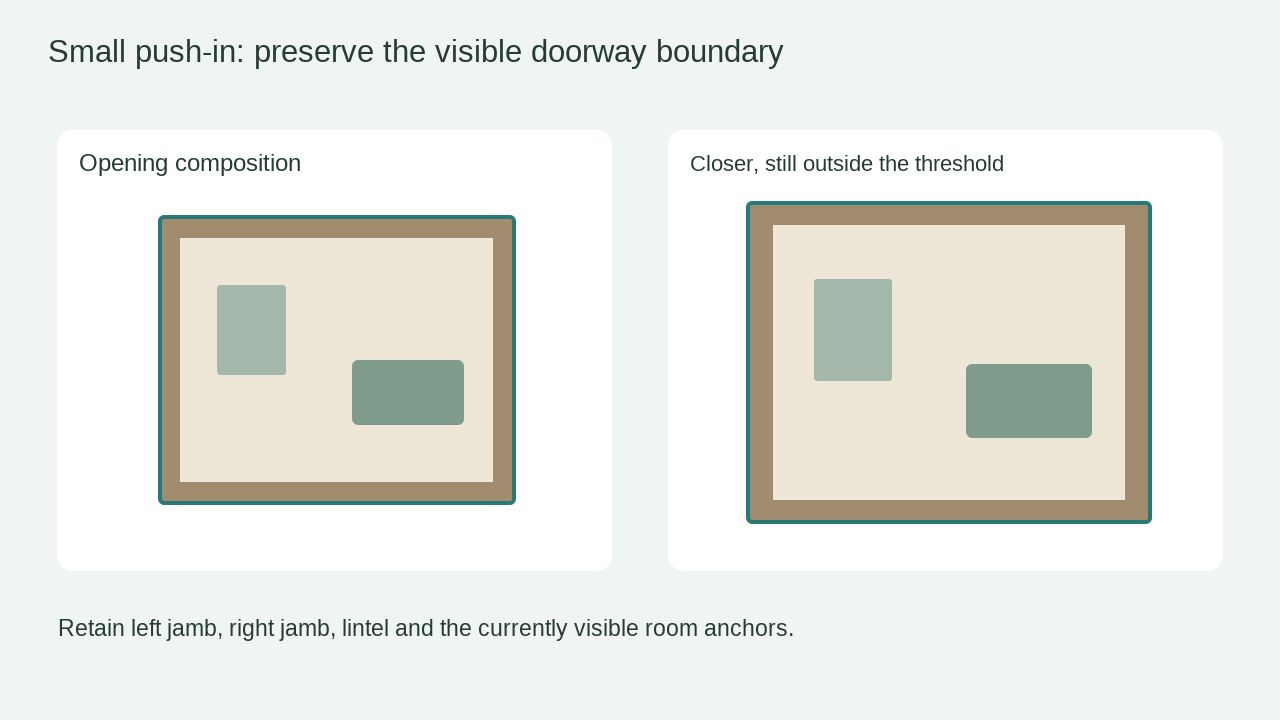
Authored comparison only, not a model output or an extra generation input.
Open image-to-video and choose MiniMax H3. Enable Add end frame to expose First Frame, upload your prepared image there and leave Last Frame empty. Match the complete prompt below to the objects and colors in your image before submitting. Check the current controls and credit estimate; opening the workspace does not upload or submit a task. Keep annotated page diagrams out of the input slots.
The link carries the original page prompt; adapt it to your prepared image before submitting.
Prompt and procedure
Use the uploaded doorway view as the first frame. Move the camera forward only a small distance along its current viewing direction and stop before crossing the doorway threshold. Retain the left jamb, right jamb and lintel inside the frame, together with the currently visible window and sofa. Keep the doorway, walls, floor and furniture in their existing relationships. Do not turn into a corridor, pass through the opening, reveal a new room or add unseen furnishings. End on a slightly closer view of the same visible space, with a quiet steady pause.
Define the visible boundary
Identify the inner edges of both jambs and the lintel. These are the stop-condition references, not just decoration around the room.
Choose an ending that keeps the boundary
Use a slightly closer composition that still contains the doorway and the window-sofa relationship. If the desired ending removes the jambs, shorten the move before generating.
Inspect the moving interval
Watch for the camera crossing the threshold, wall edges sliding apart or the sofa passing through a table. A plausible final crop can hide a broken spatial transition.
Audit anything newly revealed
List surfaces or objects that become visible. Keep the shot within information already supplied; if a real adjoining space must be shown, obtain its actual footage or images as a different task.
Check the result
Watch the complete actual result, then compare opening, middle and ending against each check below. In your own notes record the timestamp or frame, visible evidence, pass/fail/uncertain judgment and reason. Do not fill results from an illustration; an occluded or unreadable relationship remains uncertain.
- Both jambs and the lintel remain inside the frame throughout.
- The camera moves only forward without a side turn or orbit.
- The viewpoint stops outside the doorway threshold.
- The visible window and sofa maintain their spatial relationship.
- Walls and floor junctions remain connected without stretching.
- No new corridor, adjoining room or unrecorded furniture appears.
- The ending is slightly closer and settles on the same visible space.
Troubleshooting and ending
The camera enters a new room
Reduce only the forward move and restate the retained jambs as the ending limit. Keep the original view instead of describing invented room contents.
A jamb disappears offscreen
Shorten only the ending crop until both jambs remain visible. Recheck the full move, since a late crop can remove the reference unexpectedly.
The room expands behind the door
Keep only the original visible anchors and remove expansive phrases such as a full tour. If the input is too dark to support the requested view, replace it with a clearer actual entrance image.
Finish outside the threshold with the same room in view. Save the retained-boundary check; do not describe newly generated surfaces as verified parts of a real property.
Related reading
- Small camera arc around a chair: trace all four floor contacts
- Character three-view reference: separate front, side and back files
- Cloud drift: hold the horizon and foreground still
- Curtain breeze: move the cloth, fix the window
- Desk lamp tilt: move one head around its visible joint
- Drawer opening: translate the drawer and keep the cabinet fixed