03:00:0050% OFFClaim

MiniMax H3 Prompt Guide

Learn the basics, follow 12 worked examples, then adapt one variable at a time. Each lesson connects reference inputs, the source prompt and a result to inspect.

01Prompt Basics

1.1 Choose a workflow

No inputs: describe the scene in text. A starting or ending composition: use frame images. Appearance, action or sound references: assign a separate role to each input.

1.2 Write a prompt

Subject + one action + environment + style + camera + sound

Subject and action are essential; add the other details as needed.

Writing exercise: a ceramic cup on a wooden table; steam rises slowly; soft morning side light; fixed camera; quiet room ambience.

Start with one action. For multiple shots, write their order first. After generation, change only one variable and compare the result.

Each case pairs a source-provided MiniMax H3 video with its published inputs and prompt. Inspect the original case and reuse rights. These are source examples, not independent Studio reproductions.

2.1 Dynamic Typography

Text to Video

Form an English Title From Liquid Metal

LearnDescribe a title transformation in a clear sequence.

1. Result and inputs

A text-only example in which reflective liquid metal gathers into “EVOLVE”, morphs and scatters into droplets. The prompt specifies the title, material, motion sequence and dark environment together.

Text-only example; no reference files were used.

2. How to write it

Formula

[Title] + [material] + [formation and dispersal] + [lighting]

What to control

  • Specify the exact title and the order of its transformations.
  • Describe reflections and contrast to make the material legible.

Prompt

Ultra cinematic title sequence: Rivers of liquid mercury flow through a futuristic black environment, reflecting impossible light. Metallic droplets rise against gravity, merging and separating with mesmerizing precision. The liquid chrome begins assembling itself molecule by molecule into the word "EVOLVE", every surface behaving like a living mirror. The title constantly morphs, flowing and reshaping itself before suddenly collapsing into millions of reflective droplets that scatter across the screen like liquid stars. Territory Studio aesthetics, premium sci-fi typography, impossible fluid dynamics.

3. Practice and review

Change one variable
Replace only EVOLVE with another short English word; keep the material and motion sequence.
Check the result
Check spelling, legibility and the order of formation and dispersal.

MiniMax H3 · 6s · 768P · 16:9

Try this workflow

2.2 Product Reveal & Callouts

Text to Video

Reveal Product Materials and Structure With Cinematic Lighting

LearnGive material details, full-product views and structural illustrations separate shot beats.

1. Result and inputs

A text-only fragrance diffuser film uses matte ceramic and brushed metal, a deep black studio and warm rim lighting. Material close-ups lead into a rotating product view, an exploded reveal and reassembly, with an English feature callout beside the internal components.

Text-only example; no reference files were used.

2. How to write it

Formula

[Product and materials] + [close-up → full view → exploded view → reassembly] + [lighting] + [English feature callout]

What to control

  • Give material detail, the full product and internal structure separate shot beats.
  • State the callout wording and placement, then check readability and component alignment.

Prompt

Create a 15-second luxury cinematic product showcase for a premium compact fragrance diffuser with a sculpted ceramic body and brushed-metal top. The product has no visible branding, labels, logos or printed text.

0–4s: Begin with an extreme macro tracking shot gliding across the fine matte ceramic texture, seamless curved body, precision-machined metal rim and recessed control surface. A narrow band of warm light travels across the materials against a deep black studio background, revealing delicate surface detail and controlled highlights.

4–8s: Pull back into a three-quarter hero view. The diffuser rotates slowly above a glossy dark-stone pedestal. A subtle ambient light ring gradually illuminates beneath the metal top. A fine stream of mist rises naturally and disperses softly into the air. Maintain stable geometry, consistent proportions and elegant symmetry.

8–12s: Transition into an exploded-view reveal. The ceramic shell, fragrance reservoir, ultrasonic plate, airflow chamber and brushed-metal top separate smoothly in perfect vertical alignment. Delicate illuminated mist particles flow upward through the internal airflow channel while the camera performs a restrained side orbit.

At 9.2s, display a clean, partially transparent callout beside the ultrasonic plate. Connect it to the component with a fine pointer line. Use a thin champagne-gold border and minimal glass-like transparency. The callout title reads: “Silent Ultrasonic Diffusion”. Beneath it, in smaller text, display: “A refined mist without heat”. Keep the overlay sharp, readable, modern and premium without obscuring the internal construction.

12–15s: Every component reconnects seamlessly. The diffuser settles into a centered front-facing hero composition as warm rim lighting defines its silhouette. The callout fades away before the final lockup. Complete a gentle dolly-in while a controlled plume of mist rises from the top and the ambient light ring softly pulses once.

Premium wellness-commercial finish, photorealistic ceramic and metal, realistic mist simulation, controlled reflections, soft shadows, shallow depth of field, crisp surface detail, stable product shape, no liquid spills, no people, no hands, no logos, no writing on the product, no distortion, no duplicated components and no illegible overlay text.
2/2

3. Practice and review

Change one variable
Change one material description first; keep the shot order and lighting.
Check the result
Look for the new material in the intended shot. Treat generated internal components as an illustration, not product engineering evidence.

MiniMax H3 · 15s · 768P · 21:9

Try this workflow

2.3 Interface & Character Animation

Reference to Video

Animate a Digital Pet Compendium

LearnDistinguish the fixed interface layout from elements that may animate.

1. Result and inputs

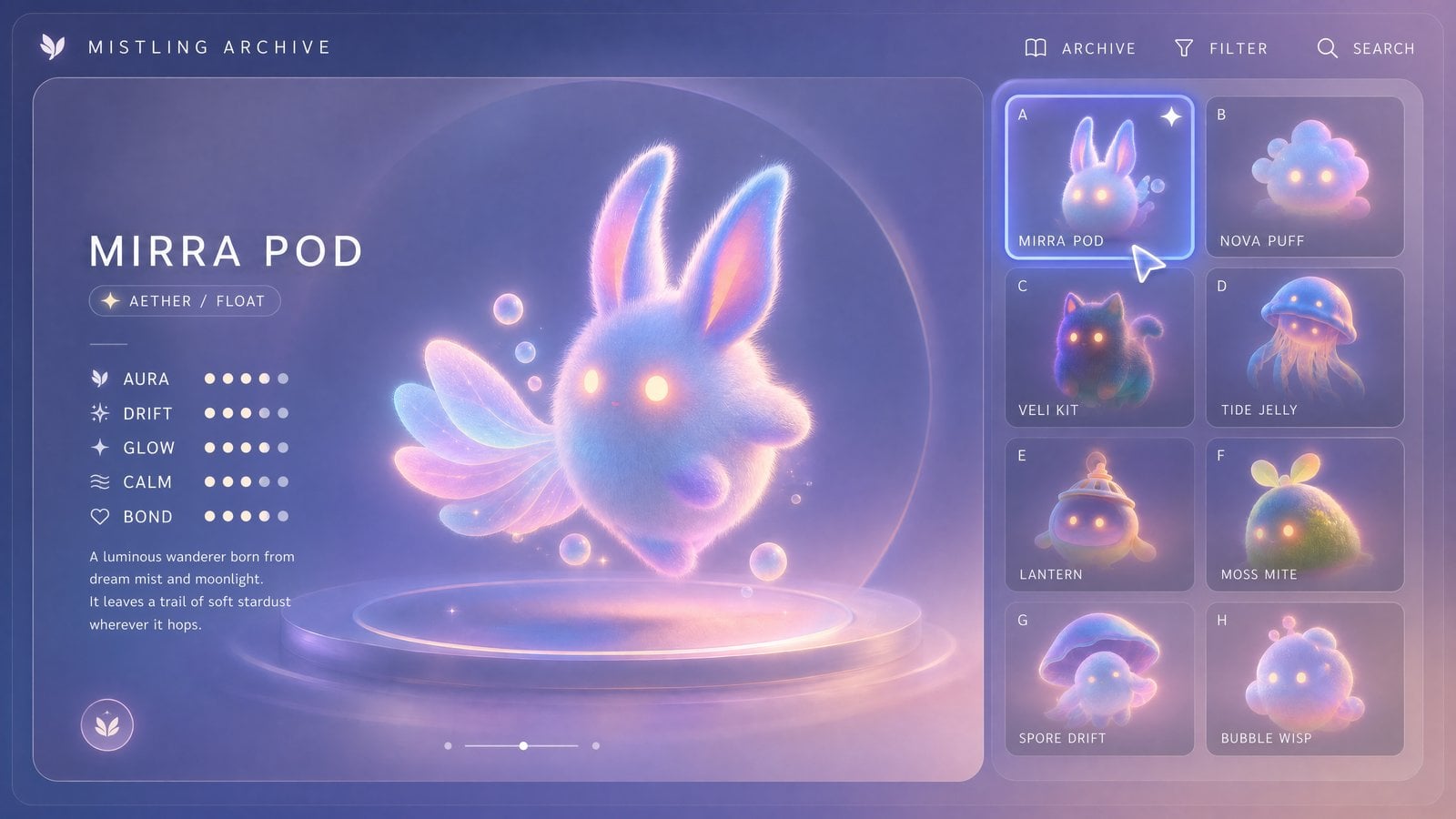
Image 1 defines the compendium layout and cursor. Images 2–5 provide four pet designs. The prompt keeps the camera and interface structure fixed while animating selection states, titles and pet interactions.

Reference Input
Image 1 — Interface layout and cursor
Image 1 — Interface layout and cursorImage
Image 2 — MIRRA POD pet
Image 2 — MIRRA POD petImage
Image 3 — LANTERN pet
Image 3 — LANTERN petImage
Image 4 — MOSS MITE pet
Image 4 — MOSS MITE petImage
Image 5 — VELI KIT pet
Image 5 — VELI KIT petImage

2. How to write it

Formula

[Interface layout] + [pet designs] + [selection and character motion]

What to control

  • Separate the interface reference from the pet designs.
  • Keep the layout stable and specify which elements should animate.

Prompt

Use Image 1 as an exact reference for UI/layout/interface style.
The mouse cursor in Image 1 also serves as an exact reference for mouse style: the mouse cursor must maintain the size, shape, proportion, semi-transparent texture, soft glowing edge, and delicate premium feel from Image 1. Do not generate oversized system default cursors, do not generate rough black-and-white arrows, do not generate multiple cursors.
Use Images 2–5 as exact spirit pet references, and map as follows:
Image 2 = card A = MIRRA POD
Image 3 = card E = LANTERN
Image 4 = card F = MOSS MITE
Image 5 = card C = VELI KIT
Generate a 15-second, 16:9 horizontal video.
The shot is completely fixed, no push/pull, pan/tilt, or cut.
Maintain the interface structure, typography, panels, font hierarchy, icons, rounded corners, card grid, and overall composition of Image 1—stable, elegant, clear, and readable.
The interface vibe is premium, minimalist, dreamy digital spirit pet compendium.
Do not add irrelevant text, no garbled text, no UI distortion, no interface drift.
Overall style:
Dream mist, soft focus, micro-fuzz, semi-transparent, light glow, premium minimalist.
All four spirit pets must be very cute, lively, soft, and have spirit.
Actions must be clean, delicate, and have a sense of interaction.
The interface itself remains stable, only animate the mouse, selection state, main title, currently main displayed spirit pet, and a few skill effects.

3. Practice and review

Change one variable
Keep the layout image and replace one authorized pet-design image; update its name mapping in the prompt.
Check the result
Compare the layout, selected state and pet identity before and after the change.

MiniMax H3 · 15s · 768P · 16:9

Try this workflow

3.1 Product Reference

Reference to Video

Define a Handbag With Multi-view References

LearnAssign different jobs to product appearance, person and atmosphere references.

1. Result and inputs

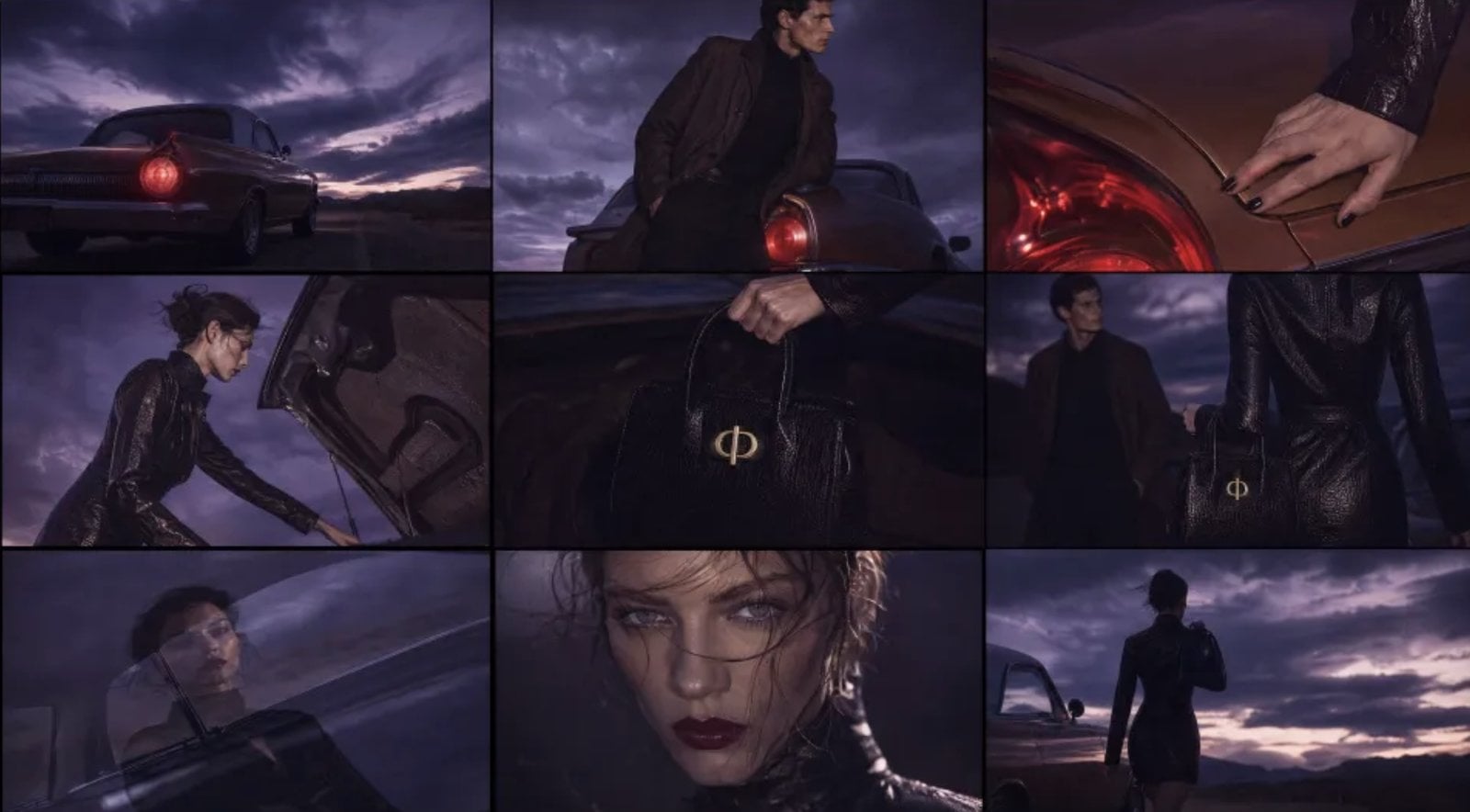
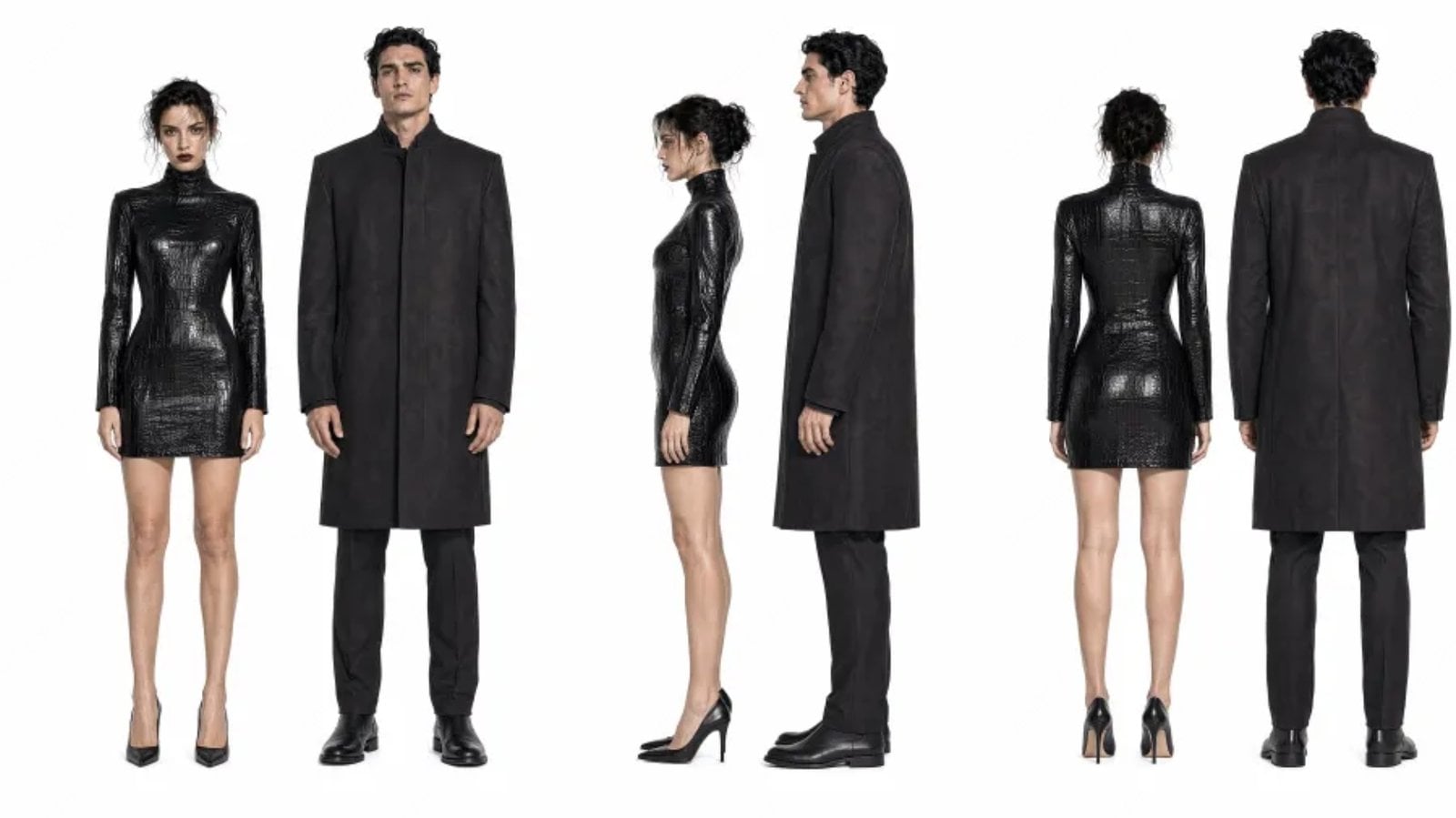
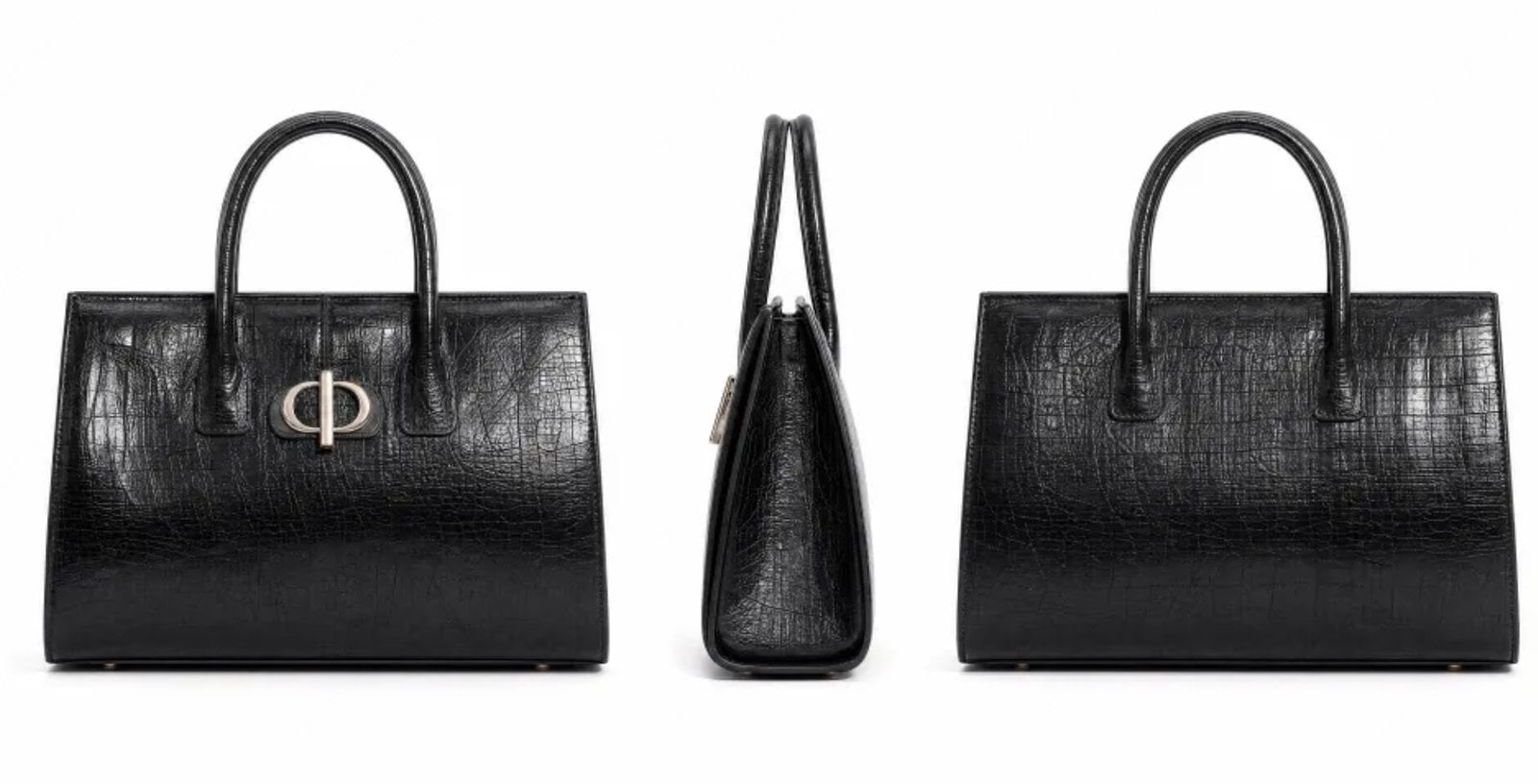
Image 3 provides front, side and back views of the black leather handbag. Image 1 sets the desert and film atmosphere, Image 2 supplies the character, and Image 4 defines the English end card. The film integrates the bag into the character’s actions.

Reference Input
Image 1 — Desert scene and film style
Image 1 — Desert scene and film styleImage
Image 2 — Character
Image 2 — CharacterImage
Image 3 — Handbag front, side and back views
Image 3 — Handbag front, side and back viewsImage
Image 4 — English end card
Image 4 — English end cardImage

2. How to write it

Formula

[Product views] + [character] + [scene and style] + [product interaction]

What to control

  • Assign product, character and atmosphere references distinct roles.
  • Check the bag’s silhouette and details as it moves between shots.

Prompt

Produce a 16:9 horizontal high-end fashion brand video. The overall atmosphere, scenes, and film texture reference Image 1; the bag asset references Image 3; the character asset references Image 2; the brand ending logo references Image 4. This is a fashion campaign selling clothes and bags. The overall temperament should be high-end, cool, restrained, but the editing should not be boring; it should be more agile and have a fashionable rhythm. Do not make it like an ordinary drama or an e-commerce advertisement. The core story is still very simple: by a desert road and a retro car, a woman returns to the rear of the car, opens the trunk, takes out a black bag, shares a moment of quiet connection with a man standing by the car, and then she leaves with the bag. The bag and clothing should naturally integrate into the character's actions, becoming part of the character's temperament.

3. Practice and review

Change one variable
Replace only the product views and update the matching name, color and appearance description; retain other references and shots.
Check the result
Inspect the outline, handles and surface details in each shot.

MiniMax H3 · 10s · 768P · 16:9

Try this workflow

3.2 Character Reference

Reference to Video

A Xianxia Character Across Storyboard Shots

LearnSeparate character identity references from storyboard references.

1. Result and inputs

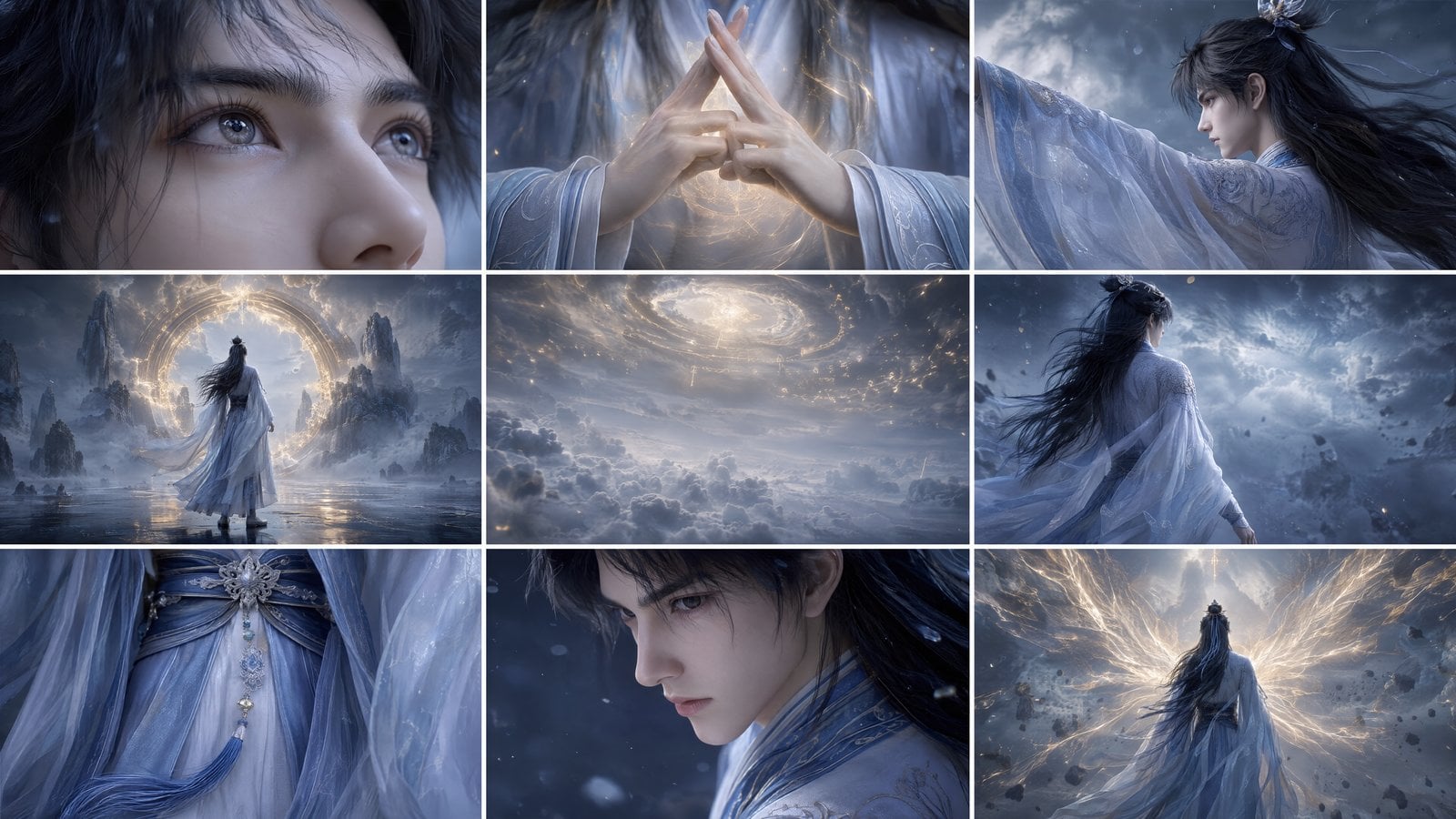
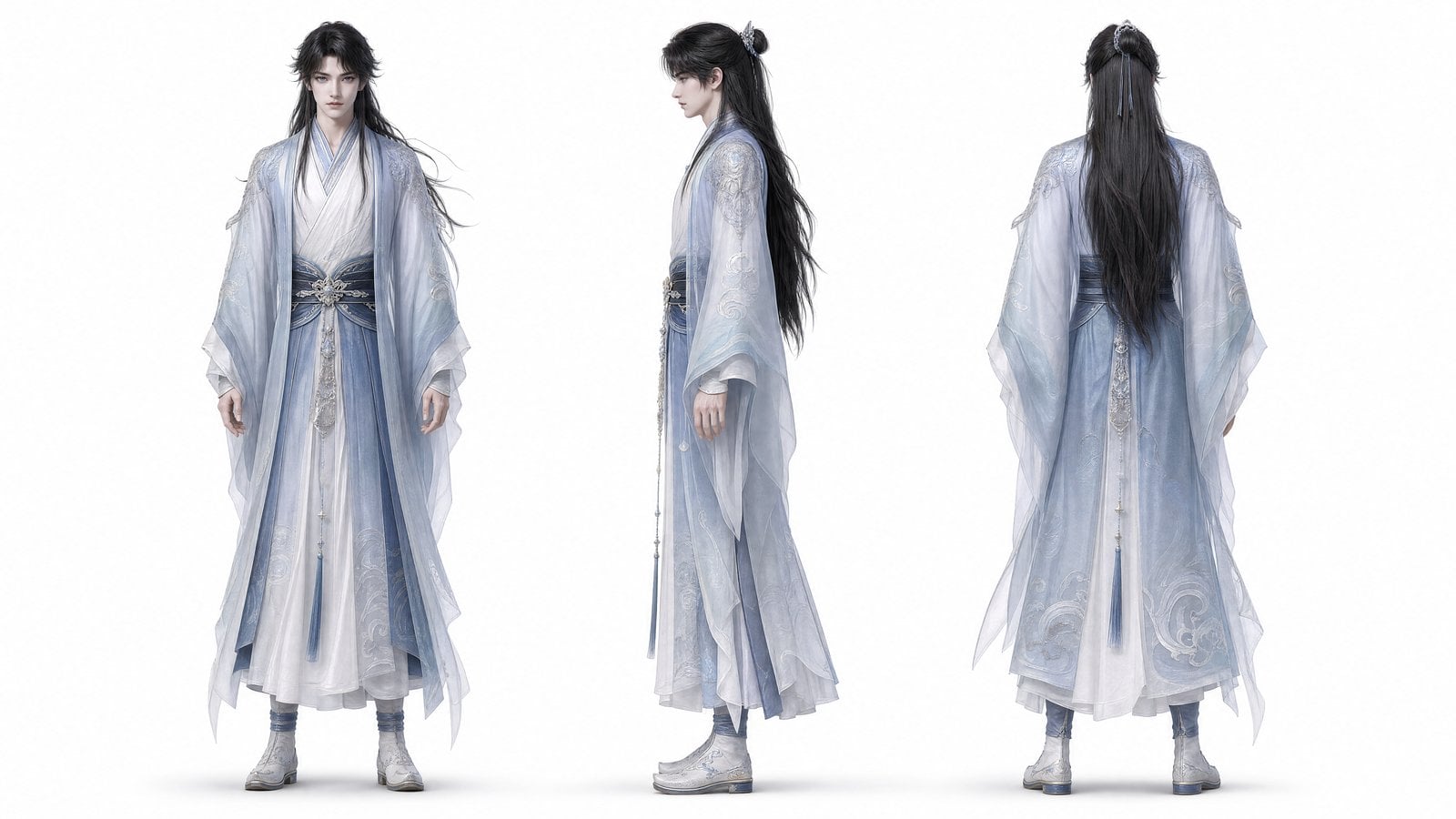
Image 1 provides a nine-panel storyboard. Image 2 is the character front, side and back sheet, defining hair, crown, robes and accessories for the cinematic sequence.

Reference Input
Image 1 — Storyboard and rhythm
Image 1 — Storyboard and rhythmImage
Image 2 — Character views and wardrobe
Image 2 — Character views and wardrobeImage

2. How to write it

Formula

[Storyboard] + [character sheet] + [identity details] + [shot sequence]

What to control

  • State which image controls the character and which controls shots.
  • Name identity details that should survive each cut.

Prompt

Use Image 2 as a fixed character reference, maintaining consistency of black half-tied long hair, silver hollow hair crown, dark blue hair ribbon, light layered Hanfu, semi-transparent blue outer robe, dark blue waist seal, silver floral buckle ornament, and long tassels. Use Image 1 as a reference for shot storyboarding and rhythm. The visuals are high-quality 4K 16:9 Guofeng 3D, with a film-grade xianxia texture: passionate, solemn, with a strong sense of destiny. The shots sequentially express the content in the storyboard, ensuring natural camera movement and transitions between each shot, it cannot be like a ppt. Character face reveals can only be close-ups or extreme close-ups, long shots can only be back views, side-back views, or environmental empty shots, no front-facing long shots.

The translated prompt is a writing aid. Review it against the source before generating.

3. Practice and review

Change one variable
Keep the storyboard and replace only the character views; update the matching appearance description.
Check the result
Compare the face, hair and wardrobe across shots, then check whether the shot order changed.

MiniMax H3 · 10s · 768P · 16:9

Try this workflow

3.3 Multi-image Action Sequence

Reference to Video

Sequence a Hand-drawn Game From Four Action References

LearnTurn reference poses into an ordered action sequence.

1. Result and inputs

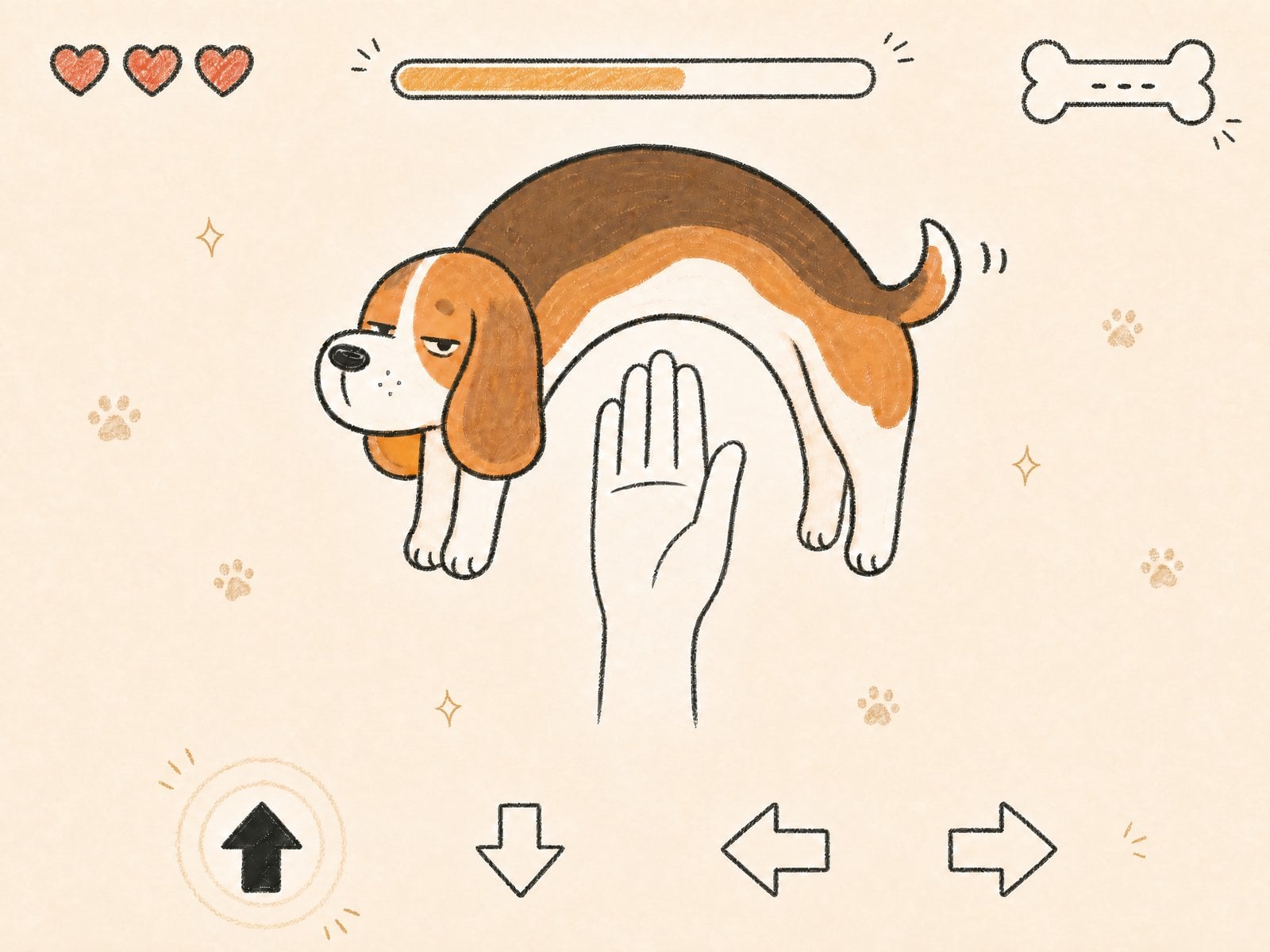
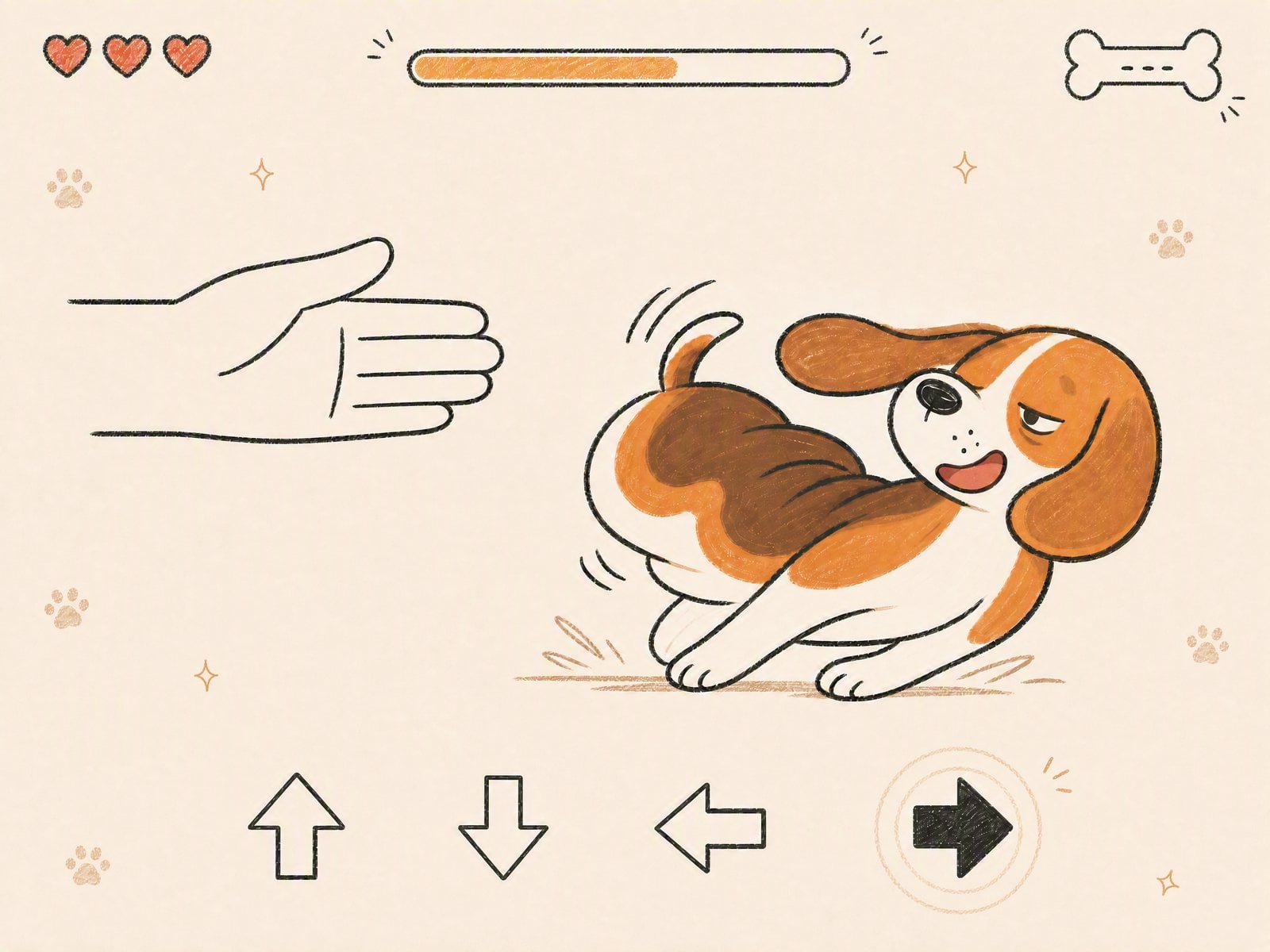
Four original images supply arching, crouching and two lateral dodge poses for the beagle. The prompt sequences these actions and interface feedback while retaining a fixed camera, paper texture and shared hand-drawn style.

Reference Input
Image 1 — Arched dodge pose
Image 1 — Arched dodge poseImage
Image 2 — Crouching dodge pose
Image 2 — Crouching dodge poseImage
Image 3 — Curled side dodge
Image 3 — Curled side dodgeImage
Image 4 — Stretched side dodge
Image 4 — Stretched side dodgeImage

2. How to write it

Formula

[Action reference images] + [ordered beats] + [shared art style] + [interface feedback]

What to control

  • Describe each reference pose as a separate action beat.
  • Check that arrow highlights and dodge motions agree in the result.

Prompt

Generate a 10-second, 4:3 horizontal game video, overall like a minimalist cute 2D hand-drawn reaction game interface. Keep the shot fixed, no camera movement, no zoom, background clean, retain warm paper texture and crayon/colored pencil hand-drawn lines. The protagonist is always the same mischievous little beagle: round Q-version body, short legs, big floppy ears, round long snout, short perky tail, half-squinted lazy and punchable expression. The little beagle's body can be exaggeratedly stretched, flattened, arched, and side-dodged like a rubber band, but its identity and art style remain consistent.
The video is a fast-paced small game operation process of "press direction keys to dodge the hand." The bottom of the screen always has a row of hand-drawn direction arrow UI, arrows include up, down, left, right four directions. At the start of each operation beat, the corresponding direction arrow quickly becomes solid highlighted, and hand-drawn circle ripples, short radial lines, small stars, or paw print feedback appear. The top retains a lightweight hand-drawn HUD: three small hearts in the top left, a thin hand-drawn progress bar in the top middle, a small bone icon and a few doodle decorations in the top right. Decorations should be sparse and cute, not blocking the protagonist, hand, or direction arrows. Do not include any readable text, no modern electronic UI, no real photographic effects.
Core gameplay rules:
Image 1, when the bottom "up" arrow is highlighted, the hand extends upward from the bottom of the screen, the little beagle must arch its body upward to dodge, body forming an exaggerated semi-circular bridge.
Image 2, when the bottom "down" arrow is highlighted, the hand presses down from the top of the screen, the little beagle must flatten its body close to the ground to dodge, front half flattened, back half raised.
Image 3, when the bottom "right" arrow is highlighted, the hand extends horizontally from the left side of the screen, the little beagle must slide to the right to dodge, body compressing and side-dodging like a spring.
Image 4, when the bottom "left" arrow is highlighted, the hand extends horizontally from the right side of the screen, the little beagle must stretch its body to the left to dodge, ears flying, front paws grabbing the ground.
All hand directions, arrow highlight directions, and little beagle dodge actions must correspond one-to-one, no misalignment.

Side approach and dodge directions are corrected to match Images 3 and 4. The case link retains the source prompt.

3. Practice and review

Change one variable
Adjust the timing of just one dodge while retaining the references and other actions.
Check the result
Check that the arrow, approach direction and dodge direction agree.

MiniMax H3 · 10s · 768P · 4:3

Try this workflow

4.1 Action Reference

Reference to Video

Transfer a Kitchen Foam-fight Performance

LearnUse images for appearance and video for action timing.

1. Result and inputs

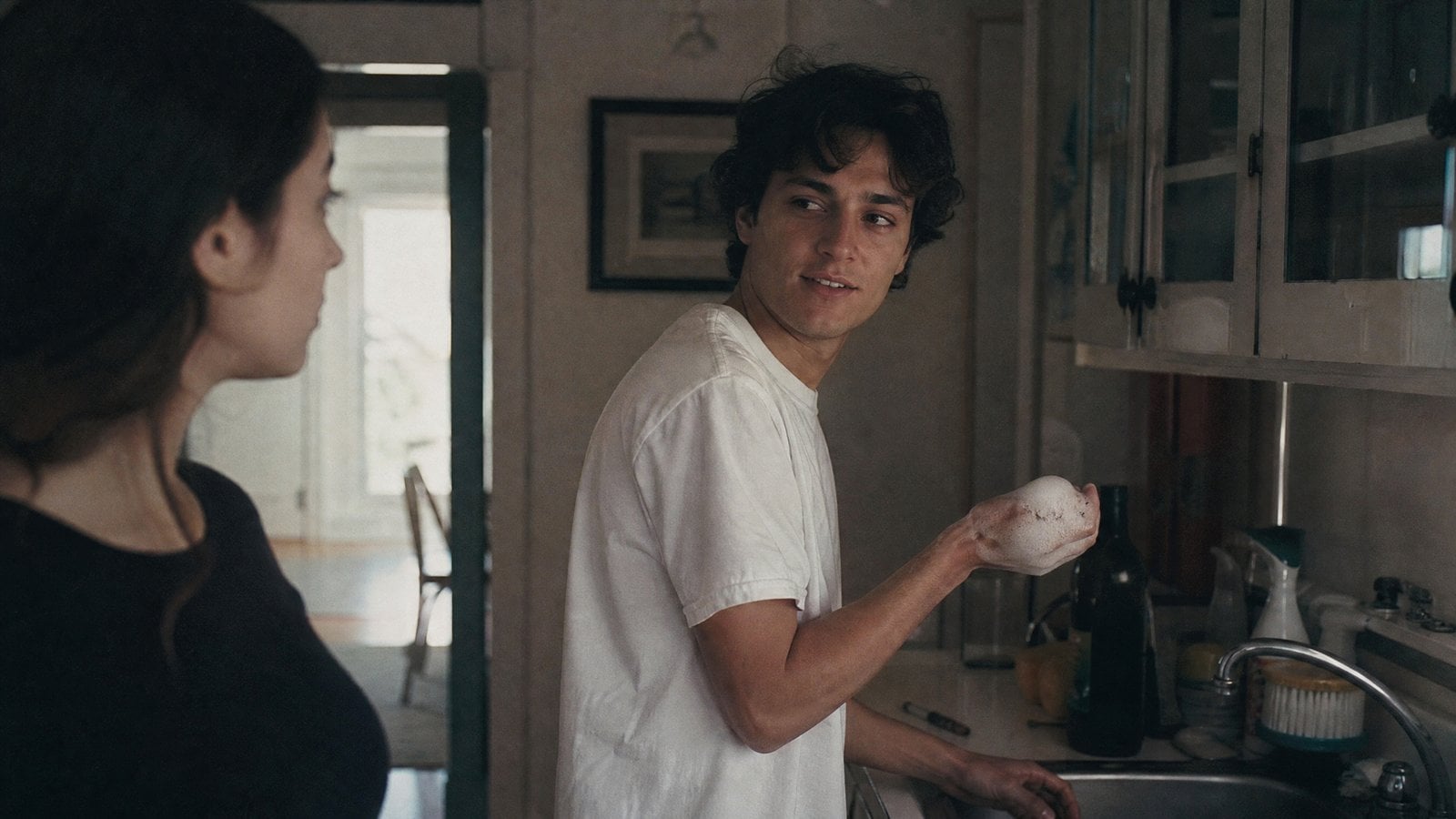
Image 1 supplies the characters; Video 1 supplies actions, expressions and timing. The prompt follows handing over a plate, flicking foam and the playful counterattack.

Reference Input
Image 1 — Character appearance
Image 1 — Character appearanceImage
Video 1 — Actions and performance rhythmVideo

2. How to write it

Formula

[Character image] + [action video] + [ordered actions and laughter]

What to control

  • Give the image and video distinct roles.
  • Describe the action sequence and reactions.

Prompt

The character's actions, expressions, and performance rhythm in Image 1 strictly reference input Video 1. A boy stands at the sink on the right side of the frame and hands a washed plate to the girl on the left side of the frame, then suddenly turns and flicks dish soap foam with his right hand towards the girl at the left edge of the frame. The girl, startled, immediately counterattacks, and the two begin happily splashing foam at each other and dodging, accompanied by loud laughter.

3. Practice and review

Change one variable
Keep the action video and replace only the character image.
Check the result
Compare action order separately from character appearance.

MiniMax H3 · 10s · 768P · 16:9

Try this workflow

4.2 Camera & Vocal Reference

Reference to Video

Combine Camera Movement, Character and Vocals

LearnAssign explicit appearance, camera and voice roles to three media types.

1. Result and inputs

The source provides a camera-motion video, a character image and a vocal audio file. Its prompt assigns those three jobs explicitly to create a singing performance.

Reference Input
Video 1 — Camera movementVideo
Image 1 — Singing character
Image 1 — Singing characterImage
Audio 1 — Vocal referenceAudio

2. How to write it

Formula

[Camera video] + [character image] + [vocal audio]

What to control

  • Use the source numbering consistently in the prompt.
  • Listen to the vocal input when comparing the result.

Prompt

Reference the camera movement from Video 1, have the character in Image 1 sing, with the vocals matching Audio 1

References are numbered within each media type to match the workspace. The case link retains the source numbering.

3. Practice and review

Change one variable
Replace only the character image; keep the camera and authorized singing references.
Check the result
Review appearance, camera motion and singing separately rather than judging only the overall mood.

MiniMax H3 · 15s · 768P · Auto

Try this workflow

4.3 Shot Rhythm & Style

Reference to Video

Six Shot Images With a Rhythm Reference

LearnDescribe shot content separately from editing rhythm.

1. Result and inputs

Six images provide shot material; the source video guides editing rhythm, transitions and music. Inspect the result against those roles rather than treating the images as six guaranteed shots.

Reference Input
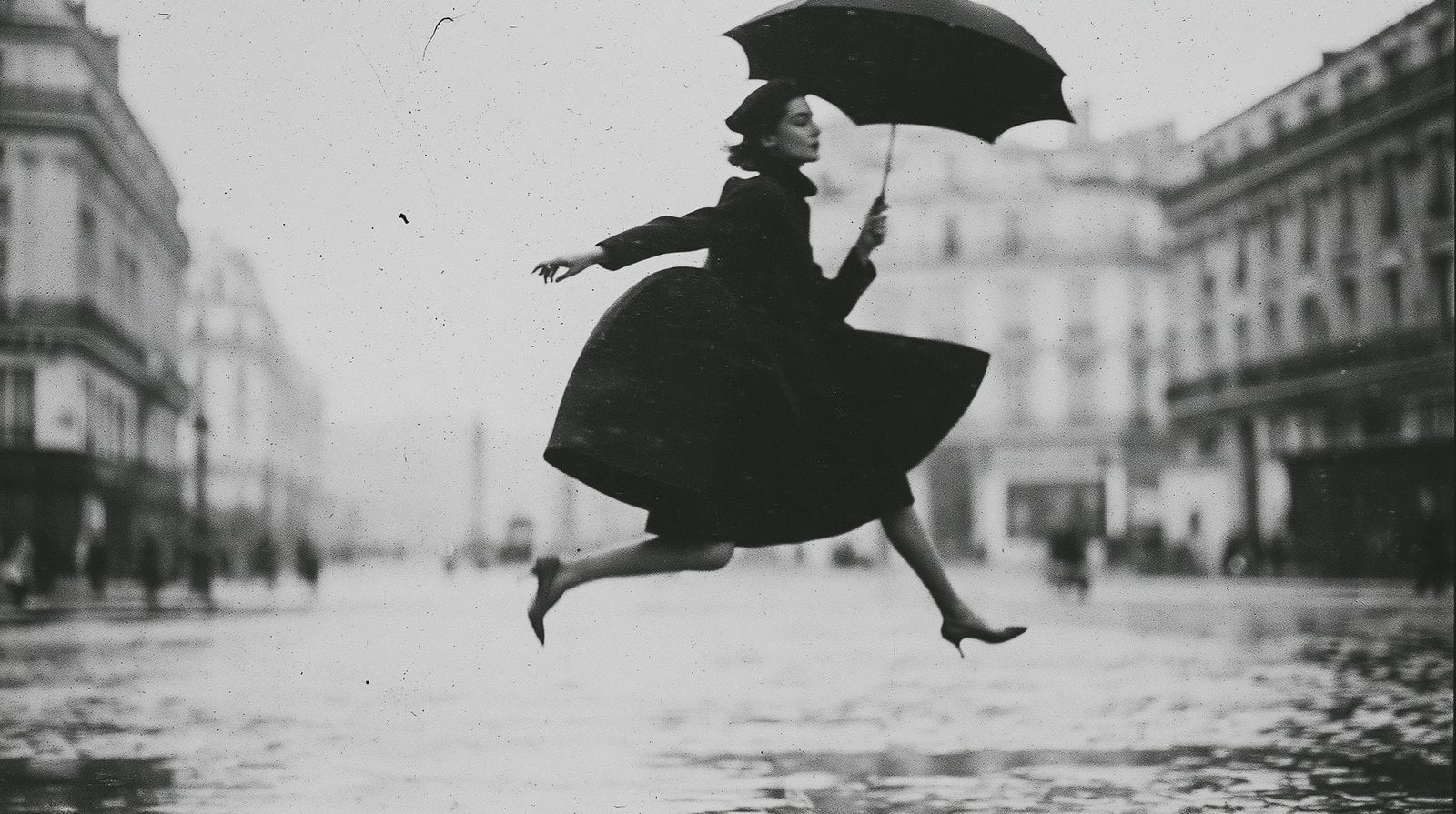
Image 1 — Umbrella leap
Image 1 — Umbrella leapImage
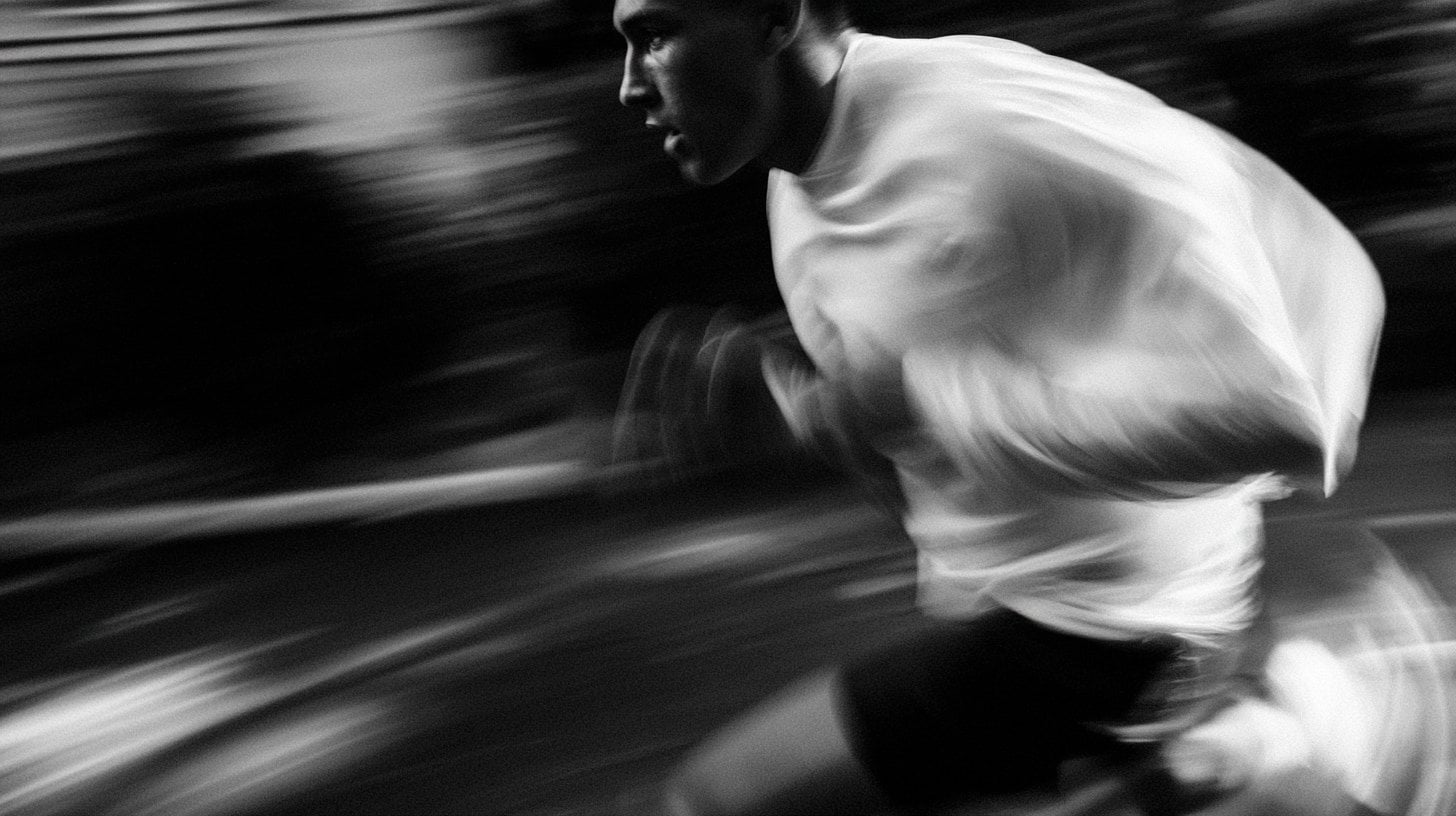
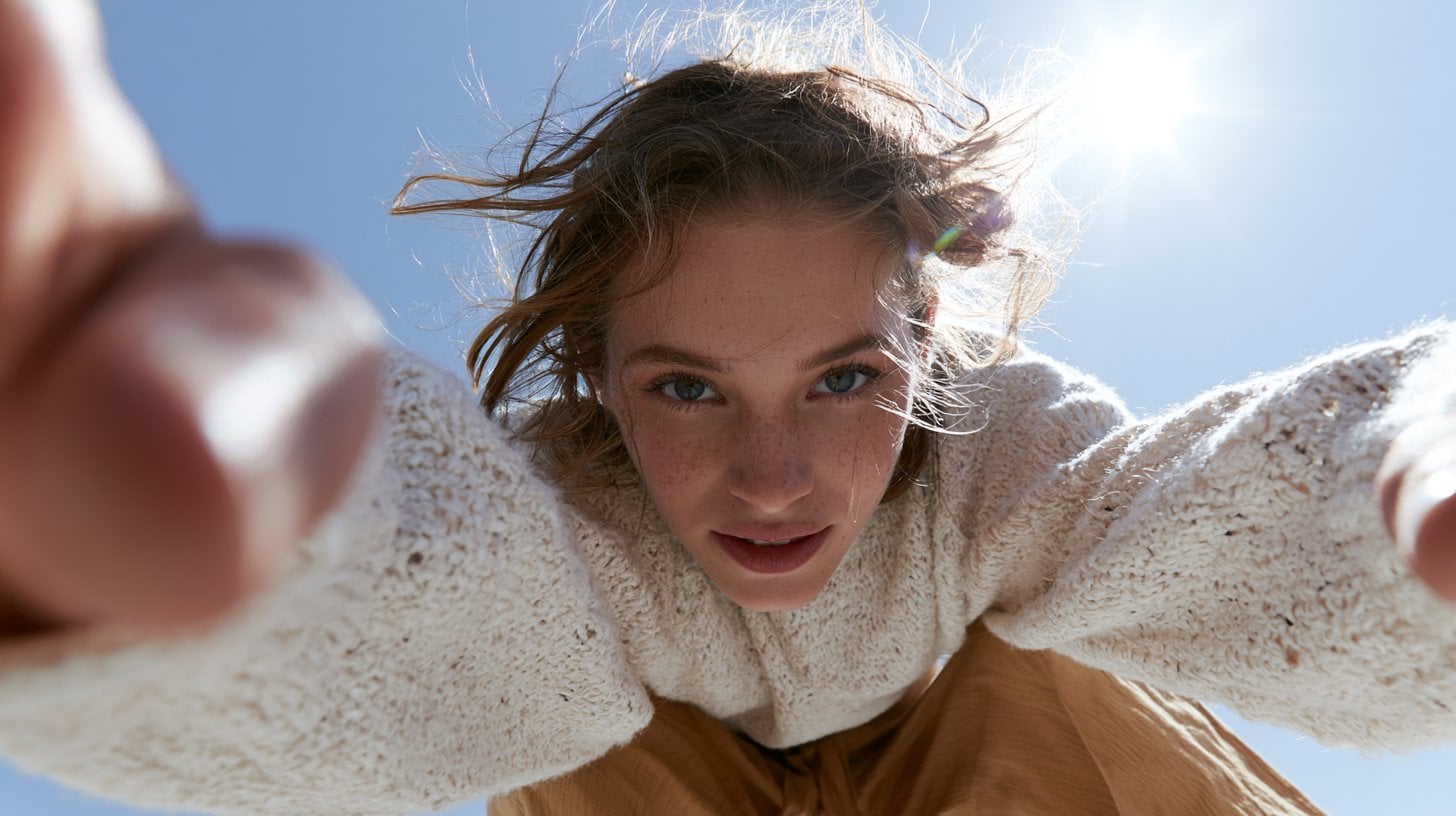
Image 2 — Running shot
Image 2 — Running shotImage
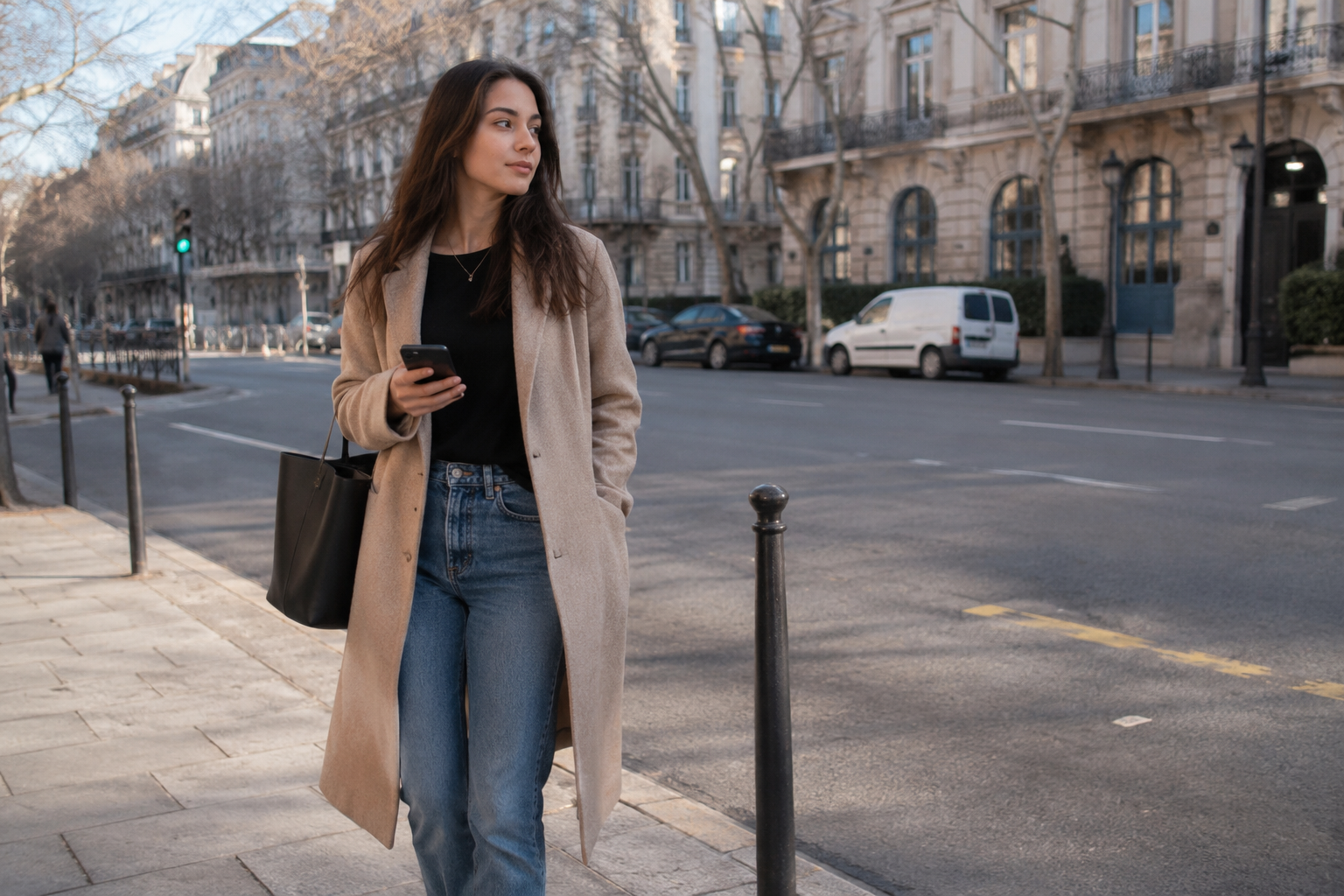
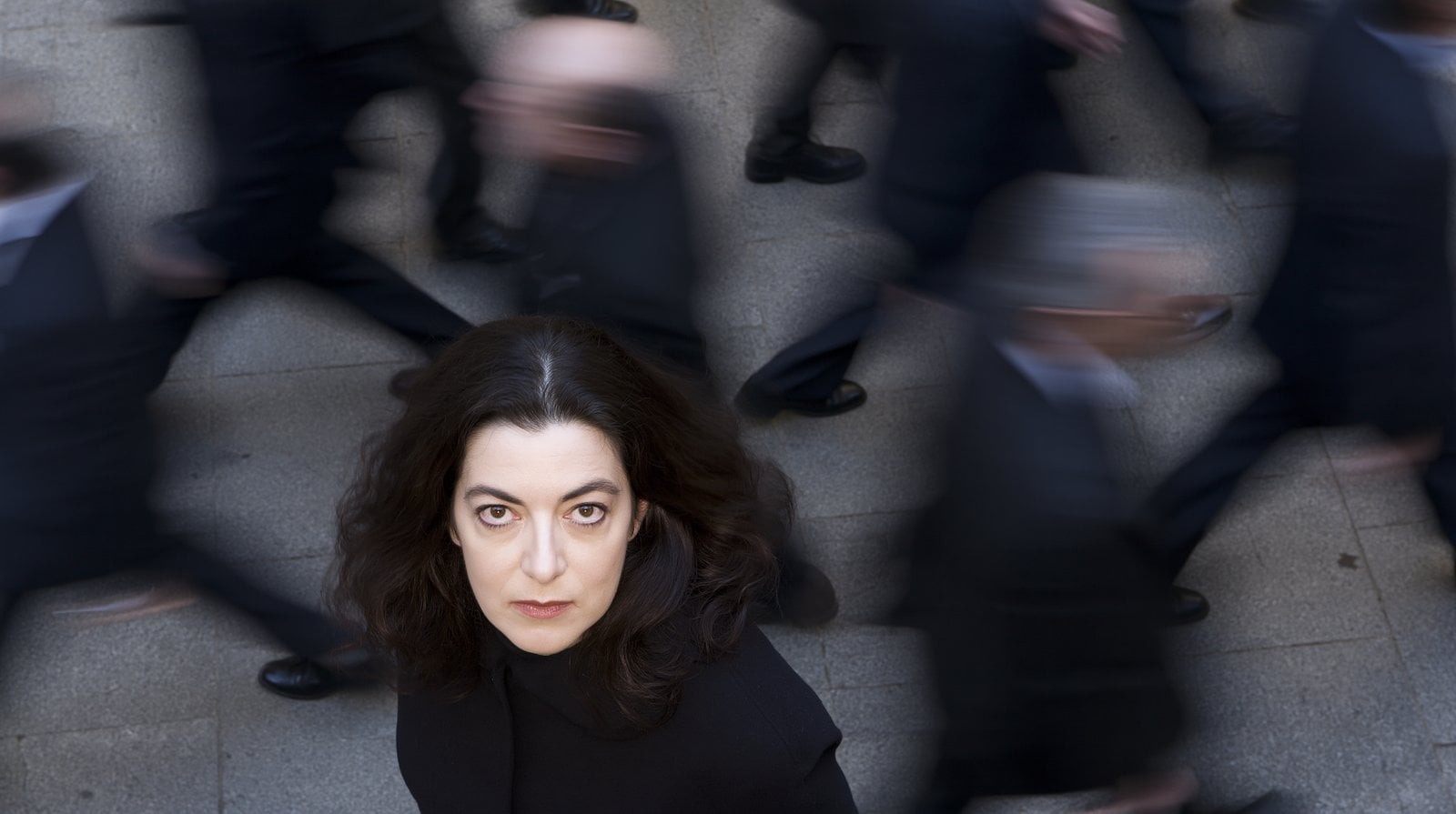
Image 3 — Overhead character
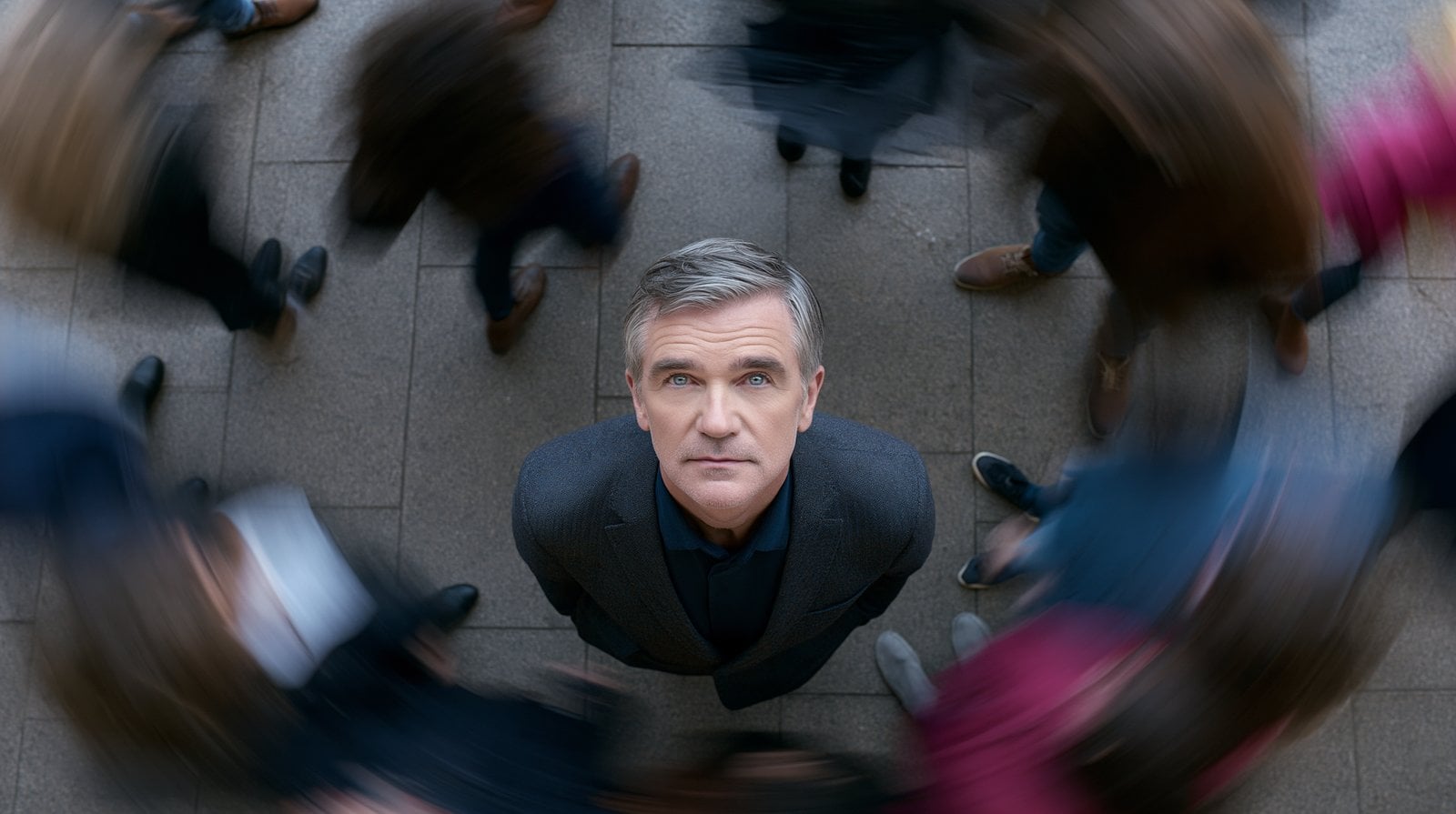
Image 3 — Overhead characterImage
Image 4 — Overhead crowd
Image 4 — Overhead crowdImage
Image 5 — Character close-up
Image 5 — Character close-upImage
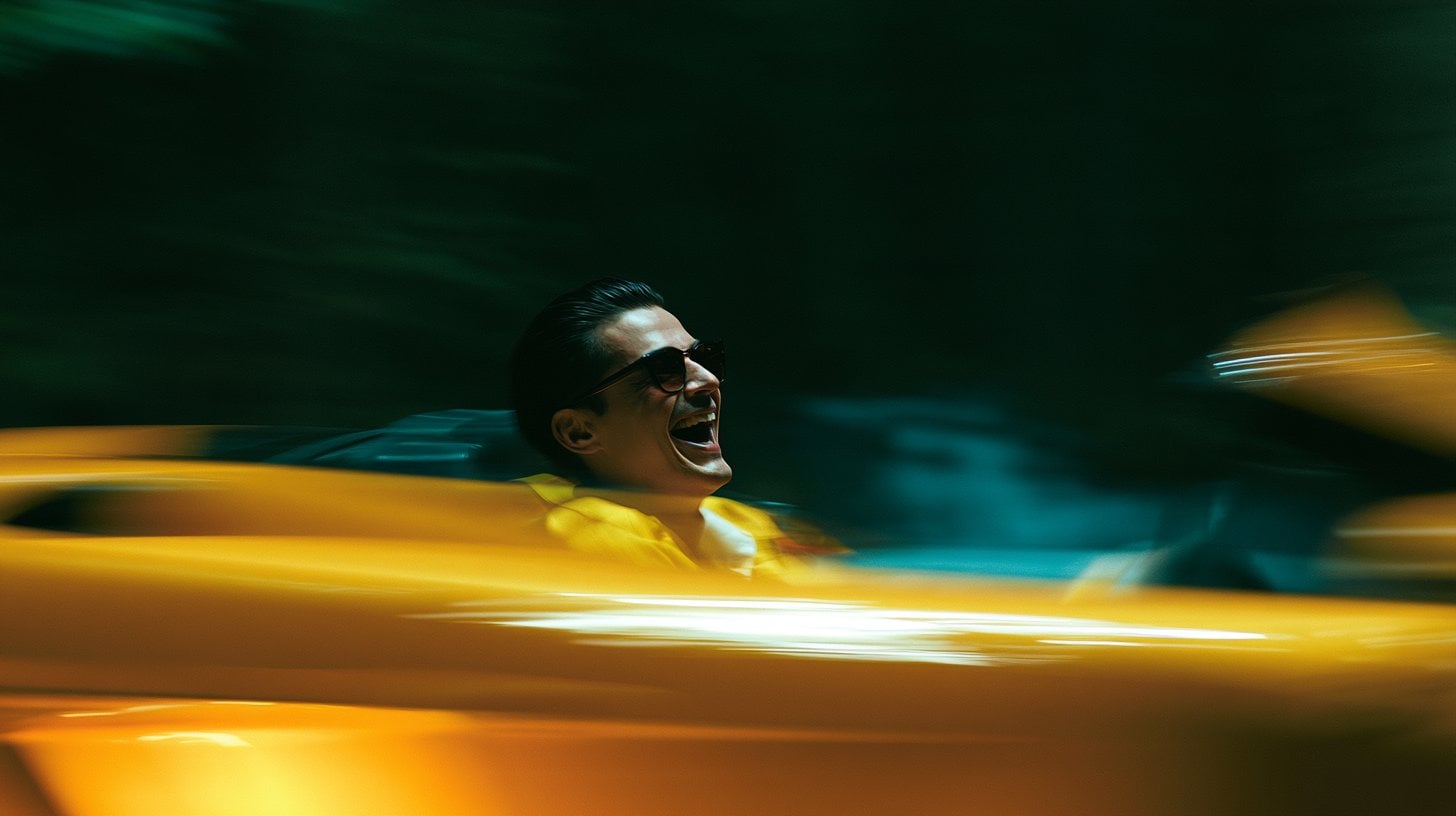
Image 6 — Sports car shot
Image 6 — Sports car shotImage
Video 1 — Rhythm, transitions and musicVideo

2. How to write it

Formula

[Shot images] + [video rhythm] + [transitions and music]

What to control

  • Give visual content and editing rhythm separate references.
  • Check which images appear in the generated sequence.

Prompt

Image 1 Image 2 Image 3 Image 4 Image 5 Image 6, strictly reference the shot rhythm, transition style, and music of the example video @Video 1.

3. Practice and review

Change one variable
Replace just one shot image while keeping the rhythm video and other images.
Check the result
Record which images the output used and when cuts occurred; six inputs do not guarantee six shots.

MiniMax H3 · 15s · 768P · 16:9

Try this workflow

5.1 Background Replacement

Reference to Video

Replace a Green Screen With a Fairy-tale Setting

LearnDistinguish the video being edited from its environment reference.

1. Result and inputs

Video 1 is the green-screen source and Video 2 is the fairy-tale environment reference. The prompt requests matching the new background and character lighting to the source movement.

Reference Input
Video 1 — Green-screen sourceVideo
Video 2 — Fairy-tale backgroundVideo

2. How to write it

Formula

[Green-screen source] + [environment reference] + [matched motion and light]

What to control

  • Identify the source clip separately from the environment reference.
  • Describe lighting adjustments alongside the background change.

Prompt

Remove the green screen background from @Video 1, turning it into a fairy-tale background similar to @Video 2. The background elements must perfectly match the character's movements in Video 1. Modify the lighting on the character in Video 1 to make it completely match the background.

3. Practice and review

Change one variable
Keep the green-screen video and replace only the environment reference.
Check the result
Inspect character edges, lighting and unwanted changes to the subject.

MiniMax H3 · 6s · 768P · 16:9

Try this workflow

5.2 Character & Wardrobe Edits

Reference to Video

Replace a Child With a Dog and Change a Jacket

LearnPoint to the editing target with position and reference roles.

1. Result and inputs

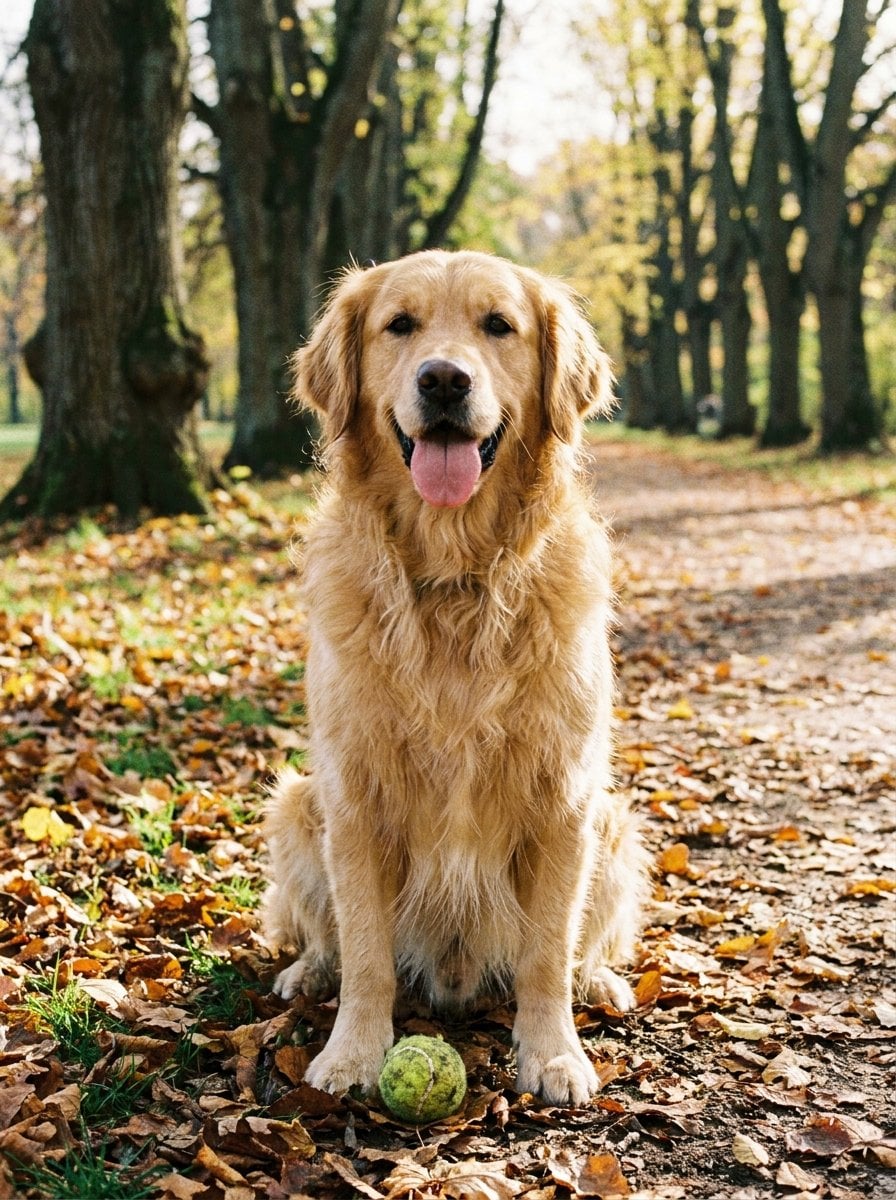
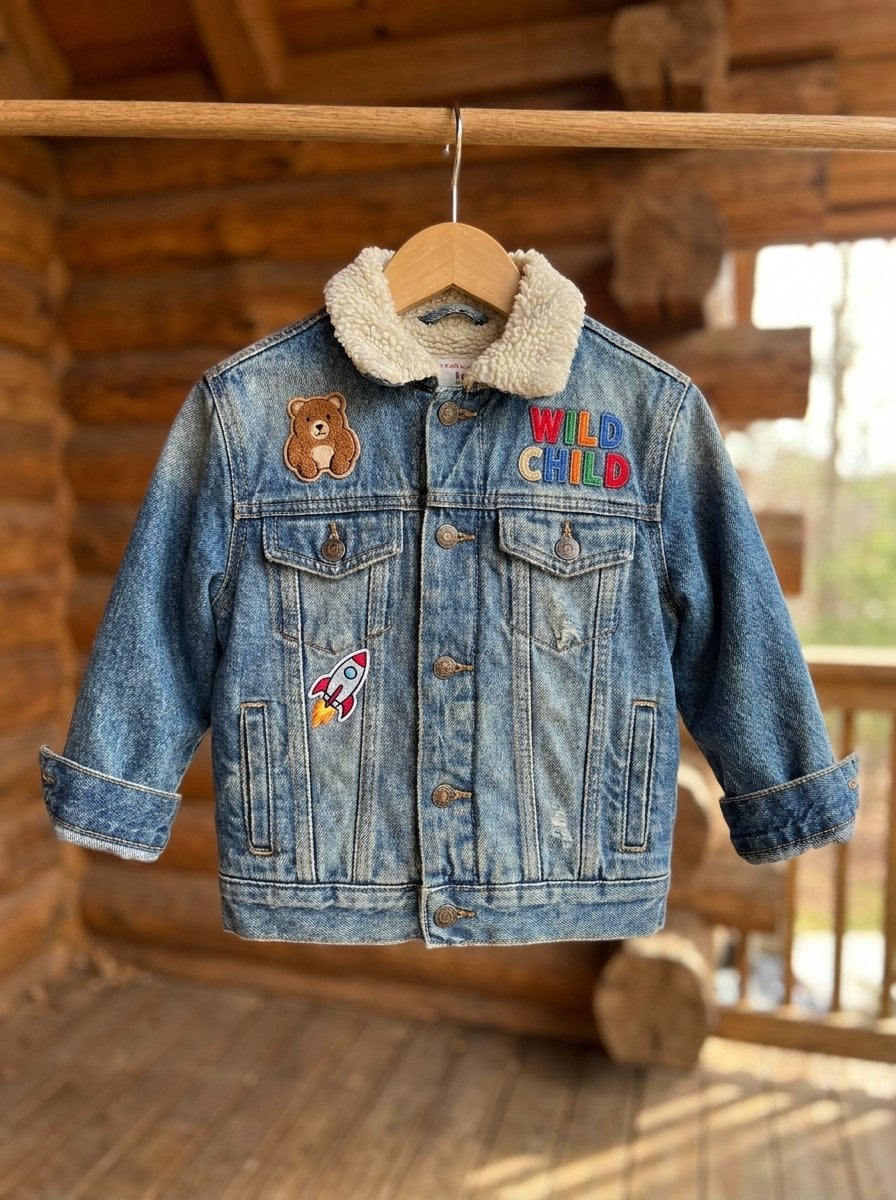
Image 1 supplies the golden retriever and Image 2 supplies a denim jacket. Video 1 is the original clip; the prompt identifies exactly which child and jacket to replace.

Reference Input
Image 1 — Golden retriever
Image 1 — Golden retrieverImage
Image 2 — Denim jacket
Image 2 — Denim jacketImage
Video 1 — Original children clipVideo

2. How to write it

Formula

[Source video] + [target position] + [replacement images]

What to control

  • Use spatial descriptions to locate the edit target.
  • Assign one replacement role to each image.

Prompt

Replace the child at the very back in Video 1 with the golden retriever from Image 1. Change the khaki jacket worn by the leftmost child in Video 1 to the denim jacket from Image 2.

3. Practice and review

Change one variable
Attempt only one of the two edits first; retain its position label and matching reference.
Check the result
Check the intended target and inspect whether other people changed.

MiniMax H3 · 6s · 768P · 16:9

Try this workflow

5.3 Two-image Transitions

Reference to Video

Connect Coffee and Sand Through Matching Textures

LearnConnect two scenes through texture and continuous camera movement.

1. Result and inputs

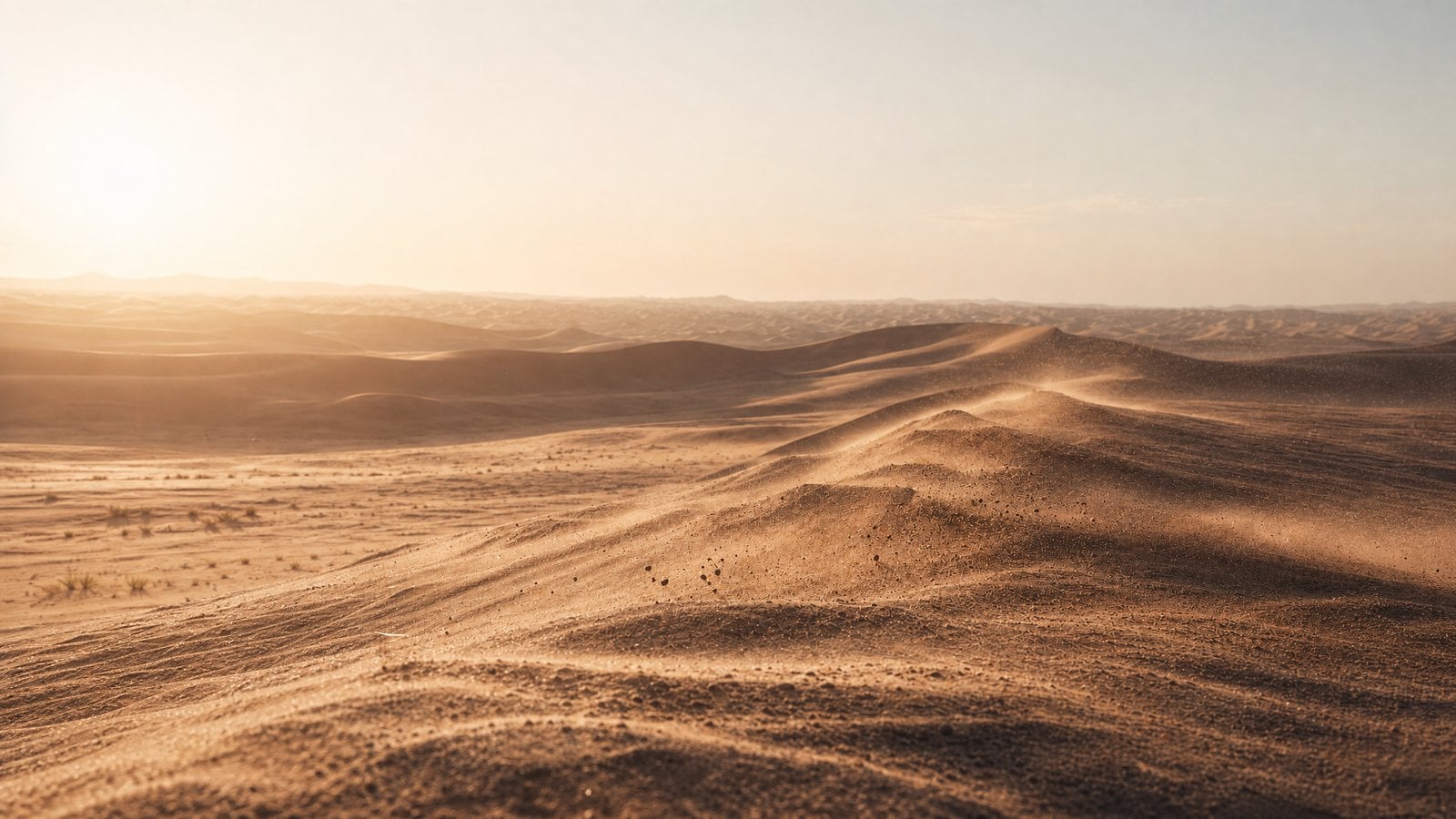
Image 1 supplies the coffee scene and Image 2 the target dunes. The camera pushes into foam and cocoa particles, then connects their texture to sand in one continuous move. Both images act as scene references, rather than exact first- and last-frame constraints.

Reference Input
Image 1 — Starting coffee scene
Image 1 — Starting coffee sceneImage
Image 2 — Target dune scene
Image 2 — Target dune sceneImage

2. How to write it

Formula

[Starting scene] + [target scene] + [matching textures] + [continuous camera move]

What to control

  • Identify the texture or shape that connects the two scenes.
  • Describe a continuous camera path and how the scale changes.

Prompt

@Image 1 The shot quickly pushes into the detail of the coffee surface's milk foam, cocoa powder particles, and dark coffee liquid texture, letting the surface particles, foam, and liquid ripples gradually cover the entire screen, obscuring everything else. The shot maintains a realistic macro texture, extremely shallow depth of field, with fine powder slowly falling in backlight, the surface texture like a transition between fine sand and fluid. Avoid screen cracking. At the moment the coffee powder particles, milk foam undulations, liquid swirls are highly similar to the sand dune ridges, wind erosion textures, and blowing sand particles in @Image 2, naturally and seamlessly transform into a desert landscape. Then the shot continues to push forward, revealing the full view of the sand dunes from @Image 2. Strictly avoid screen cracking, no black screen, no hard cuts, no obvious special effects, no sense of splicing. Overall, it should be real, quiet, restrained, like the same granular material naturally changing from the coffee's microscopic surface into a macroscopic desert world. One continuous shot, no splicing in the middle.

3. Practice and review

Change one variable
Replace the destination scene reference and update its connecting texture description.
Check the result
Check continuity of the transition. These are scene references, not exact first and last frame controls.

MiniMax H3 · 8s · 768P · 16:9

Try this workflow
06Reference roles and input limits

MiniMax-H3 · Studio controls reviewed October 3, 2026. Fast and Max have separate limits.

6.1 Give each reference a job

Image reference
Describe the appearance, shape or layout it should contribute.
Video reference
Describe the action order, camera path or editing rhythm to borrow.
Audio reference
Describe the voice, rhythm or sound it should contribute; pair it with a visual reference.

Number images, videos and audio separately to match the uploaded files. A label in the prompt does not upload an input. First/last-frame inputs specify compositions and cannot be mixed with reference-mode inputs.

6.2 Current Studio limits

  • Output: 4–15 seconds; 768P or 2K. Prompt: up to 7,000 characters.
  • Ratios: Auto, 21:9, 16:9, 4:3, 1:1, 3:4 or 9:16.
  • Images: ≤9; JPEG / PNG / WebP; ≤30 MB; 256–5760 px; width/height ratio 0.4–2.5.
  • Reference videos: ≤3; MP4 / MOV; ≤50 MB; 2–15 seconds per clip, total ≤15 seconds.
  • Reference audio: ≤3; WAV / MP3; ≤15 MB; 2–15 seconds per file, total ≤15 seconds; an image or video reference is required.

6.3 Before submitting

Choose duration and resolution in the form; writing them in the prompt does not set the controls. Upload your own authorized inputs, check their numbered roles, then review the displayed cost. Native audio has no on/off control here.

AddGuide is a separate ComfyUI workflow node; it is not a control in this hosted Studio. Read its documentation

07 MiniMax H3 guide FAQ

What is the best MiniMax H3 prompt structure?

Use subject, motion, environment, aesthetics, camera, and audio. For complex videos, add duration, aspect ratio, and shot order at the start.

When should I use image references?

Use image references when identity, product shape, wardrobe, layout, first frame, or visual style must stay stable.

When should I use video references?

Use video references when timing, action rhythm, camera path, gesture, or visual effect trajectory matters more than the source appearance.

How many reference assets can I use here?

For MiniMax-H3 reference mode, use up to 9 images, 3 videos and 3 audio files. Audio requires a visual reference, and frame roles cannot be mixed with reference roles. See the verified contract above.

Ready to create

Use the guide as a production checklist

Start with the workflow that matches your source material, then adapt one of the prompts above for your own scene.